Monday, December 10, 2018

Family Reunion

Joe’s Collection
Typecast071

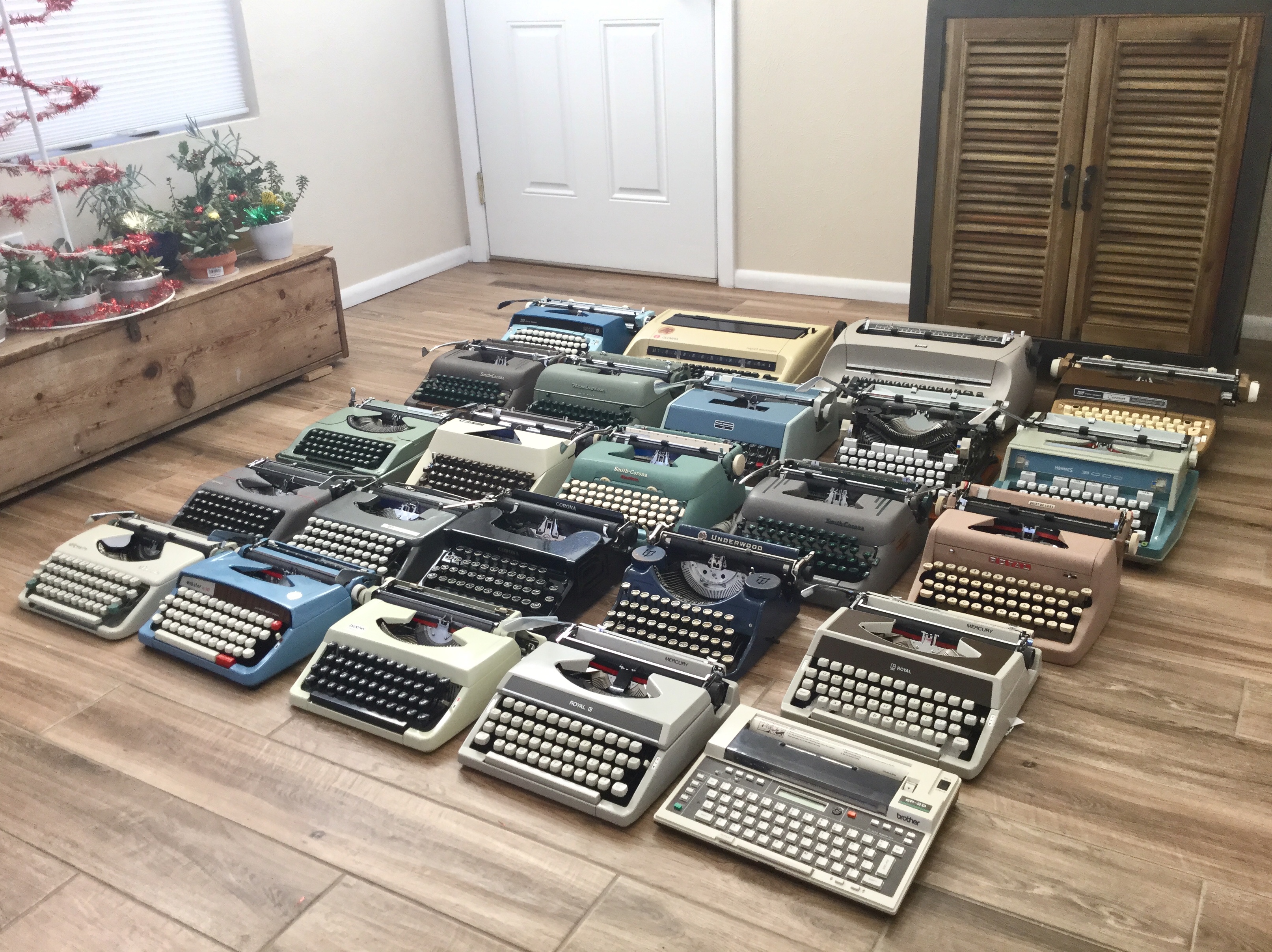
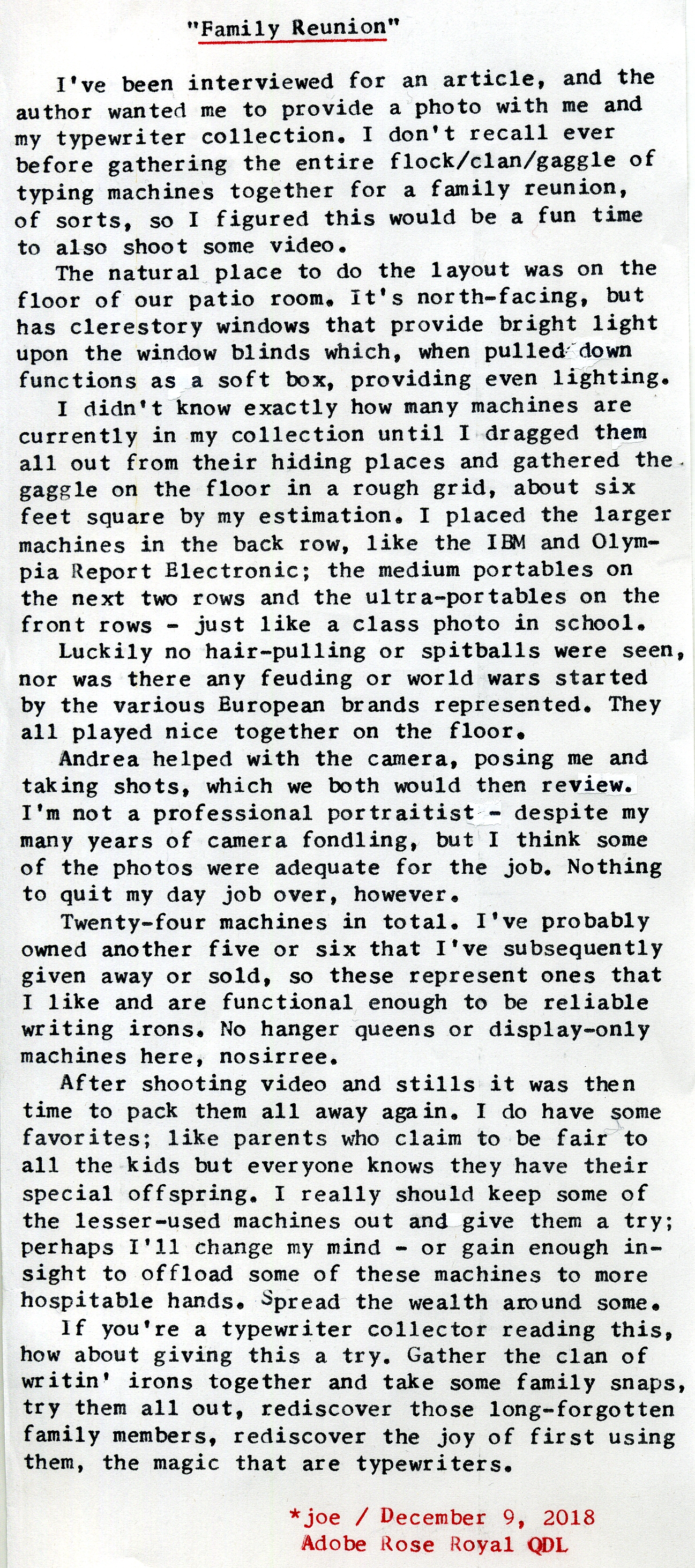
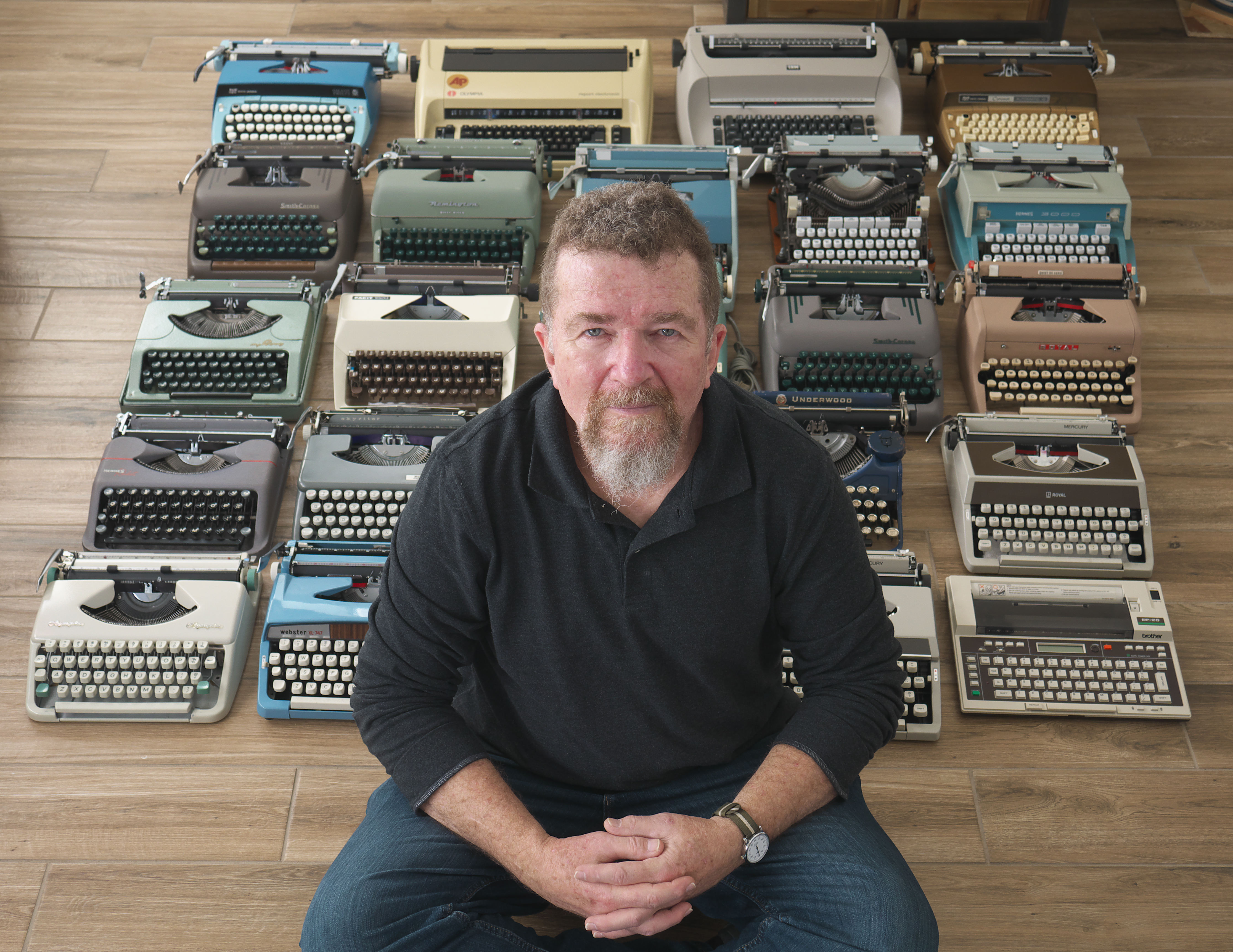
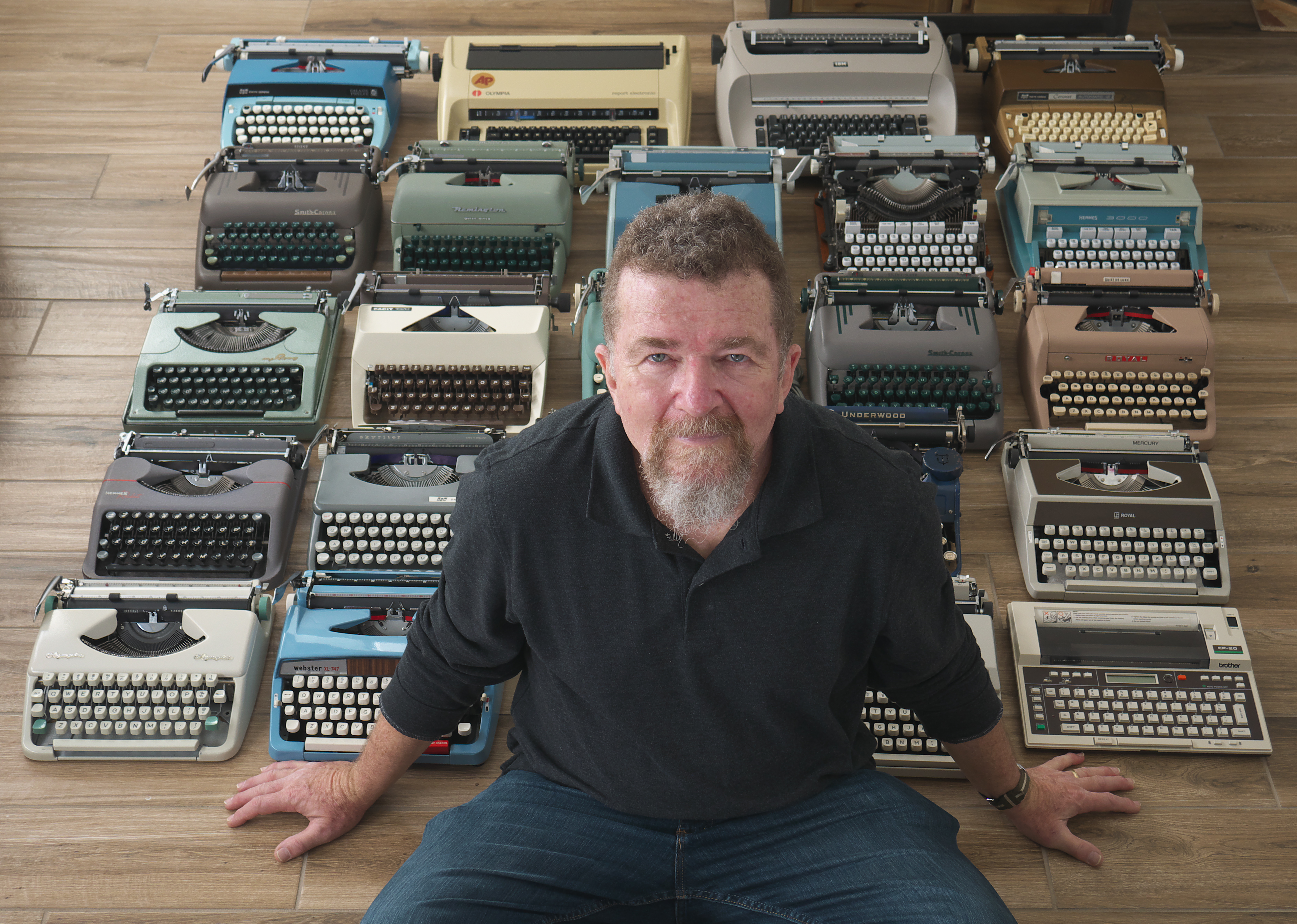
Post-Script: This was fun. Not just trying to make a self-portrait, but more so the gathering of the typing clan. Do typewriters travel in clans, flocks or gaggles? Hmm. Bunches? Troves? That's more alliterative. Yes, a trove of typers. So be it then. As for the portraits, I ended up with these two:

P1020624b
P1020617b

Also captured some nice "B-roll" footage of the trove.

Typecast on Adobe Rose, the Royal QDL, onto the backside of the recently acquired 4-3/8" wide thermal paper. About perfect width for blogging with elite-sized font.

Here's the video about this shoot:


Today I spent hours making test exposures with my various video cameras, trying out various settings, then uploading the footage repeatedly to my computer and viewing full-screen on my monitor. I'm trying to optimize my video quality. I keep wanting to use the little Canon Vixia 800 camcorder, as I like the form factor and it has good image stabilization. But the video quality just doesn't keep up. Some of the footage in yesterday's video was shot with the Canon and I wished I'd used one of the Lumix cameras instead.

The el cheapo "Ape Man" Go Pro knockoff camera is really small, but has a fish-eye field of view and rather cruddy image quality. I wish someone like Go Pro made one with a flip-up screen and external mic input for vlogging. And better image quality, like the Sony RX0.

The older Panasonic GH-3 has the best 1080P files of the four cameras, but it doesn't have as good of autofocus or dynamic range. The even older G5 has the best colors on its LCD screen but the results don't hold up once imported to the computer. The newer G7 has the best dynamic range and auto focus but the colors tend to be a bit orange, and its 1080P isn't as good as the GH3. But it also has cropped 4K, so that's what it's primary use is for.

As for lenses, the 14-42 kit lens has optical image stabilization but its F/3.5 maximum aperture is a bit slow for dim lighting; whereas the 14/2.5 is faster in low light but lacks OIS. I probably need to bite the bullet and fork over some big bucks for a constant aperture stabilized f/2.5 pro lens. The OIS isn't important for stationary shooting in my office studio, but for moving-around scenes, like this typewriter shoot, I really need better stabilization while maintaining a fast aperture. I don't think Santa will be dropping one down the chimney any time soon, however. Plus, our gas stoves' chimneys are rather narrow. Santa's a big boy, last time I checked.

Oh, well. As George Carlin once said, "you can't have everything - where would you put it?" Probably next to all the typewriters.

Now I have to work on Christmas cards. Yes, I'm running late again. I want to type up some letters to go along with them. Wish me luck.

Labels: , , ,

Monday, September 18, 2017

Thoughts on Micro-Documentaries and Movies


It's interesting how reading some seemingly innocuous comment can suddenly trigger a strong creative urge. That happened to me, several weeks ago, after reading the comments to a posting on Kirk Tuck's The Visual Science Lab blog.

The blog article was about the book The Age of the Image, by Stephen Apkon, whose thesis is that we live in an age when, as Kirk Tuck states:

(W)e are moving from the written word to the language of motion pictures. The author makes a convincing point that, in the near future, to be truly literate will mean understanding the grammar and language of video; both how to decode it and how to create it.

In the comments to the article, reader ODL Designs wrote:

I had the idea, when watching some footage of farmers reduce the rat population in their fields using dogs, of making micro documentaries explaining interesting things like that.

Boom. Like that, it hit me. The idea of making "micro documentaries." If video is equivalent to the "written language" of our day, then perhaps we should start our journey toward visual literacy by practicing the equivalent of the haiku or vignette; not feature-length "cinema," in all of its pretentiousness, but shorter works whose length is not driven by some archaic measurement standard like the size of a reel of film, or the attention span of an audience, or marketing standards from nearly a century ago.

I know what has hampered me in the past, when considering my journey toward visual literacy, is this feeble notion that a person can take up some modest assortment of video equipment and suddenly become a "film maker." Or, similarly, that such a fledgling novice should consider setting their sights on becoming like a small-scale version of a Hollywood film company. As if there were only one model for how the individual can employ the visual arts as a means of communication. That model of the classic Hollywood film system is outdated and irrelevant. Forget it. It would be like following the model of the newspaper printing business as a means for reaching a wider audience on the Internet via blogging. That was then, this is now. Heck, even blogging itself is a bit passe these days.

I have this sense that, as creatives, we often bite off larger projects than we can chew. Sure, long-term goals are important, but I'm sensing the importance of doing something for today. Projects small enough to complete in one day's time, from conception, to execution to editing and post-production. Maybe it's a simple thing, just one solid thought or idea. How would that work on video? What would be the elements of visual language you'd use? Would you use narration, or let the montage of scenes do the talking?

I get the sense, from talking with other fledgling "film makers," that short pieces are looked down upon as somehow less than feature-length films. As if they are mere student works, kiddie practice, something you need to grow out of to be a big-boy auteur. This argument makes little sense if we consider the short-story writer versus the novelist. Are short stories somehow intrinsically inferior to novels? What about poetry? Are poems inferior because of their frequent brevity? I don't think so. And, I suspect, neither do you.

What short-story writers and poets often do is publish their work in collections. Now here's an idea worth considering. For the creator of video "shorts," or micro-documentaries, this makes a lot of sense, especially considering many pieces could be grouped together by common themes or undercurrents.

So, on the day that I read Kirk Tuck's blog article, I was struggling with repairing my aunt's old Royal Model 10 typewriter (which is still on my work bench, yet to be completely sorted) when it struck me that here's a subject for a micro-documentary: a selfie-documentary (selfiementary?) of my inner struggle with being a barely-skilled, fledgling typewriter technician, having promised my aunt I could fix her machine yet evidently not being able to do so. I immediately knew how I wanted to approach the video, a documentary-style interview piece where I'm verbally confessing my inner feelings as if answering some off-camera interviewer's questions, intercut with clips of me fiddling with the machine and its inner workings.

I also knew I wanted to record the video in black-&-white, and immediately knew to use the Panasonic Lumix camera's Dynamic Monochrome film style, which gives dense shadows and hard, contrasty footage. Sure, I could have "graded" color footage in post to achieve black-&-white, but it wouldn't be as good as what those little Lumix cameras can do themselves.

Another stylistic consideration was the choice of lens. Since I'd just started using the 7Artisans 25mm f/1.8 manual focus lens, I thought it would be perfect for a more film-like image, since it renders like an older lens design and mechanically focuses like a cinema lens with a stepless aperture ring.

The piece finally came together in my mind when I realized that, in repeated test-typings on the Royal typewriter, I'd been using the phrase "Now is the time for all good men to come to the aid of their country," which suggested the video's title, and implied an undercurrent of responsibility to my aunt to somehow come to her aid, in the repair of her machine.

No, this isn't "Arte." It lacks the finesse and sophistication of a more scholarly approach. It's not recorded in 4K - the new litmus test - with a Red camera. Heck, it's just YouTube, for gosh sakes. But I like it. I like the spontaneity, the creative inspiration that spurned this piece. I like that it represents, to me, a working model for how to proceed forward with micro-documentaries as an elegantly simple way to communicate one concrete idea in a brief few minutes of the viewers' time.

Labels: , , ,

Wednesday, March 29, 2017

More Videos and Type-In Prep

Downtown Java Joe's
It's been a busy several weeks, though that is not in itself adequate justification for ignoring this blog for nearly two weeks. There's a certain amount of irony in the observation that a recent video was about the power of blogging; a power which I've apparently ignored.


This week I've produced four videos for my YouTube channel, three of them about photography. The first two were about the Stearman Press SP-445 sheet film developing tank, a new product which promises sheet film processing in daylight, using a changing bag. In many ways it offers a similar result to a rotary tank, with the added benefit of not requiring constant agitation, as is the case with rotary processing, and thus permits stand development methods to be employed. I found my test results using the SP-445 to be satisfactory in terms of uniformity of development, but did note a bit of emulsion scratching along the very edge of the film, due to the way the thin, ABS plastic holders clamp the film. I didn't think this was a "deal-breaker," however.

I did experience one negative detach from the holder sometime during either the five minute fix (using continuous agitation) or the initial rinse cycle. But the image results were fine. My biggest concern with this system, aside from a few dribbles of liquid leaking from the o-ring sealed lid during inversions, is the seeming flimsiness of the internal plastic baffles and film holders. Longevity will only be proven over time, I suppose.


I produced another video, at the prompting of a viewer who liked the camera I'd been using for the film development tests, presented as a 75 year-old camera review of the Graflex Anniversary Speed Graphic, which has been my primary workhorse for large format and experimentation with adapted lenses; since it has a functional curtain shutter, any lens that projects a usable image can be employed, even if it lacks its own shutter. I've over the years employed several decidedly unphotographic devices as lenses, such as the front objective to a 7x50 binocular, a plastic, credit card-sized fresnel magnifier, a Xerox machine lens and a brass pinhole. Certainly newer field cameras are lighter in weight, but they don't offer the flexibility of a functional curtain shutter, along with a wire frame viewfinder to augment the ground glass view screen. This camera I had purchased from a local camera store years ago, and it's been worth every penny to me in return.

It's been several weeks since I made a typewriter-themed video, and as I was looking through my video production notebook I found a post-it note I'd made to myself about a potential video idea, that being making a log book for one's typewriter collection. The idea is to have a separate section for each machine, with detailed data on date of acquisition, serial number, age, past service, present mechanical issues, date of last ribbon replacement and one's own personal observations about the machine. It might also be of value to include a log of how each machine is getting used, in the form of a list of entries documenting the date of use and for what purpose - letter writing, blog article, short story, etc.

The video itself ended up morphing into more of a Confessions of an Office Supply Junky theme, as I delved into using the Staples Arc system (compatible to Levenger's Circa) of disc-binders for making customizable notebooks. Since making that video I've decided to also update my ad hoc video production journal with the Arc binding system. So now there are a plethora of little colored paper chads dotting the floor in my office, as the cheap little Arc hole punch likes to spew chads intermittently.

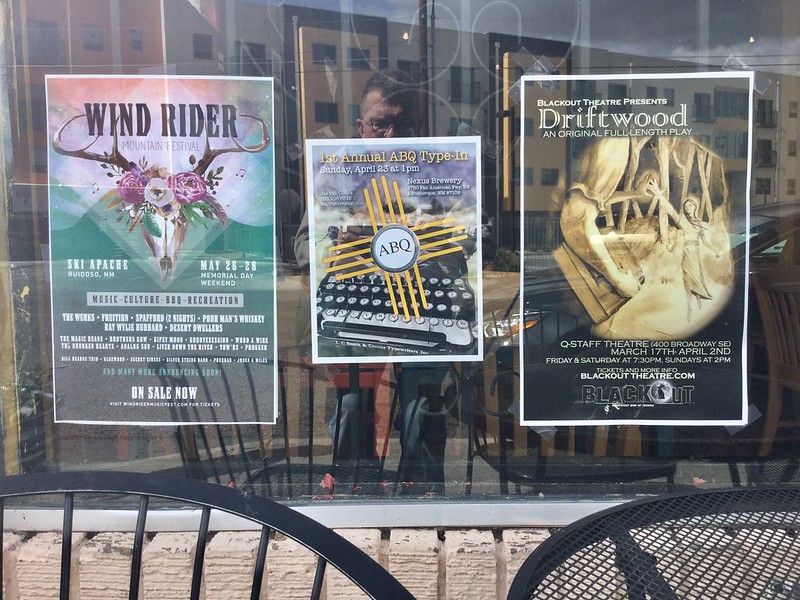
My wife and I spent several hours of the last three days spreading posters and fliers around town for the upcoming ABQ Type-In, scheduled for April 23 at 1 PM at Nexus Brewery. One downtown coffee shop we wandered into resulted in us meeting a poet who writes via typewriter, whom we invited to the event. You just don't know which venues will lead you to meeting creative people who employ typewriters in their work; one reason why I wanted to visit as many coffee shops as I could, since creative types and caffeine seem to go together.

At a downtown bookstore we talked to the proprietor about the Type-In, who in turn suggested we contact a local poetry collective, many of whose members might also be interested. All of a sudden I'm getting this feeling that our venue might be too small; a good problem to have, I suppose, but I can remember just a few weeks ago when it seemed like I was worried about nobody showing up.

I've contacted a local alternative newspaper about getting a notice for the event in their paper, and I'll also be contacting more local media in the next few weeks.

I'm also amassing a small stack of letters and postcards from new pen pals. This is another good problem to have, since I haven't been in regular correspondence with out-of-town folk in many years. Time to get that fountain pen filled and the Facit 1620 typewriter's type slugs cleaned and readied for use.

I've also been working on making my small video studio more efficient. It's funny with television production, you can't tell from the perspective of the viewer what a studio looks like off-camera. My local PBS station, for example, has a dumpy, cluttered studio, having visited on numerous occasions; but you can't tell from watching on TV.

My own production studio is in a corner of my bedroom-based office, where I employ some dark blue curtains in front of the closet doors, and some LED lighting in metal hardware store reflectors, clamped to wherever I can manage. I had been using a folding wooden tray table as my presentation table, but that's proven a bit too small, and also I've been needing to change the height of the table relative to my seating position, in the case of presenting some object on the table where I still want my face to be in the frame.

My solution was to employ an old Bruneau's Pneumatic Tripod, that I've had for decades, with the large metal mounting plate attached to a sheet of wood, atop of which I can set my new carpet-covered plywood tabletop, now wide enough to cover the camera's 16:9 field of view and able to move up or down with the tripod's pneumatic elevation system. I also attached two hardware clamps to the back corners adjacent to the camera, upon which I can now clamp my lights. And best of all, the whole shebang disassembles and stores away, for when I'm at work and don't wish for the office to appear quite so cluttered. Perhaps a future video will be a show-and-tell of my new video digs. Until then, have a great week!

Labels: , , , , , ,

Sunday, January 15, 2017

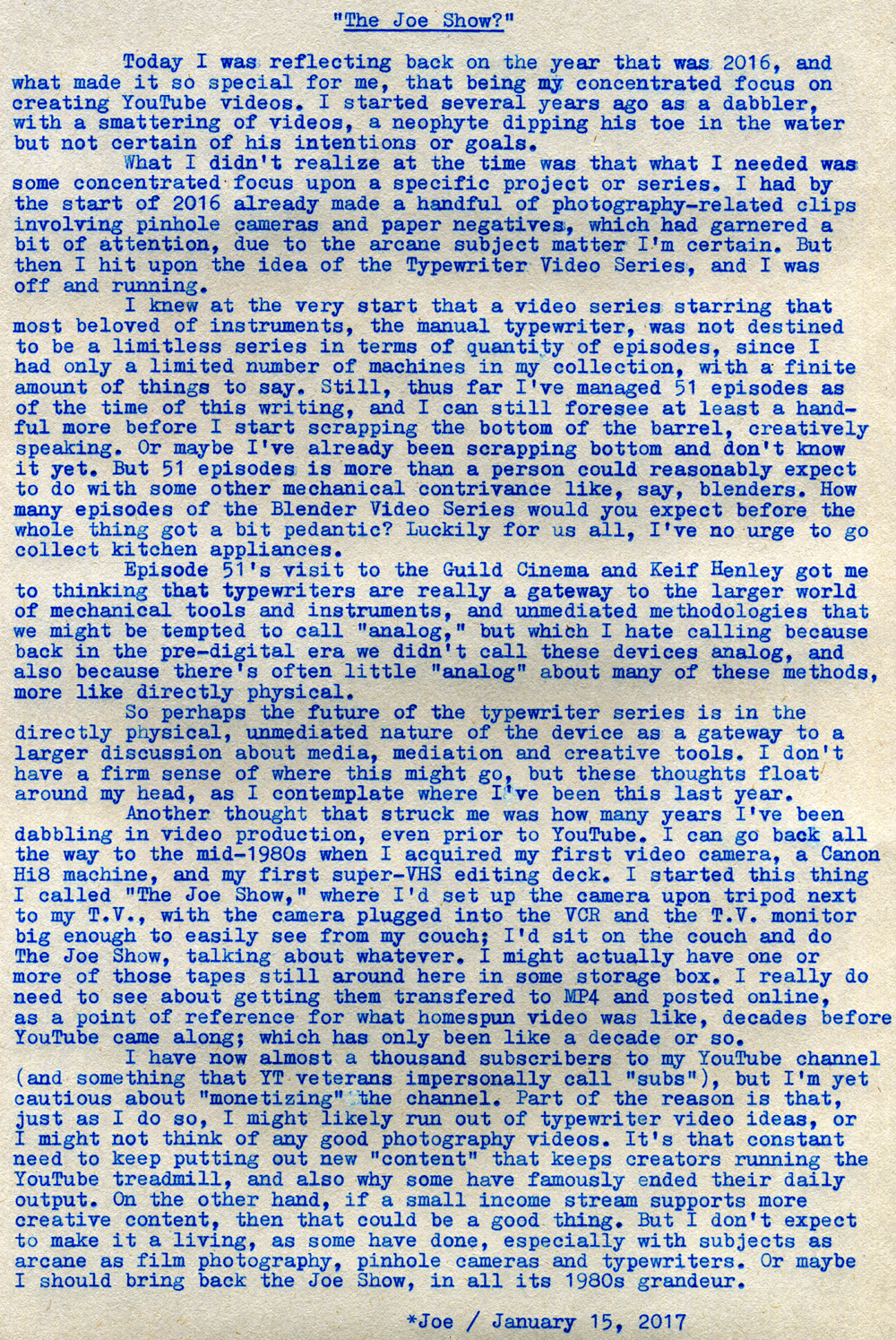
The Joe Show?

P1120527a
Typecast271

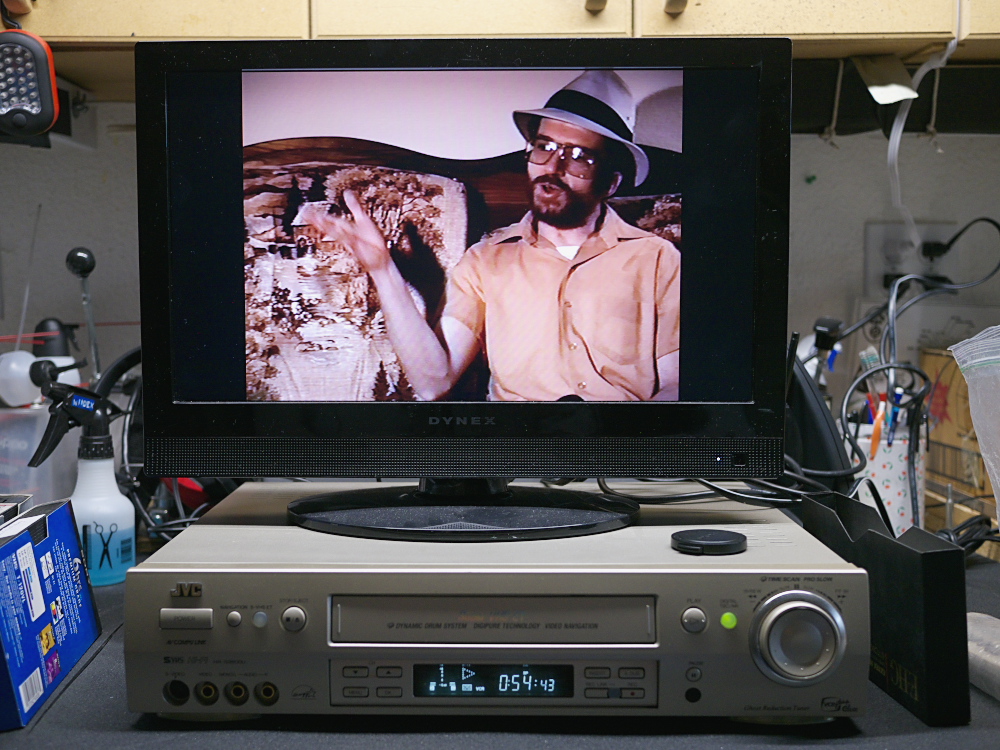
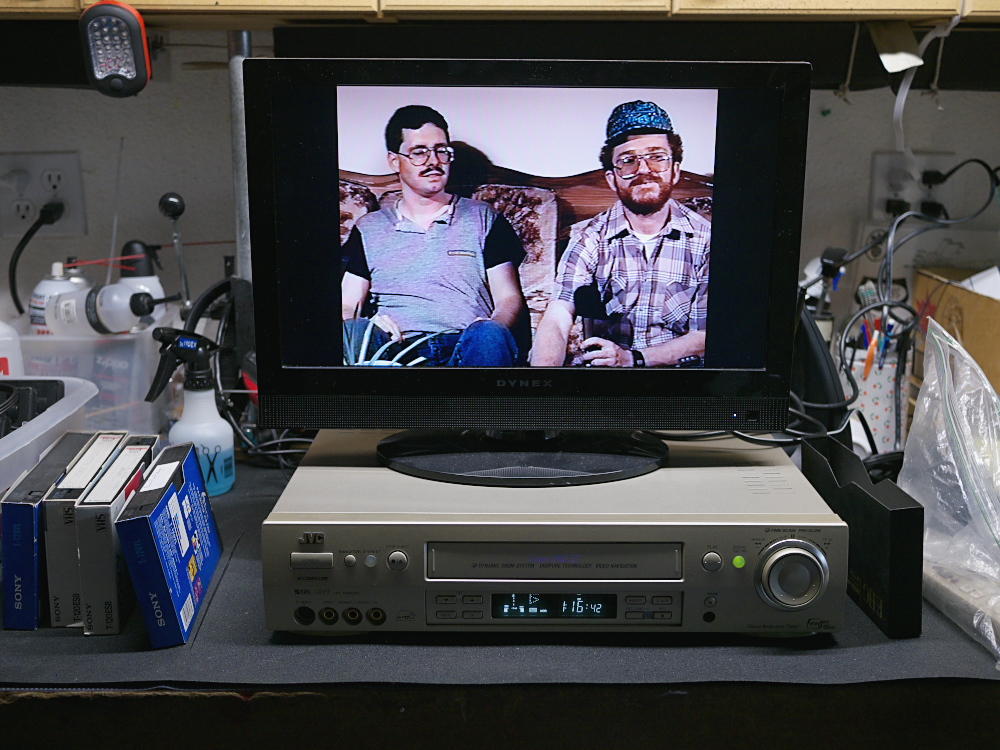
Post-Script: See the screen shot in the top photo? That's from a frame grab of a VHS tape compilation of The Joe Show, circa 1991. Was I actually wearing a salmon-colored shirt? And what's the deal with that funky hat? And those glasses ... I've seen better looking safety goggles. Boy do I remember that old couch. I think it was from Country Dan's. Massive wooden construction. Country-motif pictorial illustrations on the cushions - that never stayed put, always slid down and fell behind the back frame of the couch (notice the cushion behind me has already slipped down) and had to be continually adjusted. I was also a lot skinnier back then; so was everyone.

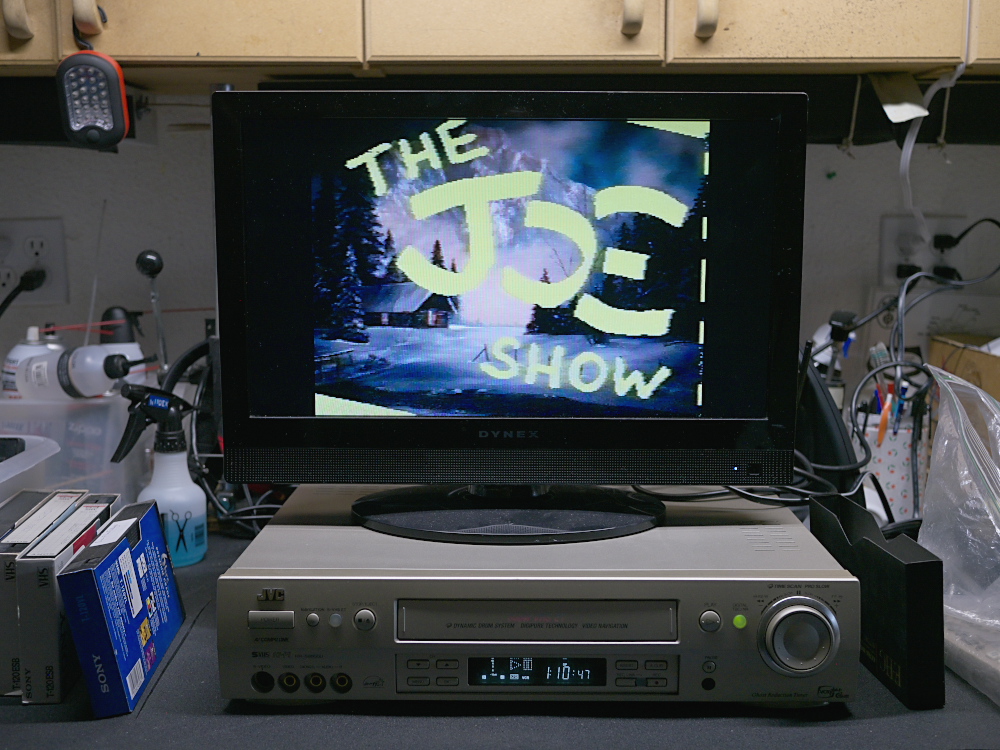
Here's more Joe Show goodness. First one of the intro graphics. My old Canon Hi8 camcorder had a feature called "matte," permitting you to take a matte shot of something, in this case hand-written titles, and overlay them, in a selection of colors, atop live video. Here the background was a Christmas greeting card.

P1120530a

Next is from a different episode, me in a different shirt and hat (what the heck's the deal with the hat? And why does it look too small?) with my friend Bob, a co-conspirator. Notice the handheld microphone, which I still have to this day.

P1120532a

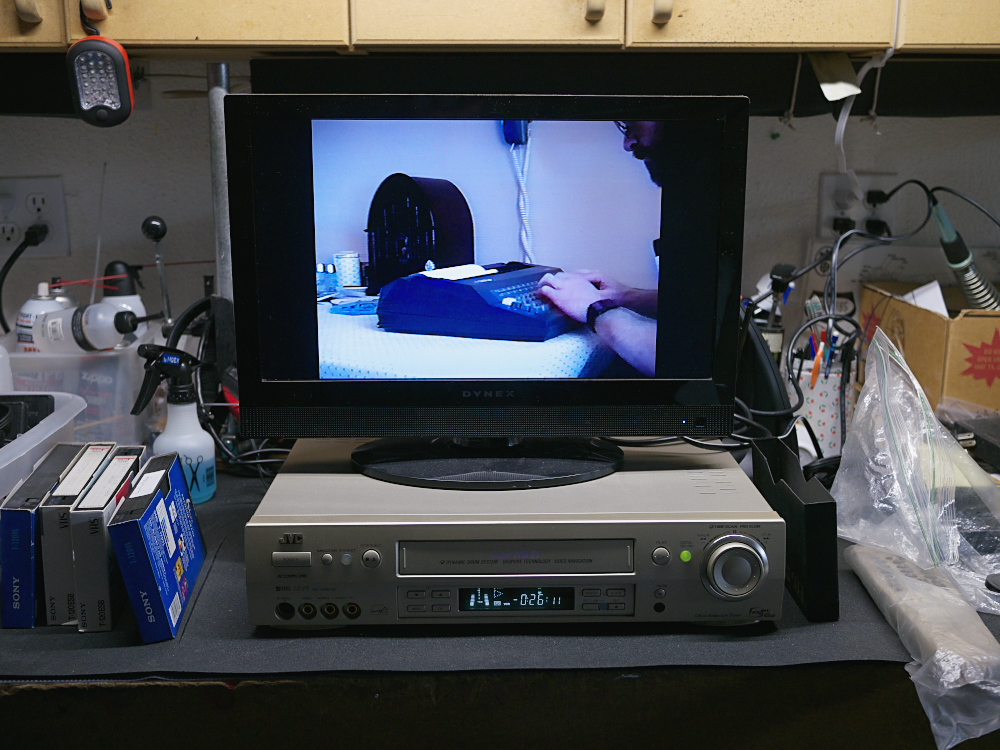
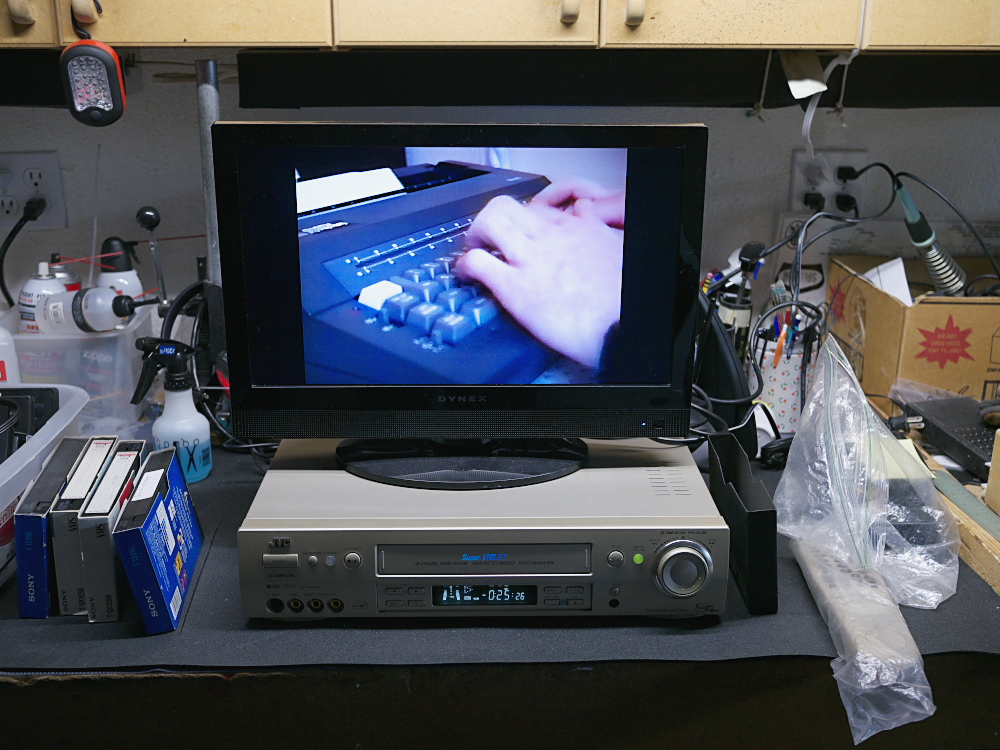
These next two frames are from a little "drama" I made, some Z-grade spy drama that was really an exercise in montage and editing, using my then-newly-acquired JVC editing VCR. Note my newer JVC is what I'm using to play back the tape; it was purchased in 2001 and is still like new. These two shots are of my Smith-Corona 100 daisy wheel electronic typewriter. This clip is historically my very first typewriter video.
P1120534a
P1120535a

Watching a handful of these old productions was a bit painful, not only for how dorky I looked back then, but the production values were pretty low. Kind of like a bad SNL skit, absent the talent. Perhaps I'll get one transferred and uploaded to YouTube, for all to enjoy.

Semi-nongratuitous plug to my YouTube Channel, in case you haven't yet visited.

Labels: , , , , , , , ,

Wednesday, January 04, 2017

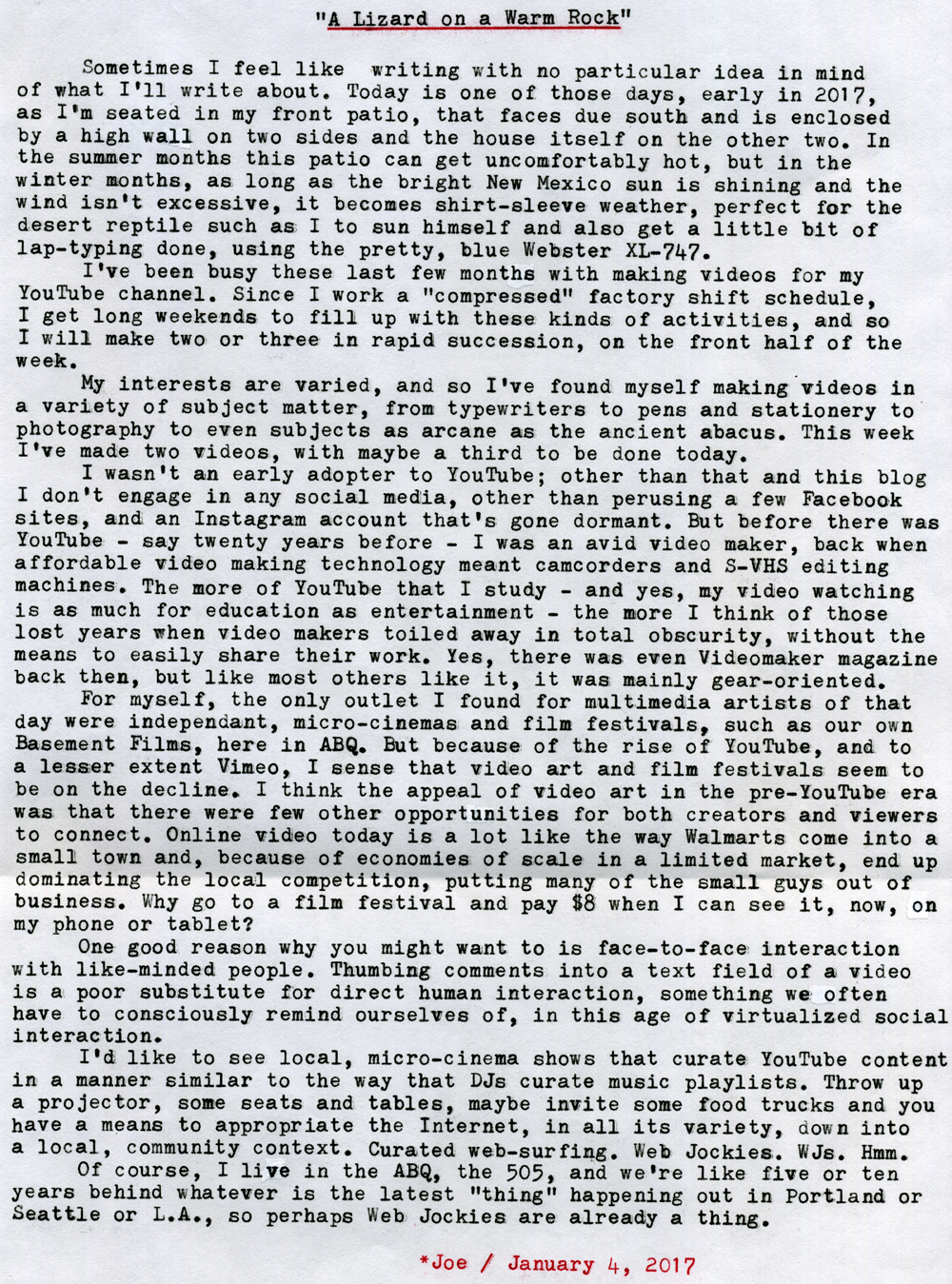
A Lizard on a Warm Rock

Winter Sunny Patio Typing
Typecast270

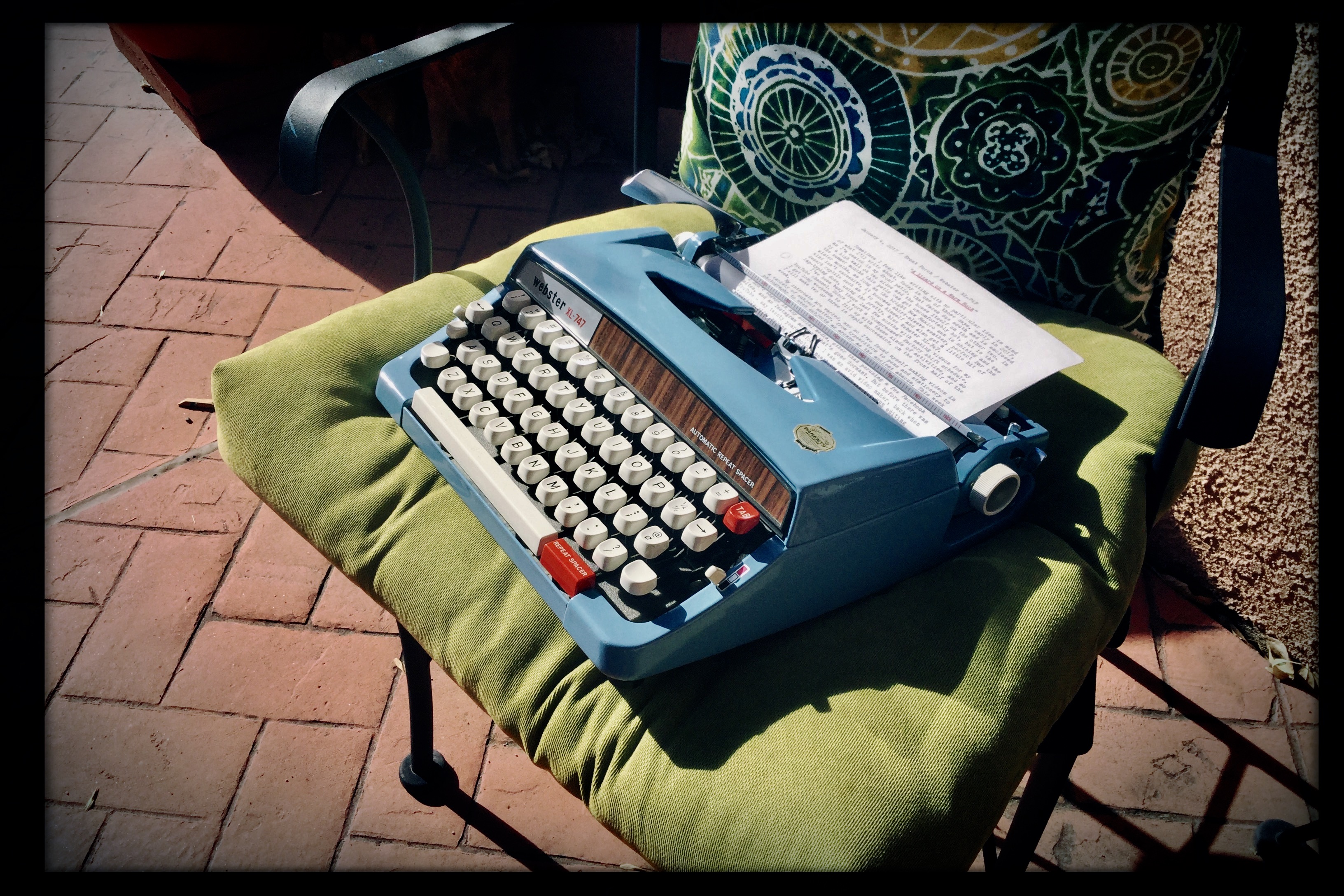
Post-Script: I love these kinds of blog articles, however crude or unpolished they might seem. The idea of being able to spontaneously sit down with a typewriter on your lap and bash out a thought or two with no ulterior motive or agenda is a compelling reason for blogging, like sitting down with a friend for no reason whatsoever except to spend time in idle chitchat. Separated by the miles via the interwebz, this is our version of spending time together. I enjoy reading others' blogs, and try to comment as much as I can.

I know many people find it difficult to continue blogging, with the busyness of life getting in the way. Part of this is a misconception, that we have to compose carefully polished prose, edited and revised multiple times before it can be seen by the public. Ideally that would be true, but sometimes time is a luxury, and yet to put blogging in some kind of priority in our lives means that people get to see us in all our private messiness; warts, typos, misspellings and all. As is fitting with friends.

Photo via Apple iPod Touch. Typecast via Brother-made Webster XL-747.

Labels: , , , , ,

Monday, October 17, 2016

More Muddled Mobile Musings

DSCF5055a

Part One: Wrangling With Writing

There was a time yesterday, as I was attempting to finalize a video for upload to YouTube, that I thought it was all over, this idea of using a simple iPod Touch device as my main tool for video production. I've been trying to keep from having to use my old desktop PC as a video production platform, for a number of reasons. One, it's an older platform; two, the software is outdated; three, I don't know of a video production solution for PCs that is as simple, stable and elegant as is iMovie on the iOS devices; four, a mobile solution means that I can, if so desired, continue to create and publish videos while on the road, which I can't do with a desktop PC.

Apple's mobile platform is pretty stable and mostly well-thought out in design. But the main nagging problem with these iOS devices, and why I recently purchased this newer iPod Touch with twice the memory capacity as my older iPad2, is that their internal memory cannot be expanded, and file transfers are pretty limited. My older iPad was becoming a problem as a useful tool for video production, because its limited free memory meant I had to keep productions below a certain size. Since I've been using this new iPod Touch, I haven't had much of a problem. Until yesterday.

Since purchasing the little iPod, I had installed Hipstamatic, a photography app, and iAWriter, for use as a writing tool. Other than those two, the iPod remained as it was purchased. You wouldn't ordinarily think that merely installing two more apps would make all the difference in the world with the way the device performed, but it certainly did. Without enough internal memory, all of those raw video clips that get imported during a project take up so much room that there isn't enough left over to finalize and upload a project; this was the problem I was seeing yesterday.

I knew I had to keep Hipstamatic, since I use it to create my thumbnail still photos that get attached to the videos seen on YouTube; these thumbnail images need to be less than 2Mb in order to upload successfully to YouTube; the default camera app for iOS creates images too large, with no way to downsize their files, while Hipstamatic offers lower-res version. So I deleted iAWriter, which freed up enough room to permit yesterday's video project to be completed and uploaded. Having to delete this dedicated text editing app was a disappointment, since I had hopes of being able to use the little iPod also as a writing tool, along with the recently acquired mechanical keyboard, as a sort of replacement AlphaSmart Neo.

But actually, I discovered I could still make it work for writing, as a form of electric typewriter. Permit me to explain.

Yesterday morning I made a motorcycle ride down to my favorite coffee shop, Winning Coffee, and had a cuppa while conversing with a table of regulars, while also getting a bit of writing done. I had brought with me the mechanical keyboard in its cloth carrying pouch, along with the iPod Touch, its wooden holder and the necessary cable and adapter. It turns out that the entire rig will fit easily inside the cloth pouch, making it a very mobile writing solution.

The piece I was working on was nothing earth-shattering, just notes for how I wanted to complete another writing project. Once I returned home, I began shooting scenes for a video, and thought nothing about the piece I was writing. Once the problems with the iPod's memory began to occur, before I could think more clear-headed I had deleted the iAWriter app and with it the piece I had written. No great loss, for in the process of writing it I had formulated most of the ideas in my head for that project. Sometimes writing for me serves as a way to simply organize one's thoughts, in the way that the slogan for Field Notes pocket notebooks is "I'm not writing it down to remember it later, I'm writing it down to remember it now."

But something I had done the night before became a clear direction forward in this writing adventure, which was that I had sat down, late at night, with the older iPad propped up on my knee and mechanical keyboard in my lap, and I had written an impromptu essay, which I immediately printed out to paper via my wireless, network-connected printer. The idea being that, in my experience, paper has served me as a much more reliable archive than has digital media, and using a digital system to ultimately create a printed-to-paper (using stable laser printing) document would be an interesting mashup of old and new methods.

What I only knew afterward was that what this system really begins to resemble is a wirelessly connected version of an electric typewriter. Without the additional iAWriter app, there is still the native Notes app, and also Pages, a built-in, full-featured word processing app. So there are writing solutions still available to me on the iPod, for when I don't want to carry the larger iPad. Type it up, connect to my wireless printer and get a laser-printed hardcopy.

I had decided, once I acquired the mechanical keyboard, to make the older iPad a dedicated writing tool, since I'm no longer using it for video editing, and it still has plenty of memory capacity for text files. Whereas the newer iPod Touch I'd use primarily as a video editing and still photo tool. After yesterday's experience, I'm going to have to stick with this plan going forward. The temptation is always to try and shoehorn as many additional apps as possible into these devices, to turn them into general-purpose tools, when in fact their limited memory capacity means, especially for memory-intensive applications like video, they have to remain dedicated to that single purpose.

Android Angst

Now, I do have a Dell Android tablet device, which up to now I haven't found entirely useful except as a web surfing platform. But it does have a decent screen size, and an expandable memory capacity via a micro-SD card slot, which I had yet to test. I spent a large portion of today working to get the Dell tablet into a usable video editing platform; and work it was indeed.

First I had to find a video editing app. Unlike iOS devices, Androids don't come with a default video editor. There are gazillions of them available for Android on their App Store, so it's hard to decide which one to choose, but I found one that had a decent review and a trial version for free, with a reasonable price for upgrading, if I so chose, to the full-featured version. Once it was installed and I familiarized myself with its basic features I shot some test footage on my Panasonic GH3, with the intention of testing the file transfer protocol, editing, finalizing and transfer process to an external micro-SD card.

With the raw footage shot on the GH3 I had to figure out how to transfer the footage to the tablet. The camera has a micro-USB-to-USB cable, while the Dell tablet takes a standard Android connector, whose cable also terminated to standard USB. So I figured all I had to do was find a female-to-female USB adapter and I'd be in business. Wrong.

After running around town and finally finding such an adapter, it turns out that the camera doesn't see the tablet at all, when the two are wired together. Great.

Then I remembered that the GH3 has WiFi connectivity, which I'd never used. After fiddling with it, the tablet would see the WiFi signal from the camera but couldn't transfer the files. So I went to the Android store and found, after two tries, a Panasonic app that talks to the GH3. With that installed on the tablet I was able to transfer the video files wirelessly. Which sounds sophisticated but isn't; I'd rather have it work via cables, because wireless means the transfer is slower, and it eats batteries faster in both camera and tablet.

So finally I got the files transferred to the internal memory of the Dell tablet, and off I went making the test movie using the new video editor. With the free version, I discovered I couldn't finalize in 1080P mode, and it also wouldn't see my micro-SD card. So I figured that, since I liked the editor well enough, it was worth purchasing, and perhaps the upgraded version would solve all those problems.

But the App Store wouldn't take my PayPal, no matter what I tried. I ended up having to figure out another way to complete the transaction, but finally I had the full-featured editor installed. And while it unlocked the full resolution feature, it still wouldn't see my micro-SD card.

The strange thing about this is that in the Dell's settings it sees the SD card and how much memory it has available, but none of the apps can access that card. After several more hours of fiddling around and reading discussion forums online about this problem with these Dell tablets, it turns out there was one type of file manager app for Android that might work, which I installed, and low and behold I could finally use it to transfer video clips and finished movies from the tablet's internal memory to the external card.

I tested this feature by first re-rendering the test project at full resulution, then transferred the finished test movie to the card, after which I deleted the original off the tablet's internal memory, along with the entire project from the video editor. So I had the raw camera footage on the internal memory, and the finished production on the external card. Then I started a new video project, and when I went to surf the library of video files to import to the timeline, there was the SD card and the finished test production. Success!

During these tests I also had the tablet connected via USB to my desktop PC, and I could see via Windows Explorer how the files were being moved between the tablet's internal memory and SD card, as an additional means of confirmation.

I started this project early in the afternoon, and got to this point of success by 9 PM. Only six hours of my life gone, but now - in theory, anyway - it looks like I now have an 8" Android video editing tablet that works with my Panasonic camera and can move files between its internal memory and an external micro-SD card. Which implies, in theory at least, that I shouldn't have memory capacity issues going forward. So tomorrow I intend on testing this out with a for-real video project, to be uploaded to YouTube (that feature has yet to be tested, however). We'll see how that goes.

All of this work to get these "simple" mobile devices to function for specific purposes like writing and video editing could have been avoided with the application of enough money to purchase some nice video editing-friendly laptop computer, like a Mac Book. But that's not how I roll. I'd prefer to keep my system as simple as possible, to get as much as I can out of the tools at hand, to find a way to do things in a bit more of a personally satisfying manner.

All of this system engineering has confirmed my suspicions, that in general the Apple iOS platform really is superior, in the sense of being well though-out and stable in performance but also, due to design philosophy on the part of the late Mr. Jobs, purposefully hobbled for doing more intensive, computer-like functions like freely moving files around and being able to expand its memory. Whereas Android is more like a Microsoft product in the sense that, while it gives you more freedom, it comes at the cost of being glitchy, unstable and not well thought-out as an integrated platform; you have to cobble together various applications to get it to do what you want.

I suspect this article is way too long, and boring, for most of my regular readership, since it doesn't involve, directly at least, typewriters or film photography. But it does serve to illustrate that these complex and imperfect systems can be configured to one's liking, if you are willing to expend the necessary effort to find creative ways to work around the intrinsic limitations.

Labels: , , , , , , ,

Tuesday, May 24, 2016

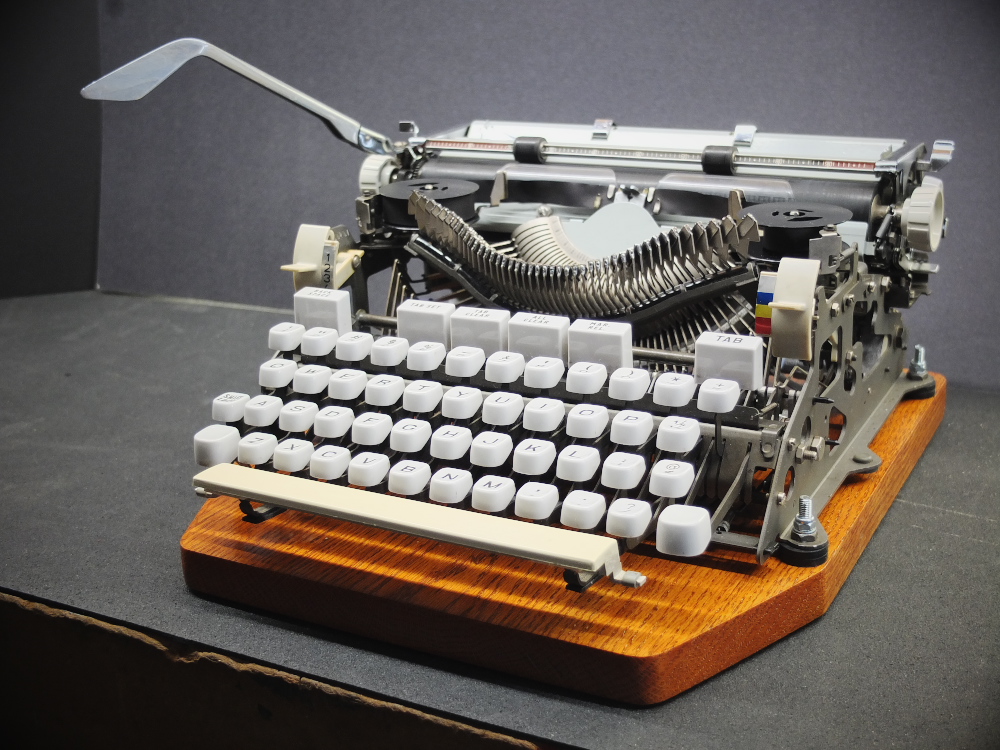
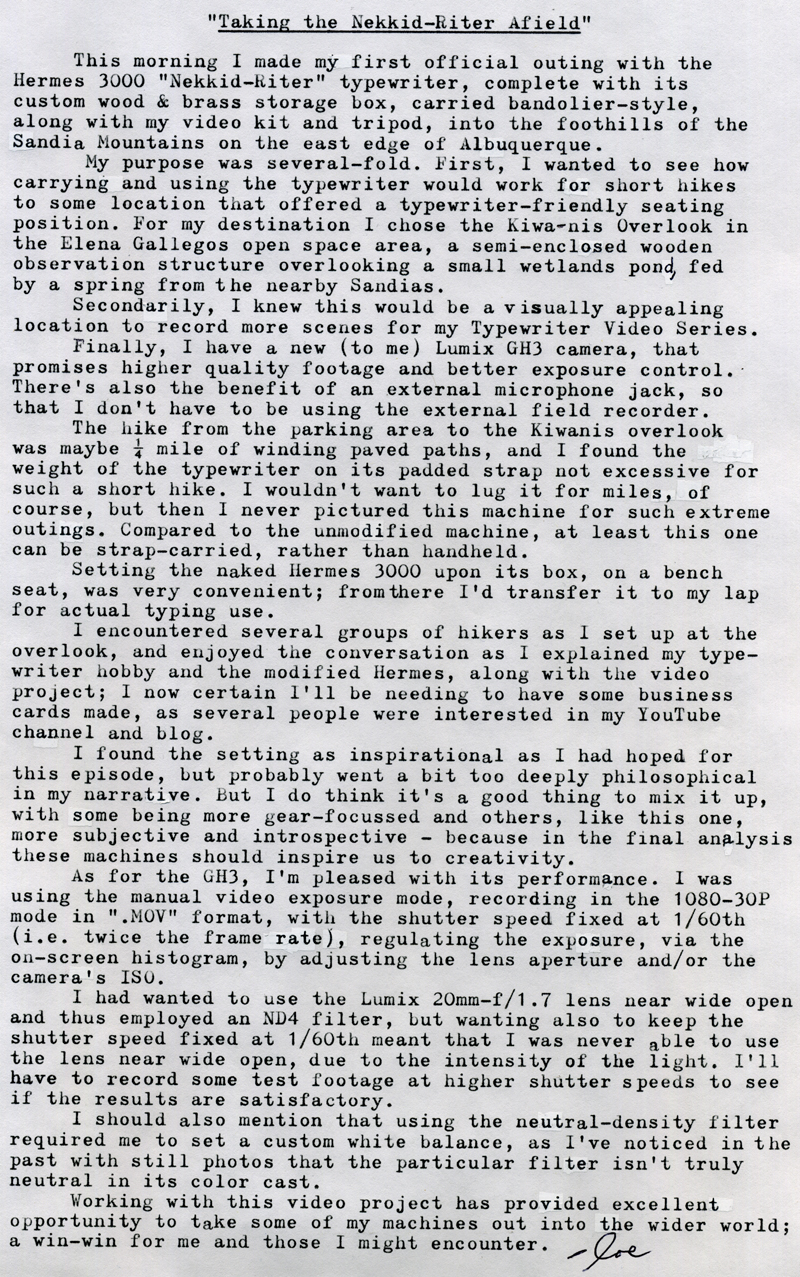
Taking the Nekkid-Riter Afield

DSCF4845a
Typecast172

Post-Script: Because of a technical glitch, this video didn't include any footage of me actually typing. I had attempted a time-lapse sequence of me typing, set to record a frame once every ten seconds. It seemed to have recorded the sequence correctly, since it played back in-camera as I intended; but once I imported the footage to the iPad it was merely a large set of still images. I obviously haven't done my homework regarding how these things work. Instead, I should have used the camera's 300% speed mode, which would have accomplished nearly the same effect but rendered as a conventional video clip.

Overall, I'm still satisfied with using the iPad as an editing platform, but am aware of the need to expand my library of background music, since I'm currently stuck with iMovie's default theme music selection. I need to find a good free-ware music source.

Here's a link to this week's video. I hope you enjoy it.


Typecast via Hermes 3000 Nekkid-Riter. I attempted some touch-typing with this article, which might be obvious due to numerous typos and general sloppiness. Near the end of the piece I set the touch selector from "2" to "3" and noticed, with this particular machine, that it seemed to perform better on a heavier setting. Obviously I'm not going to become a better manual touch-typist without more practice, but having the machine properly set up is also important.

Labels: , , , , , , ,