Monday, October 17, 2016

More Muddled Mobile Musings
DSCF5055a

Part One: Wrangling With Writing

There was a time yesterday, as I was attempting to finalize a video for upload to YouTube, that I thought it was all over, this idea of using a simple iPod Touch device as my main tool for video production. I've been trying to keep from having to use my old desktop PC as a video production platform, for a number of reasons. One, it's an older platform; two, the software is outdated; three, I don't know of a video production solution for PCs that is as simple, stable and elegant as is iMovie on the iOS devices; four, a mobile solution means that I can, if so desired, continue to create and publish videos while on the road, which I can't do with a desktop PC.

Apple's mobile platform is pretty stable and mostly well-thought out in design. But the main nagging problem with these iOS devices, and why I recently purchased this newer iPod Touch with twice the memory capacity as my older iPad2, is that their internal memory cannot be expanded, and file transfers are pretty limited. My older iPad was becoming a problem as a useful tool for video production, because its limited free memory meant I had to keep productions below a certain size. Since I've been using this new iPod Touch, I haven't had much of a problem. Until yesterday.

Since purchasing the little iPod, I had installed Hipstamatic, a photography app, and iAWriter, for use as a writing tool. Other than those two, the iPod remained as it was purchased. You wouldn't ordinarily think that merely installing two more apps would make all the difference in the world with the way the device performed, but it certainly did. Without enough internal memory, all of those raw video clips that get imported during a project take up so much room that there isn't enough left over to finalize and upload a project; this was the problem I was seeing yesterday.

I knew I had to keep Hipstamatic, since I use it to create my thumbnail still photos that get attached to the videos seen on YouTube; these thumbnail images need to be less than 2Mb in order to upload successfully to YouTube; the default camera app for iOS creates images too large, with no way to downsize their files, while Hipstamatic offers lower-res version. So I deleted iAWriter, which freed up enough room to permit yesterday's video project to be completed and uploaded. Having to delete this dedicated text editing app was a disappointment, since I had hopes of being able to use the little iPod also as a writing tool, along with the recently acquired mechanical keyboard, as a sort of replacement AlphaSmart Neo.

But actually, I discovered I could still make it work for writing, as a form of electric typewriter. Permit me to explain.

Yesterday morning I made a motorcycle ride down to my favorite coffee shop, Winning Coffee, and had a cuppa while conversing with a table of regulars, while also getting a bit of writing done. I had brought with me the mechanical keyboard in its cloth carrying pouch, along with the iPod Touch, its wooden holder and the necessary cable and adapter. It turns out that the entire rig will fit easily inside the cloth pouch, making it a very mobile writing solution.

The piece I was working on was nothing earth-shattering, just notes for how I wanted to complete another writing project. Once I returned home, I began shooting scenes for a video, and thought nothing about the piece I was writing. Once the problems with the iPod's memory began to occur, before I could think more clear-headed I had deleted the iAWriter app and with it the piece I had written. No great loss, for in the process of writing it I had formulated most of the ideas in my head for that project. Sometimes writing for me serves as a way to simply organize one's thoughts, in the way that the slogan for Field Notes pocket notebooks is "I'm not writing it down to remember it later, I'm writing it down to remember it now."

But something I had done the night before became a clear direction forward in this writing adventure, which was that I had sat down, late at night, with the older iPad propped up on my knee and mechanical keyboard in my lap, and I had written an impromptu essay, which I immediately printed out to paper via my wireless, network-connected printer. The idea being that, in my experience, paper has served me as a much more reliable archive than has digital media, and using a digital system to ultimately create a printed-to-paper (using stable laser printing) document would be an interesting mashup of old and new methods.

What I only knew afterward was that what this system really begins to resemble is a wirelessly connected version of an electric typewriter. Without the additional iAWriter app, there is still the native Notes app, and also Pages, a built-in, full-featured word processing app. So there are writing solutions still available to me on the iPod, for when I don't want to carry the larger iPad. Type it up, connect to my wireless printer and get a laser-printed hardcopy.

I had decided, once I acquired the mechanical keyboard, to make the older iPad a dedicated writing tool, since I'm no longer using it for video editing, and it still has plenty of memory capacity for text files. Whereas the newer iPod Touch I'd use primarily as a video editing and still photo tool. After yesterday's experience, I'm going to have to stick with this plan going forward. The temptation is always to try and shoehorn as many additional apps as possible into these devices, to turn them into general-purpose tools, when in fact their limited memory capacity means, especially for memory-intensive applications like video, they have to remain dedicated to that single purpose.

Android Angst

Now, I do have a Dell Android tablet device, which up to now I haven't found entirely useful except as a web surfing platform. But it does have a decent screen size, and an expandable memory capacity via a micro-SD card slot, which I had yet to test. I spent a large portion of today working to get the Dell tablet into a usable video editing platform; and work it was indeed.

First I had to find a video editing app. Unlike iOS devices, Androids don't come with a default video editor. There are gazillions of them available for Android on their App Store, so it's hard to decide which one to choose, but I found one that had a decent review and a trial version for free, with a reasonable price for upgrading, if I so chose, to the full-featured version. Once it was installed and I familiarized myself with its basic features I shot some test footage on my Panasonic GH3, with the intention of testing the file transfer protocol, editing, finalizing and transfer process to an external micro-SD card.

With the raw footage shot on the GH3 I had to figure out how to transfer the footage to the tablet. The camera has a micro-USB-to-USB cable, while the Dell tablet takes a standard Android connector, whose cable also terminated to standard USB. So I figured all I had to do was find a female-to-female USB adapter and I'd be in business. Wrong.

After running around town and finally finding such an adapter, it turns out that the camera doesn't see the tablet at all, when the two are wired together. Great.

Then I remembered that the GH3 has WiFi connectivity, which I'd never used. After fiddling with it, the tablet would see the WiFi signal from the camera but couldn't transfer the files. So I went to the Android store and found, after two tries, a Panasonic app that talks to the GH3. With that installed on the tablet I was able to transfer the video files wirelessly. Which sounds sophisticated but isn't; I'd rather have it work via cables, because wireless means the transfer is slower, and it eats batteries faster in both camera and tablet.

So finally I got the files transferred to the internal memory of the Dell tablet, and off I went making the test movie using the new video editor. With the free version, I discovered I couldn't finalize in 1080P mode, and it also wouldn't see my micro-SD card. So I figured that, since I liked the editor well enough, it was worth purchasing, and perhaps the upgraded version would solve all those problems.

But the App Store wouldn't take my PayPal, no matter what I tried. I ended up having to figure out another way to complete the transaction, but finally I had the full-featured editor installed. And while it unlocked the full resolution feature, it still wouldn't see my micro-SD card.

The strange thing about this is that in the Dell's settings it sees the SD card and how much memory it has available, but none of the apps can access that card. After several more hours of fiddling around and reading discussion forums online about this problem with these Dell tablets, it turns out there was one type of file manager app for Android that might work, which I installed, and low and behold I could finally use it to transfer video clips and finished movies from the tablet's internal memory to the external card.

I tested this feature by first re-rendering the test project at full resulution, then transferred the finished test movie to the card, after which I deleted the original off the tablet's internal memory, along with the entire project from the video editor. So I had the raw camera footage on the internal memory, and the finished production on the external card. Then I started a new video project, and when I went to surf the library of video files to import to the timeline, there was the SD card and the finished test production. Success!

During these tests I also had the tablet connected via USB to my desktop PC, and I could see via Windows Explorer how the files were being moved between the tablet's internal memory and SD card, as an additional means of confirmation.

I started this project early in the afternoon, and got to this point of success by 9 PM. Only six hours of my life gone, but now - in theory, anyway - it looks like I now have an 8" Android video editing tablet that works with my Panasonic camera and can move files between its internal memory and an external micro-SD card. Which implies, in theory at least, that I shouldn't have memory capacity issues going forward. So tomorrow I intend on testing this out with a for-real video project, to be uploaded to YouTube (that feature has yet to be tested, however). We'll see how that goes.

All of this work to get these "simple" mobile devices to function for specific purposes like writing and video editing could have been avoided with the application of enough money to purchase some nice video editing-friendly laptop computer, like a Mac Book. But that's not how I roll. I'd prefer to keep my system as simple as possible, to get as much as I can out of the tools at hand, to find a way to do things in a bit more of a personally satisfying manner.

All of this system engineering has confirmed my suspicions, that in general the Apple iOS platform really is superior, in the sense of being well though-out and stable in performance but also, due to design philosophy on the part of the late Mr. Jobs, purposefully hobbled for doing more intensive, computer-like functions like freely moving files around and being able to expand its memory. Whereas Android is more like a Microsoft product in the sense that, while it gives you more freedom, it comes at the cost of being glitchy, unstable and not well thought-out as an integrated platform; you have to cobble together various applications to get it to do what you want.

I suspect this article is way too long, and boring, for most of my regular readership, since it doesn't involve, directly at least, typewriters or film photography. But it does serve to illustrate that these complex and imperfect systems can be configured to one's liking, if you are willing to expend the necessary effort to find creative ways to work around the intrinsic limitations.

Labels: , , , , , , ,

Monday, October 10, 2016

Tools for the Toolbox

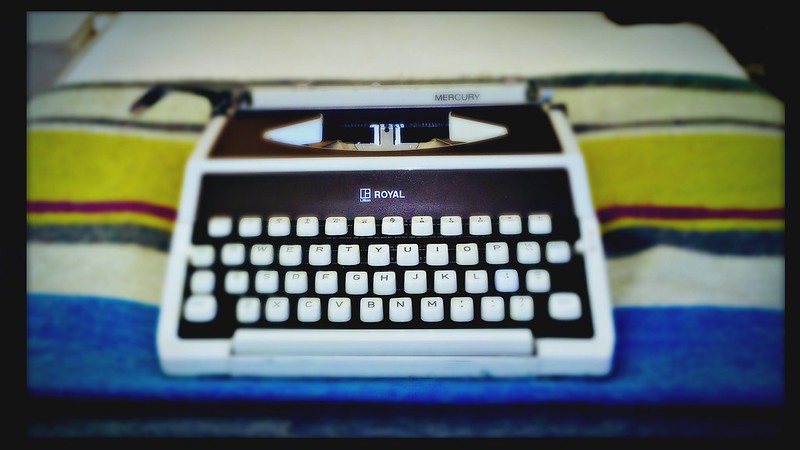
Royal Mercury

Today I want to discuss writing methods. By the term 'writing' I don't mean the art of putting words together, but instead the mechanics of how that's done.

Real writers, those who financially sustain themselves through writing or the teaching of writing, might dismiss this overt emphasis on the mechanics of the process (at the exclusion of creative content) as the dabbling of the amateur; more like street-level scribbling.

But to us street-scribblers, the mechanics of writing are all important, at least as a way of getting over the distractions that come from an ill-thought-out writing system, which is a prerequisite for good writing: get rid of all the encumbrances and roadblocks in the way of one's writing process and the rest will follow suit.

Real writers should have learned early on, as a matter of course in the development of their professional writing skills, the importance of finding and honing their personal kit of tools and methods that enable that creative flow. But for us street-level scribblers, we're always in school, and the streets are our daily lecture series, so we're constantly learning and refining.

The problem for us amateur scribblers is that it's all too easy to confuse the needs of our future writing skills with the necessary but much less important refinement needed to our physical toolkit; similar types of conundrums are evident in the world of photography, where the fledgling confuses the desire for a better camera or lens with what's really needed, that being refinement and development in one's technical and creative skills. So let this serve as reminder that however useful new toys might serve to help refine one's writing toolkit, they ain't gonna make you the next Great American (or insert your nationality of choice) Novelist. But you probably knew that already.

I must confess that I'm a gadget freak, like many males of my age; yet I also admit that I have yet to find an effective way to get over that fundamental blind spot in my personal development. It's probably an artifact of our culture, which sounds like a convenient excuse. Tools, toys, kit, gadgets - they're all fine, and relatively easy to acquire if one is of a sufficient middle-class lifestyle; but harder to acquire are the real skills required of a creative person. This means a protracted period of intense personal development; a lot harder than clicking on some button on Amazon and charging the expense to one's credit card. If only transforming one's mind were that easy.

I suspect this is a problem experienced by many people in our consumer-oriented culture, the expectation that real personal development can be acquired like some mass-marketed product. But ask anyone who's attempted such a personal journey and you'll soon find out that this is a matter common to our humanity throughout recorded history. Education, a true education, is most difficult to acquire, and takes a lifetime.

As to the matter at hand, the making of an effective writing system, this will differ for each individual. At one extreme, many people like the convenience of incorporating the entirety of their writing process, from first-draft brainstorming to the finished electronic document, contained within one system, the computer; and often that computer is a laptop, for reasons of convenience and portability. At the other extreme are people who prefer the hand-wrought crafting of words by pen, pencil or typewriter onto paper, only later to be developed into a finished electronic document. There are also many others whose personal writing system falls somewhere in between these two extremes, the choice often resulting more from personal circumstance and habit than any particularly specific philosophy or bent.

Such habits can be formed through a process akin to superstition, like the way that some sports athletes make preparation using a specific set of pre-game routines or articles of clothing; not because they actually believe there to be some supernatural connection between that particular method or object and the outcome of the game, but more like whatever seems to be working for them, they're not going to change it; keep as much as possible the same and perhaps success can be made more likely. Superstition, or a more effective psychological strategy? Hard to say; perhaps a little of both. Writers have been known to be a superstitious lot, frequently sticking to whatever works (like an obsolete word processor from the 1970s, or that old typewriter) because writing is hard and mysterious and why mess with what's working?

For myself, what has worked for me in the past - and by "worked for me" I mean been able to eliminate distractions and produce effective and creative writing, is both handwriting, either by means of mechanical pencil or fountain pen, and other methods like keyboarding into distraction-free text editors and also manual typing. Is this some magic formula? No; merely working out the application of past experience to future projects. I suspect the "magic" that comes from using these various successful writing methods is because of the confidence they inspire; the knowing that what worked for me in the past will again work for me in the future. It's more a trick of psychology, which is the realm within which all writers blocks originate. The mind is mysterious and unfathomable, its depths yet to be plumbed; especially the creative mind; which is why I consider the act of creativity to be the one essential test of true artificial intelligence.

But knowing that my past successes don't entirely hinge upon one specific set of tools or methods, perhaps I can find other methods that work equally well, or better. That is the approach I'm using with this recent endeavor of employing mechanical computer keyboards with iOS devices. There are many kinds of mobile electronic devices that can host writing applications, everything from Mac or PC to Android or iPad tablets. And bluetooth keyboards also seem to abound, though they lack that preferred mechanical feel. But knowing that some of my best writing experiences involve keyboards that exhibit a particularly satisfying mechanical feel (including both AlphaSmarts and manual typewriters), this new approach tries to synthesize the very best of that mechanical keyboard feel with the advantages of a modern and relatively error-free operating environment, like iOS.

Portability is also of essence to my preferred writing system, for I've found, over the years, that I'm not a static writer, but prefer a variety of places within which to write; hence whatever device I'm employing must be small and lightweight enough to be conveniently carried with me from place to place, even if those places are merely located in and around my neighborhood coffee shop or backyard shed. Over the years I've worked with a number of portable typewriters and, while they are effective tools for creative work, are not as convenient as a more portable device like keyboard and tablet; and are often less than welcome in an enclosed public space, due to their operating noise. For this reason, I've chosen a so-called "60%" sized mechanical keyboard, one that's about the same size as the keyboard of a mechanical typewriter, encompassing a mere 61 keys in total. The feel of this keyboard is every bit as good as, perhaps even better than, that of the AlphaSmart Neo - which is saying a lot; one reason being that, at the time of order, one can choose from a selection of six different Cherry MX keyswitches, thus the feel of the keyboard can be customized for one's personal liking. Mechanical keyboards, of the type I'm using, are now gaining popularity with a wider user base of writers, outside of their original gamer and programmer sub-cultures.

This is perhaps the fourth article I've written in recent weeks on this subject of mechanical keyboards employed along with electronic tablet devices. I've been typecasting - writing, scanning and posting mechanically typed prose to my blog - for almost a decade, which I don't foresee terminating any time in the future; but there is a convenience factor at work here with this new toolkit, the ability to, at a moment's notice, pick up iPad and mechanical keyboard, go somewhere, anywhere, and type out some thoughts, complete with spell checking and embedded HTML markup language, ready to be pasted to a blog template or elsewhere.

I recently went back into my archives of journal books in order to gain a deeper sense of my personal writing history, and what I found was that there's this huge gap, somewhere in the mid-aughts, after I'd supplanted hand-written journal books for various experimental and electronic writing systems, such as Palm-based portable devices and others, and before I'd begun typewriter journalling and blogging more consistently in the later aughts. I attribute this gap in my writing history not to a falling off of my writing activity but because these experimental systems simply hadn't worked out all that well as archiving systems. This mainly had to do with the way I'd managed (or mismanaged) backups to my computer system; but many of those writings are gone forever. It's clear that whatever writing methods one chooses, the stability and security of those documents is essential.

Contrast this with the fact that I have a sizable archive of paper-based writings which, although residing in the physical realm and therefore susceptible to the vagaries of both time and moth, seem to have weathered the digital storms just fine. I think what many of us tend to forget in this regard is that digital media are essentially physical in nature: there's some physical media within which the code resides, and that physical media- magnetic, optical or electronic - is often more fragile than the paper it was intended to replace.

I'm not suggesting that we go out with pitchforks in hand and burn down all the server farms; far from it. I think cloud-based backups, especially for relatively tidy files like text documents, are practical alternatives for us becoming our own IT specialists with home-based systems. But another practical backup alternative is to maintain paper documents. Having that irreplaceable story printed to paper has saved my bacon more than once. Yes, paper does take up room, and large boxes or notebooks of paper documents can be rather heavy. But so too is an article of furniture; I'd like to think of that physical archive of my essential work, printed to paper, to be like the furniture of the mind.

And so I'm suggesting that my mechanical keyboard + mobile iOS writing system will also be outputting a printed copy to paper; especially for writings such as personal journal entries, essays and stories, that are not immediately posted to the Internet, as would be the case with blog articles (which will be supported for perpetuity as long as the likes of Google remain viable businesses). Big Brother's IT department is well-suited for archiving my public writings, while my private work I think will be best backed up on paper. Had I done this back in the mid-aughts, I'd still have all of those personal journal entries.

I'll also continue to create works direct to paper via typewriter, pen or pencil. They're all essential, they all work for me, they each have unique attributes and purposes. But I find a good mechanical keyboard and writing app to be faster than hand writing and just as effective. Neither am I suggesting that I'm going to be abandoning typewriters any time soon. There are peculiarities to the experience of writing via a typewriter that are unique, and can spur uniquely creative results. Typewriters these days I don't see as effective tools for the final stages of editing a work into a finished piece, because word processors simply move text around so much easier. But for those early, creative phases of writing few things can match the typewriter for its ability to somehow pull out of the writer's guts the essence of what that piece will soon become. Hence the old saw about choosing the right tool for the right job. Luckily for me, I now have one more good tool in my writing toolbox.

Labels: , , , ,

Tuesday, October 04, 2016

Pre-Typosphere Typewriter Collecting

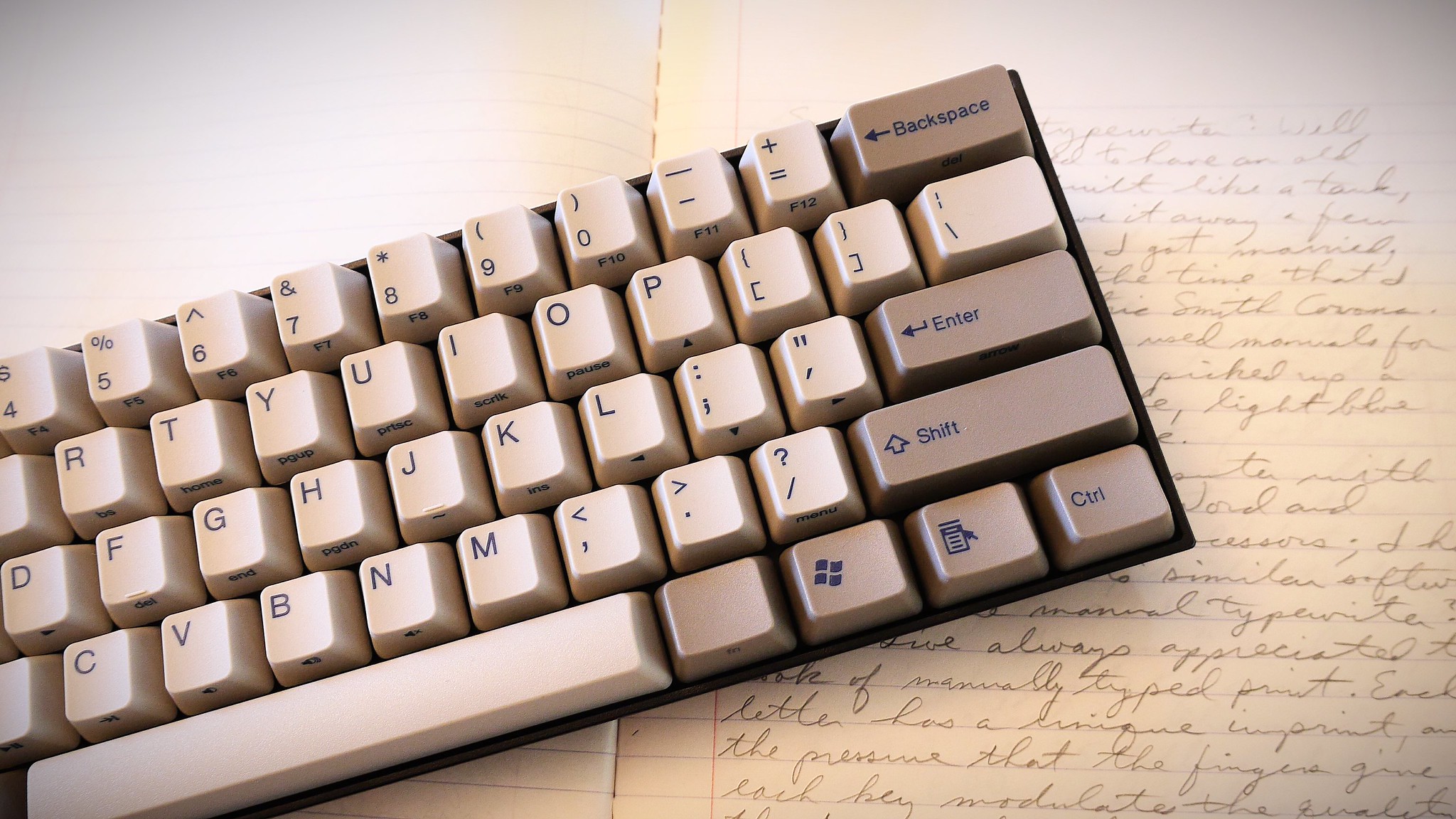
KB Paradise V60 Mechanical Keyboard and Journal Book

While researching material for my latest "Agent 51" video, I came across a journal entry I'd written on October 28, 1998, the first entry in a new composition journal book. This had been written in mechanical pencil, and what I found worth sharing with you was that it included the subject of typewriters, and alluded to a revival of interest in manual typewriters as far back as 1998, well before the current era of blogging and what we have come to know as the Typosphere.

So, without further ado, here is the transcription of that article.

10-28-98

This opening entry in this, the second volume of my journal series, begins with me having purchased a manual typewriter.

I don't believe that I've ever seriously entertained any ambition of becoming a writer. The closest thing I've come to is when I was on a poety writing kick while in the Navy and afterward. Upon thinking about it, I recall that, because of the volume of work I produced, I gained a self-identity as "poet," which I reinforced by surrounding myself with creative people - artist types, if you will.

But to be a "real" writer - a composer of "prose" - I have never identified with. And not to take anything away from these pages, but this journal is definitely not aimed toward public consumption, although some of my thoughts in the previous journal concerning video, film and photographic images constitutes a good framework around which writings for public consumption could be built upon, or perhaps worked into the upcoming seminar.


(Note: the seminar mentioned was an upcoming Basement Films presentation I made on low-budget analog video production techniques. - Joe)

So, why the typewriter? Well, for starters, I used to have an old Royal manual, built like a tank, but I think I gave it away a few years ago, before I got married, maybe around the time that I bought the electric Smith-Corona. My friend Worden has used manuals for years, and recently picked up a mint little portable, light blue with a carrying case.

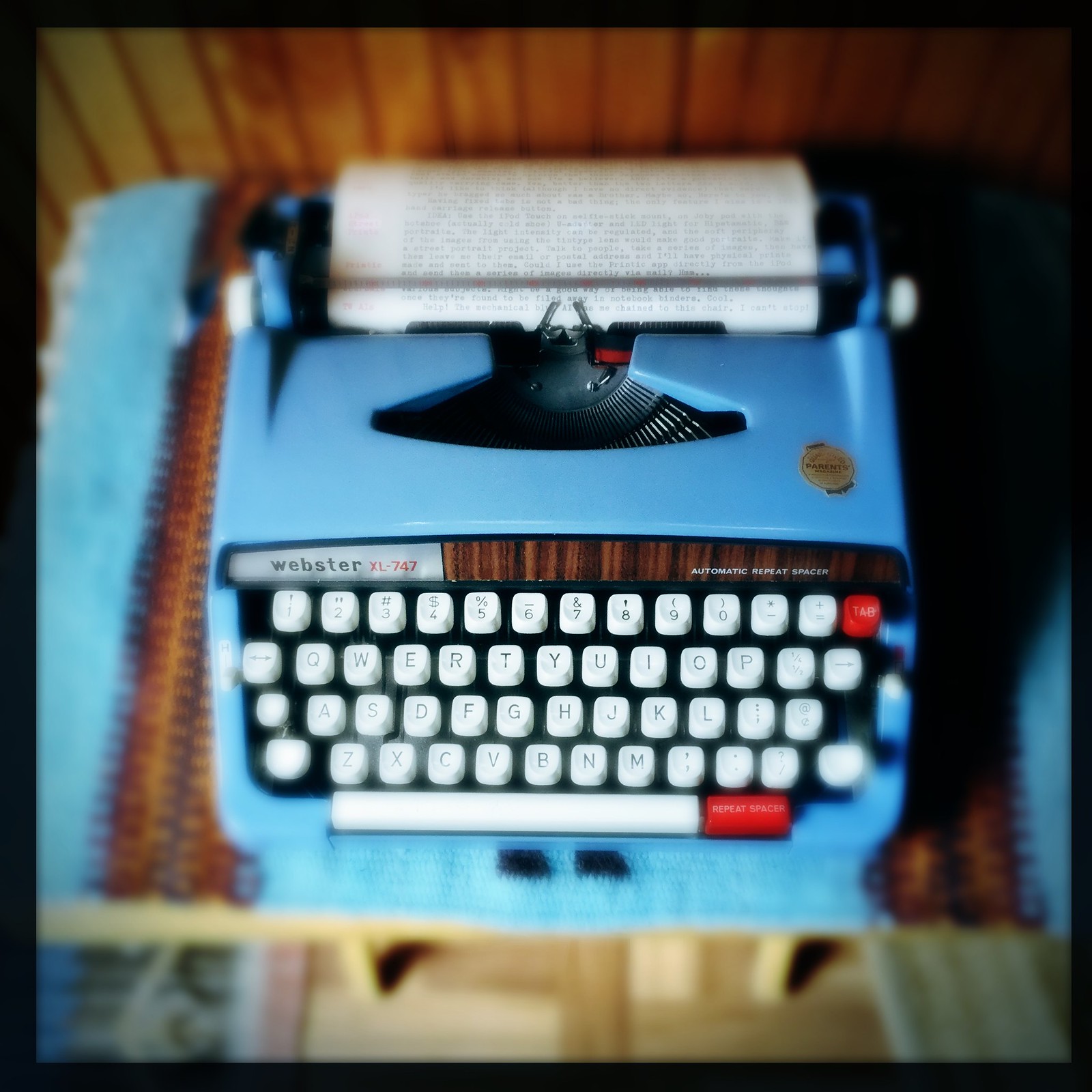
(Note: Worden passed away a few years ago, but he self-published many small books of stories and poems on portable manual typers. That blue machine of his I only later realized was perhaps nearly identical to my Brother-made Webster XL-747, also blue and with a carrying case; further reason why I value it so much. - Joe)

So I have a computer with the latest Microsoft Word and Word Perfect word processors; I have access at work to similar software. So why the manual typewriter? Well, I've always appreciated the look of manually typed print. Each letter has a unique imprint, and the pressure that the fingers give to each key modulates the quality of the typed character in a direct, analogous fashion. You can tell when a computer typist is trying to touch-type on a manual, for the letters which are on the far left and right ends of the keyboard, struck by the weakest ring and little fingers, show up on paper as noticeably lighter in tone.

Last week I roamed around town, and visited several typewriter places. The one on Menaul
(John Lewis's shop - Joe) had an interesting museum, including old calculating, tabulating and other office equipment, as well as an abacus collection.

I engaged into an interesting discussion with the proprietor, and we covered an interesting gamut of things. He finally showed me an Adler manual typewriter, not quite as compact as the Hermes Rocket but, according to him, built to last a long, long time. It was built in "Western Germany," and supposedly has a high grade of corrosion-resistant steel in the mechanism. He knocked off 35 dollars, but I threw in for trade an old adding machine which he dated at before 1925. The end result is a nice, durable, well-built typewriter, which should last for a long, long time (I hope).

He asked me if I had planned to write a book, as many UNM-types come in and look for old Smith-Coronas that resemble the one that Hemingway used. Kind of like photographers who buy Leicas because they hope that they will immediately become more like Cartier-Bresson or Winogrand.

I never thought that a typewriter could actually influence one's writing style until I noticed that in order to type successfully on a manual you have to jab at the keys. The requirement of the fingers is not an increased strength, just a quick jab or punch at each key. It's the speed of the jab, not the pressure of the finger against the key. My thought is that perhaps the quick-jab style of typing could change the tone of the writer's voice from mellow word processor-smooth-clicky-clack into an aggressive, angry street-smart voice, matter-of-fact and no-nonsense, a kind of sparring session with the machine, the result imprinted upon paper, artifacts left behind from the interaction of human mechanics with antiquated technology. As the finished image is affected by the uniqueness of the lens in use, so is the typewriter able to focus the writer's thought in a peculiar way.


Did you catch those hints? Keep in mind that this was in 1998, before Facebook, Twitter or YouTube; when AOL was the dominant Internet provider and laptop computers were bulky devices. And it was certainly before the time that we commonly recognize as the revival of interest in the manual typewriter, before the Typosphere was formally identified. Yet there it is, John Lewis the typewriter repairman telling me that, even back then, university students were interested in those machines as writing tools.

Notice too that I've already gained some understanding of how a person should interact with a typewriter, that it's more about the speed of one's fingers than the pressure applied to the keys. I was certainly a neophyte at that time, but yet I had some understanding.

There is this mysterious reference in the piece to a comparison between the Adler and a Hermes Rocket. I didn't think, until I read this today, that I even knew of the existence of Hermes Rockets. Had I been suddenly educated that day by my visit to John Lewis, already had some subtle yearning for those little portable machines? Perhaps; only a few years later I'd return to his shop and trade in the Adler for a Royal Mercury portable, which I have to this day.

I am also amused by the idea that in 1998 someone like me was roaming around town on the lookout for typewriters; the more things change, the more they stay the same, even then the typewriter bug had already bitten hard, apparently.

For me, this journal entry is a bit of personal history unearthed; but for you out there in the Typosphere this might serve as some source material for the prehistory of the typewriter revival that was yet to come. I'd like to hear from others of you, if you have any personal anecdote or story pertaining to your pre-Typospherian interaction with typewriters.

Post-Script: Transcribed via KB Paradise V60 mechanical keyboard into iPad 2 with iAWriter. Wow, was this fun to type. Very AlphaSmart-like. But with a much bigger screen - a touch screen. No, it's not a "real" typewriter (and I apologize to those of you who might have been put off by the last two blog articles that have been overly enthusiastic about mechanical computer keyboards and tablet devices), but a very pleasant, focused writing experience.

Labels: , , , , ,

Sunday, October 02, 2016

Some Thoughts on Electronic Typewriter Alternatives

AlphaSmart Alternative

I uploaded a video today describing the usefulness of the AlphaSmart Neo, text-editor based keyboard device, as an alternative to the direct typewriter experience. This idea will come as no surprise to people who are already familiar with these paperless, electronic writing tools, but for others who aren't, this might come as a shock, even blasphemy. I offer no apologies, only my personal viewpoint to the contrary.


In the video, I explain my feelings as to the essence of what the writing-with-a-typewriter experience is all about, for me. To some, it might have to do with the pre-computer legacy of the typewriter, or to others it might be the mechanical, direct ink-to-paper aspect of typewriters. Those are all valid reasons to prefer typewriters to other forms of writing methods, ones to which I can heartily attest as an incurable typewriter fanatic.

But for the actual experience of writing using a typewriter, I find these three aspects most unique and attractive: 1) Non-distractive writing; 2) Mechanical interface; 3) Single-purpose use. There are other aspects of typewriters worth appreciating, but these three I feel capture in essence what many others, throughout the past decades, have expressed as their primary reason for preferring typewriters over other forms of writing.

It is helpful to remind ourselves that, for a long period of time, typewriters were the only form of mechanized writing accessible to the common person. Certainly by the 1960s there were a handful of writers who gained access, through special circumstances, to word processor programs hosted on mainframes or mini-computers; but it wasn't until the mid- to late-1970s that the personal computer platform became sufficiently capable and affordable for access by the mainstream public as a writing device. Once that happened, writing technology was quickly transformed.

Interestingly, we really didn't hear much about computer-based word processors being a distraction to the writing experience until personal computer platforms became sufficiently capable to host other, more distractive, features such as games and the Internet. This has become most notable since the advent of widely available wireless Internet accessibility.

I'd like to argue in favor of mechanical keyboards connected to distraction-free text entry systems as being essentially typewriter-like. Broadly speaking, if a computing platform, dedicated to a word processor or text-entry program, is not typewriter-like, then electric typewriters shouldn't be considered as typewriters either. An early personal computer, lacking distractive software other than a few 8-bit graphic games, and connected to a mechanical-feeling keyboard and line printer, is essentially an electric typewriter in function, that lacks the compactness of a predecessor technology such as the IBM Selectric, whose components fit all in one package instead of scattered over the work surface of a desk. Was an early word processor computer overly complex? Yes, certainly. Ungainly? Yes, without doubt. Non-portable? Other than the Osborne luggable computers and their ilk (which lacked a built-in printer), yes. But were they functionally like electric typewriters? Certainly; and would also permit text editing.

By the time we get to the 1980s and the daisy-wheel electric typewriter, some of which offered limited text editing via a single-line LCD screen and memory buffer, we have what is essentially the mess of an early word processor personal computer, keyboard and printer, that would have otherwise covered the entire working surface of an office desk, all jammed into one small enclosure; light and small enough to lug around, but still requiring to be plugged into an electric outlet to function.

So, I think it's fair to say that electric typewriters, though different in some respects to manuals, deliver a genuine typewriter writing experience; and I will also argue that any technology that delivers a sufficient similarity of writing experience should be considered electric typewriter-like.

I know what you skeptics are thinking, this guy's trying to use convoluted logic to convince himself that computers are typewriters and therefore should be considered the same. Actually, no. I've written with both typewriters and computers, as have many of you. Computers are fine for final polish of a document; and considering that there are few publishers left who will accept manuscripts in typescript form on paper, a writer has little option but to, at some point in the writing process, employ that demon computer.

But few of us are writers; fewer still are published. Yet what's most important in those crucial early stages of the writing process is to employ tools that reduce distraction and focus the writer to the task at hand. Non-distractive systems, in whatever form they be, are often preferred. Does that mean all professional writers use non-distractive systems like typewriters in some part of their writing process? Probably not; I'd wager that many writers whose output is measured in several books per year have disciplined themselves to using computers as their preferred writing tool, without falling into the pitfalls that computers can offer, simply for the efficiency of the word processor. It's a matter of discipline and focus. For the professional, it's their livelihood at stake; of course they'd be able to figure out how not to be tempted by Instagram, Twitter and YouTube cat videos.

For a person like me, a typewriter fanatic and also fledgling, amateur writer, I find advantage to both typewriter and word processor. It's the foibles of the computer platform that host most word processor applications that gets me. For many of us, we've found devices like the AlphaSmart text editing keyboards to be almost ideally suited to that early writing phase, due to its non-distractive nature, portability, excellent feeling keyboard and world-class battery life. We should remind ourselves that even 1980s-era, line-editing, electric daisywheel typewriters had within their innards some form of micro-processor. Certainly the AlphaSmarts do, too. So I think it's fair to say that computers, in the most broad application of that term, are not intrinsically writer-unfriendly. Rather, it's the crudeness of general-purpose computer operating systems that draws the ire of typewriter aficionados like myself and others.

It would be nice if devices like the AlphaSmart Neo were still being manufactured, but they aren't. I purchased mine in 2010, for under $100. At that time, laptop computers with all their distraction were selling for around ten times that amount. Today, a person looking for a dedicated electronic writing experience that offers a text file output has few alternatives. One such alternative is to purchase a used Neo online, and risk receiving someone's broken device with no factory support, other than software uploads from Renaissance Learning. Another alternative is the Hemingwriter device, but it, though costly, is less capable than an AlphaSmart, as it lacks text edit capability. A third option is someone on Etsy selling what he calls a Write-O-Tron, an Arduino-based dedicated word processing system built into a wooden cigar box, that costs about the same as the Hemingwriter.

I would like to propose another alternative, one that lacks some of the advantages of the AlphaSmarts but does offer a distraction-free writing experience (with one cavaet) and an excellent-feeling, truely mechanical keyboard. That is to pair a true mechanical keyboard with a small iOS tablet device like an iPad Mini or, better yet, iPod Touch.

I'm working on building such a system. This piece was written with the first iteration, that being a full-sized desktop computer keyboard (one I had laying around in storage) paired with an old iPad 2 sporting the IAWriter app. I'm going to be replacing this large keyboard with a so-called "60%" mechanical keyboard (that should be arriving this week), and the iPod Touch I've already been using for editing photos and videos.

If you had to purchase this system new (I already had the iPad 2 and old desktop keyboard, so their cost was essentially free), you'd spend about $250 for a 32GB iPod Touch and about $100 for a true mechanical keyboard (or a lot less for a larger, standard desktop keyboard); still somewhat less than either the Hemingwriter or Write-O-Tron, but with much more capability. Or maybe you already have an iPhone; all you need is the mechanical keyboard, and the discipline to put it into "airplane" mode for a few hours (the secret to non-distractive writing on iOS devices).

Yes, you can get Bluetooth wireless keyboards for iOS devices; but these lack the feel of a true mechanical keyboard (remember that typewriter-like writing experience we're after?) and being wireless means they'll end up sucking the battery life out of your iOS device. Keep your iOS device in "airplane" mode and the Bluetooth turned off and its battery will last for many hours, sufficient to get your writing done for the day. And using a smaller, "60%" keyboard means full-sized mechanical keys in a much smaller, more portable package.

An AlphaSmart Neo isn't a replacement for a true typewriter, because direct mechanical type to paper is an experience unique unto itself. I'll never get rid of my typewriter collection (though its numbers might fluxuate up or down over the years); likewise, I hope to have my Neo for many years into the future, because it's such an excellent portable first-draft writing tool. But being electronic, and no longer manufactured or supported, means I need to find some kind of functional alternative. I think a mechanical keyboard mated to an iOS tablet device might be that alternative. I'll keep you posted on my findings.

Labels: , , , , ,

Tuesday, September 20, 2016

Compact, Colorful Computer Keyboard Craziness

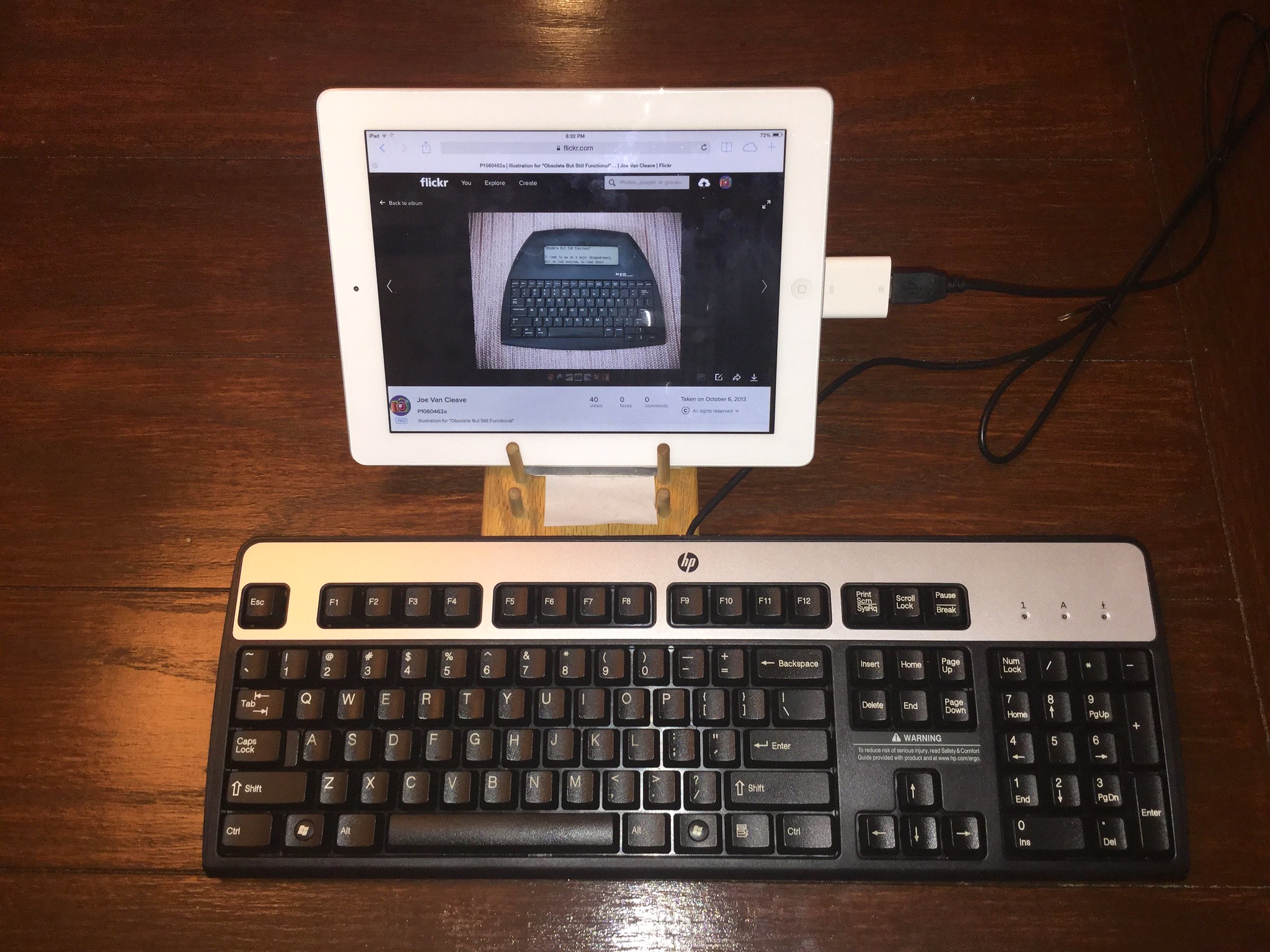
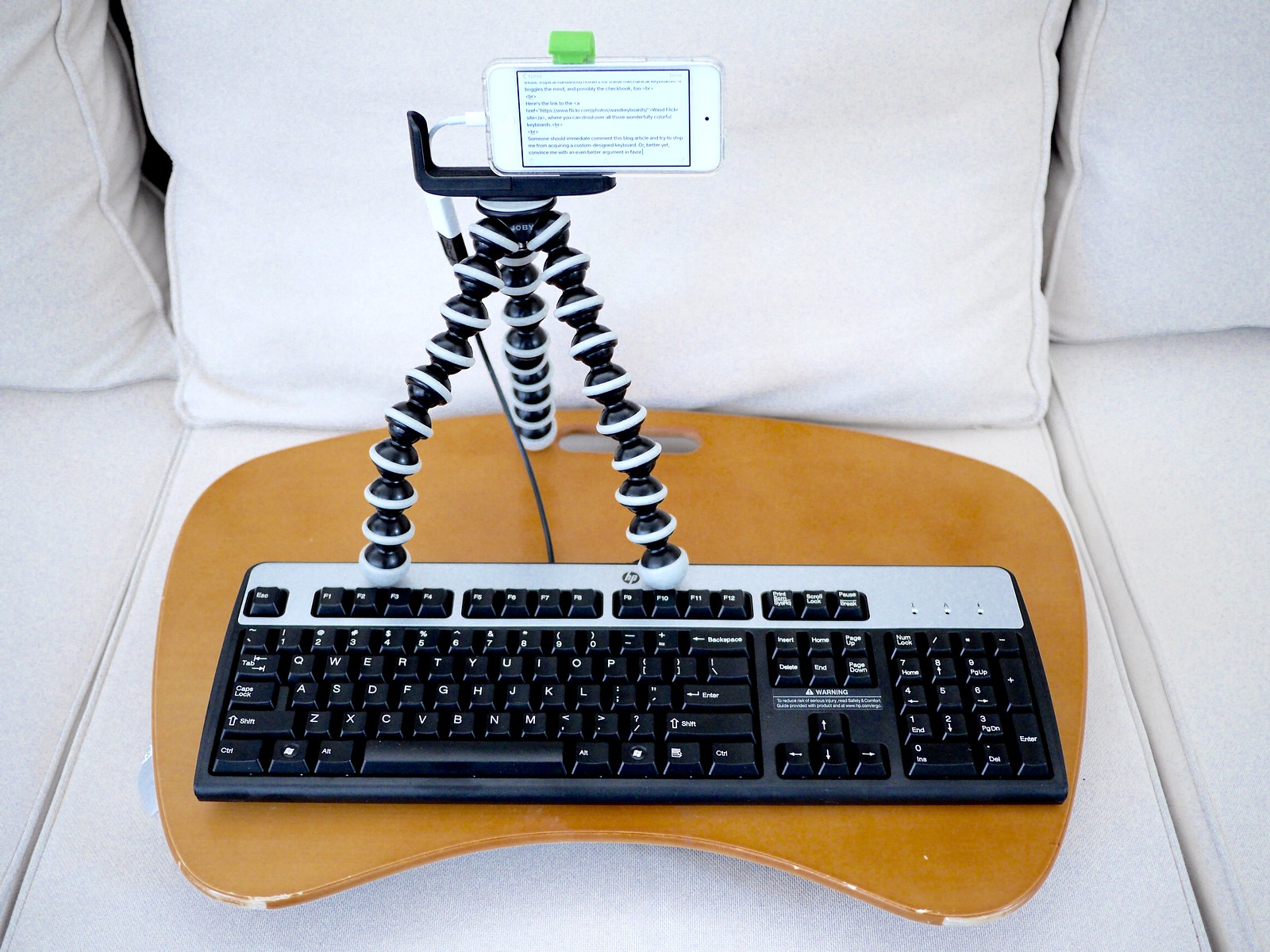
PC Keyboard and iPod Touch: The Replacement Alphasmart?

I'm doing this crazy techno-mashup that's not supposed to work, and that's likely to infuriate both the digerati and the Typosphere, which is to plug a standard USB-wired PC keyboard - one of those wide decks that's about the size of a miniature skateboard, minus the wheels and trucks, that has the function keys and ten-key-pad off to the right, so far off to the right that if you were using a mouse with your right hand your right elbow would be in the next county, and you'd certainly be showing signs of carpel tunnel - into my little iPod Touch, via its standard USB adapter.

No, it's not one of those sleek, Apple-looking wireless keyboards with those rubbery chicklet keys, that advertises you're somewhere in the 21st century; no sir, this is one of those clacky desktop keyboards that shouts "1980." Actually, it's not that cool; just a standard HP keyboard from the last decade. But where to mount the tiny iPod Touch so as to make this a practical writing rig?

My wife, smart as she is, immediately knew the solution, which was to employ the lap desk. So now I'm seated in the backyard, under our big tree, on a cloudy, late Summer's day, with this big keyboard and the tiny Joby Gorilla Pod holding the dinky iPod Touch. At least the black-and-white theme of the HP keyboard matches the tripod's. Not that fashion statements matter at this late date.

This little iPod has a very small battery, smaller than an iPhone's, so battery life is an issue. When I'm not actually needing to be connected to WiFi I set it to airplane mode; and now with this wired keyboard I also don't need to be wasting more battery juice with blue tooth turned on.

How I found out about using a standard USB keyboard on an iOS device is because I was on one of those Internet fixations the other day, researching so-called "60%" mechanical keyboards, and came across a keyboard discussion forum (you knew there'd be such a thing, right?) where this was mentioned.

I have this hate/hate relationship with full-sized keyboards, the ones with 110 or so keys and all those extra keys off to the right; that, if you're a touch-typist like me, with your fingers on the home row, your hands are centered about 1/3 of the way over from the left side of the keyboard. Which is an issue with certain workstation setups, like just about every one in the factory where I work, that equip each station with just enough room for one of these wide behemoths, and position the monitor over the middle of the thing, so that us touch-typists can't have the alphanumeric keys and monitor centered in front of them; and also us right-handed mouse users are relegated to a very non-ergonomic position. I've taken to mousing left-handed while at work, just to take the strain off my right shoulder and wrist.

I don't use those ten-key-pads off to the right; I never worked in a grocery store as a clerk, back in the days before barcode scanners, when the clerks would pick up the can of beans out of your cart with one hand, read the price on the little sticky paper label and, without looking, key in the price on the cash register with the other hand. I remember in high school the math department had classes that taught students how to be fluent in touch entry on adding machines and cash registers and such. It would be only a decade or two after that and such skills would be entirely obsolete.

The desk in my office is one of those big cherrywood colored, Scandinavian-styled corner units. You'd think I'd have plenty of room, but with all the clutter I like to accumulate, such as scanner, printer and a plethora of books and papers, a full-sized keyboard is kind of a nuisance. There's also a typewriter on the desk, but that doesn't count as clutter, of course. What I really want is a smaller keyboard.

A practical person would go down to the nearest big-box retailer and pick up for cheap a medium-sized keyboard, one without the ten-key-pad off to the right, but one that still has the top row of function keys and the navigation keys on the right. But I'm not a practical person; especially after I discovered so-called "60%" keyboards, ones that only have the alphanumeric keys and the few additional ones immediately adjacent, no function or navigation keys; instead, they use a program key that accesses three other key mapping layers.

These tiny keyboards seem to be popular with geeks who like to attend gaming conferences and don't want to travel with their full-sized keyboards, that are as big as their skateboards. Also, there's this popular fascination with mechanical keyboards, that I suspect any typewriter fanatic could appreciate, much like the way a film photographer can appreciate Fuji digital cameras that appear somewhat film-camera-like.

While IBM model-M keyboards enjoy a legacy of being the standard in mechanical keyboards, the big name in mechanical keyboard switches these days has been Cherry, and they have a full line of such switches, each with a different kind of feel (detent or linear, with a variety of force settings), that are identified by color. Cherry Blue switches are the most clicky feeling, and the loudest, with the Cherry Browns being more subtle, followed by the Cherry Clear switches. Since keyboard touch, as any typewriter fanatic can tell you, is such a personal thing, buying into such an exotic keyboard should not be done without first a bit of research. Luckily, there are sample switches you can buy. I just ordered, from Wasd Keyboards, a 6-key Cherry sampler, that I hope will give me more information before I embark down the road of acquiring a custom mechanical keyboard to my liking.

There is also, as with any technological field of interest, more exotic keyboards and switches. Some of these Japanese magnetic reed switch keyboards have attracted interest, like the way that denizens of local coffee shops like to denigrate Starbucks as being "so corporate." The more exotic the better, like small lines of exotic Japanese denim jeans, ones that are so pricey that you can't afford to wash them. There's also an interest in legacy keyboards by many young folks, with pre-PC mainframe keyboards and early Apple models in high demand.

Stylistically, I'm somewhat attracted to the control consoles of nuclear command centers and other military computer systems, like what you'd see in the film "War Games," or what we saw, earlier this year, when we visited the Titan II Missile Museum, south of Tucson, Arizona. "Don't press the red key, that launches the missile." It would be so cool to have a keyboard with a red key that said "Launch," or maybe "Apocalypse Now."

I'll probably buy my keyboard from Wasd, because they offer this spectacularly personalizable 61-key keyboard where you can choose the color of each key - yes, think about that for a second: each key can be customized with whatever color you choose, even artwork - along with your choice of labels. They have a Flickr account where you can view, in jaw-dropping color schemes, all the hundreds of custom keyboards they've fashioned for customers.

Some of these color schemes directly remind me of the pre-Personal Computer era, when mainframes were controlled by these colorful banks of switches. Certainly, some of the designs are a bit too much, like alternating the color of every other key, just to be different; but other color schemes seem simultaneously practical and beautiful.

The Blue Mechanical AI

I was seated at this same spot in the backyard yesterday, typing on my robins egg-blue Webster XL-747 typewriter, with white keys, bold black labels and the red tab and repeat spacer keys, when it struck me that this would make a dandy color scheme for a custom keyboard. I'm thinking the letter keys would be white with large, black labels centered on the keys; the number row would be robins egg blue and the surrounding keys (control, shift, caps, tab, escape, enter, backspace) would be bright red. Not red, white and blue for patriotic reasons, but in honor of this wonderfully pretty typewriter from the 1970s.

I must not be alone in my appreciation of the color schemes of manual typewriter keys, because I also saw a photo of an all-green 60% keyboard, inspired by the Hermes 2000/3000 line of typewriters.

This fascinates me, that manual typewriters could serve as design inspiration for modern-day, tech-savvy computer geeks and gamers; people who are decidedly not part of the Typosphere and typewriter blogging community. Sometimes you have to step outside of your own cultural community to see the wider picture of how much typewriters have inspired and informed the culture at large.

Which reminds me, on a side note, that I walked into a Goodwill store about ten minutes after someone found an Olympus SM-3, in burgundy trim, for $5. She was kind enough to let me take a peek inside that wonderfully round carrying case, but I couldn't talk her out of her intended purchase. Which is fine, since I have 11 typewriters, and this will be her first. Spread the wealth. But still, such a nice machine for five bucks. It boggles the mind, thinking about all those potential great bargains I've missed by not being on constant patrol of the thrift stores. Best not to think of it, since I've been reminded repeatedly, by She-Who-Must-Be-Obeyed, that I have enough typewriters for now. Uh huh.

This combination of clacky keyboard and iPod Touch reminds me so much of the Alphasmart line of word processing keyboards. I've visited their Flickr site many times, and read many of the discussion threads, but can't recall mention of this easy way to simulate an Alphasmart system with an iOS device and standard USB keyboard.

I'm thinking that another way to incorporate a miniature 61-key keyboard, in a personalized color scheme, with an iOS device would be to build some little bracket device that attaches the iPod Touch right behind the keyboard, elevated at a convenient viewing angle.

Oh, did I mention that there are also wooden (yes, wooden - think exotic tropical hardwood) holders for these mechanical keyboards? It boggles the mind, and possibly the checkbook, too.

Here's the link to the Wasd Flickr site, where you can drool over all those wonderfully colorful keyboards.

Someone should immediate comment this blog article and try to stop me from acquiring a custom-designed keyboard. Or, better yet, convince me with an even better argument in favor.

Labels: , , , , , ,

Sunday, August 07, 2016

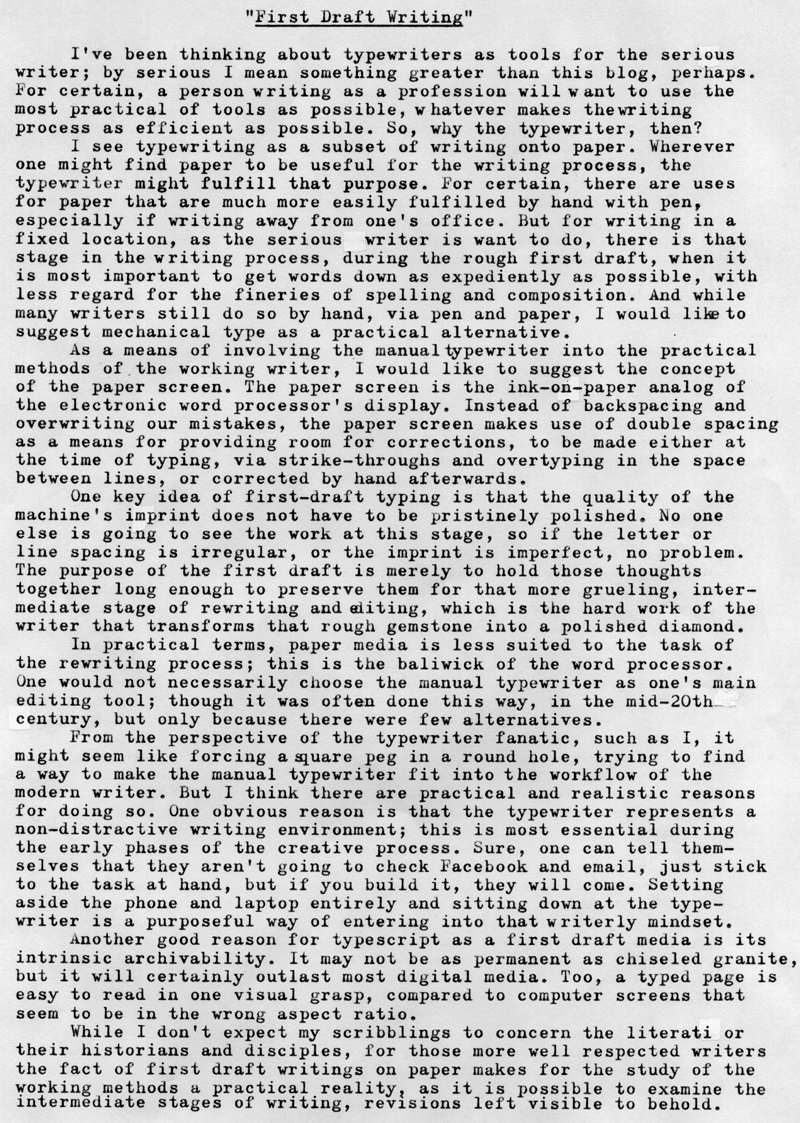
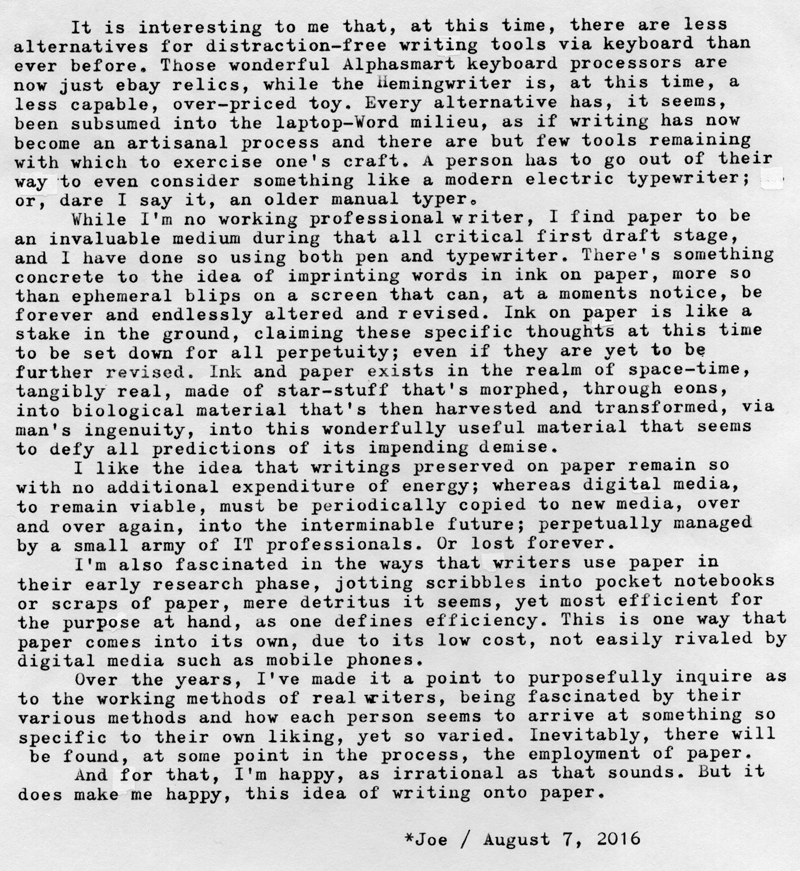
First Draft Writing

P1080148a
Typecast187
P1010508a
Typecast188

Post-Script: I'm reminded that there are a number of writing applications that purport to make the writing process via laptop computer less distractive. Yet at the same time I can't help but think that it's not a problem with Microsoft Word, but rather with the computing platform itself, wirelessly and incessantly connected to the World Wide Web.

Alternatively, since I'm not a working writer, perhaps I don't know what I'm talking about. But the times I've been the most creative have been those times when I've purposed myself to sit down and write. It's a specific decision a person makes, despite the risk of so-called writer's block. To sit down and put words on paper. Yes, on paper. I do think the paper helps to make the thoughts tangible, though that might be a mere psychological trick. But whatever works.

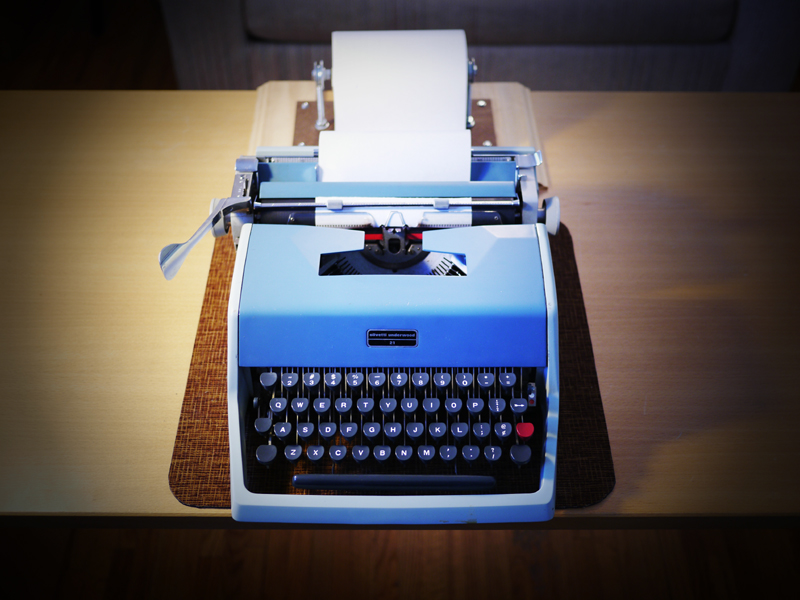
I've included as the second photo my old Underwood Olivetti 21 and the L.A.R.O.P. - Little Ass Roll Of Paper, the junior-sized version of the Jack Kerouac-inspired endless scroll. I had to find this narrower (6" wide) white paper at Napa Auto Parts, used for masking cars prior to being painted. It's white, but isn't letter-writing perfect for taking typewriter ink; but for first-draft writing it's sufficient, if you need the narrower size; and the first-draft writing process with the endless roll of paper is remarkable. Set your machine to double line spacing, set the margins about one character in from either edge, and start typing. And don't stop. Just keep putting words on paper and slinging the carriage back and forth, and before you know it, there's a long tail of paper hanging off the back of the machine, piling up on the floor, and you find yourself with a sizable amount of words written to paper. When you're done, either accordion-fold the scroll into page-sized pieces or cut it up and bind it together; whatever works for you. The double spacing means you can immediately begin proof-reading and revising what you've typed, via pen or pencil. I've found this to be the most efficient way to get words down on paper using a manual typewriter; and the narrower size makes it easier for the scroll to slide back and forth sideways with the carriage motion, compared to a full-width scroll of paper.

Labels: , , , , ,

Tuesday, July 19, 2016

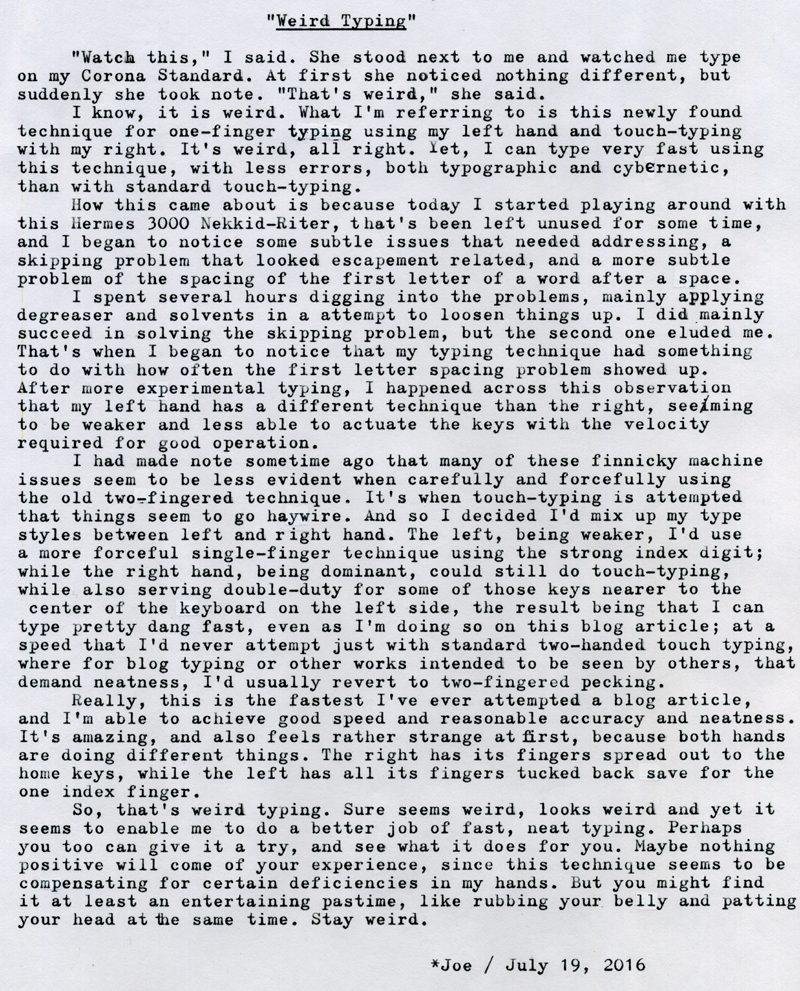
Weird Typing

DSCF5055a
Typecast182

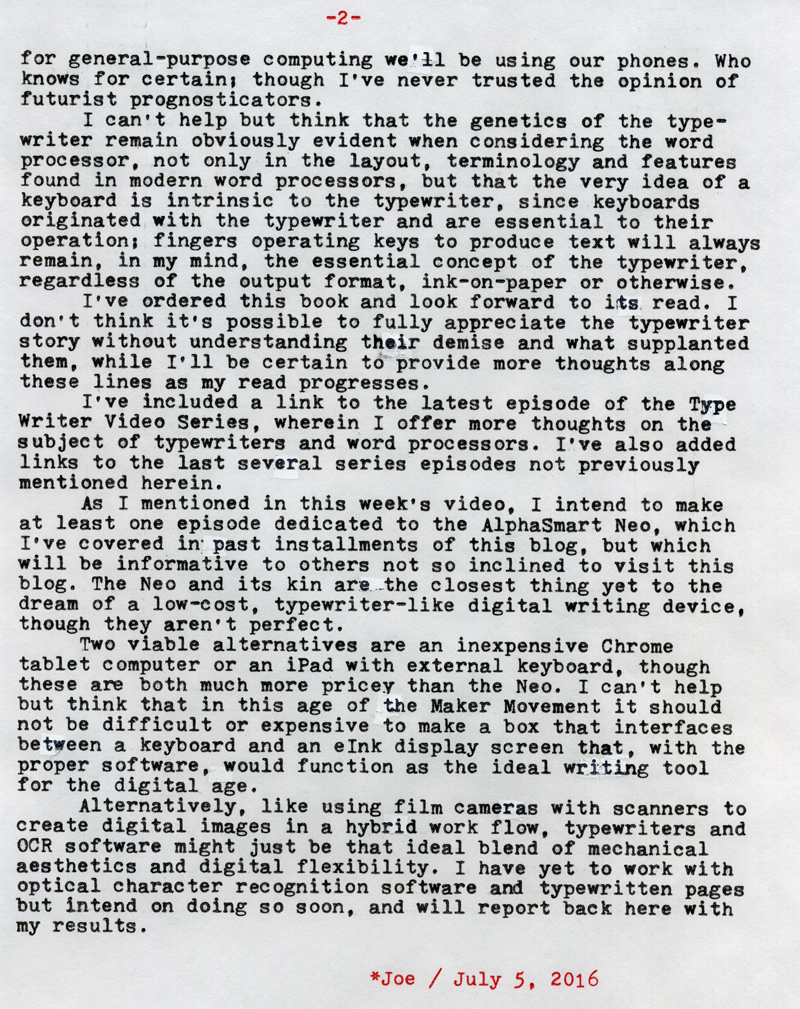
Post-Script: I think this weird typing discovery came out of some intensive typing sessions this last week, during which I was purposefully touch-typing a lot on my newly acquired Corona Standard, whose ergonomics are wonderful and exhibit none of the issues the Hermes 3K showed. Wanting also to rapidly type on the Nekkid-Riter led to my discovering these subtle problems needing fixing, which in turn led to the fact that, at least for mechanical typewriters, I'm now weird typing. Interestingly enough, when I try this same weird typing technique on my PC keyboard I get none of the good effects. It's certainly a mechanical issue between my hands and the machine; something I've come to term "cybernetic," since manual typewriters are one of those few devices that truly operate as an intimately connected system of body and machine.

Regarding the last blog article, about Type-Texting, I haven't yet taken the time to practice, as I've been consumed in my spare time with YouTube videos and some film photography. But I've finished the book "Track Changes," an authoritative history of the word processor, and I garnered lots of thoughts along the way about typewriters and their place in the modern writer's work-flow; which I might write about in the coming weeks. Some of those touch-typing session, alluded to earlier, involved brainstorming some of my thoughts on this subject.

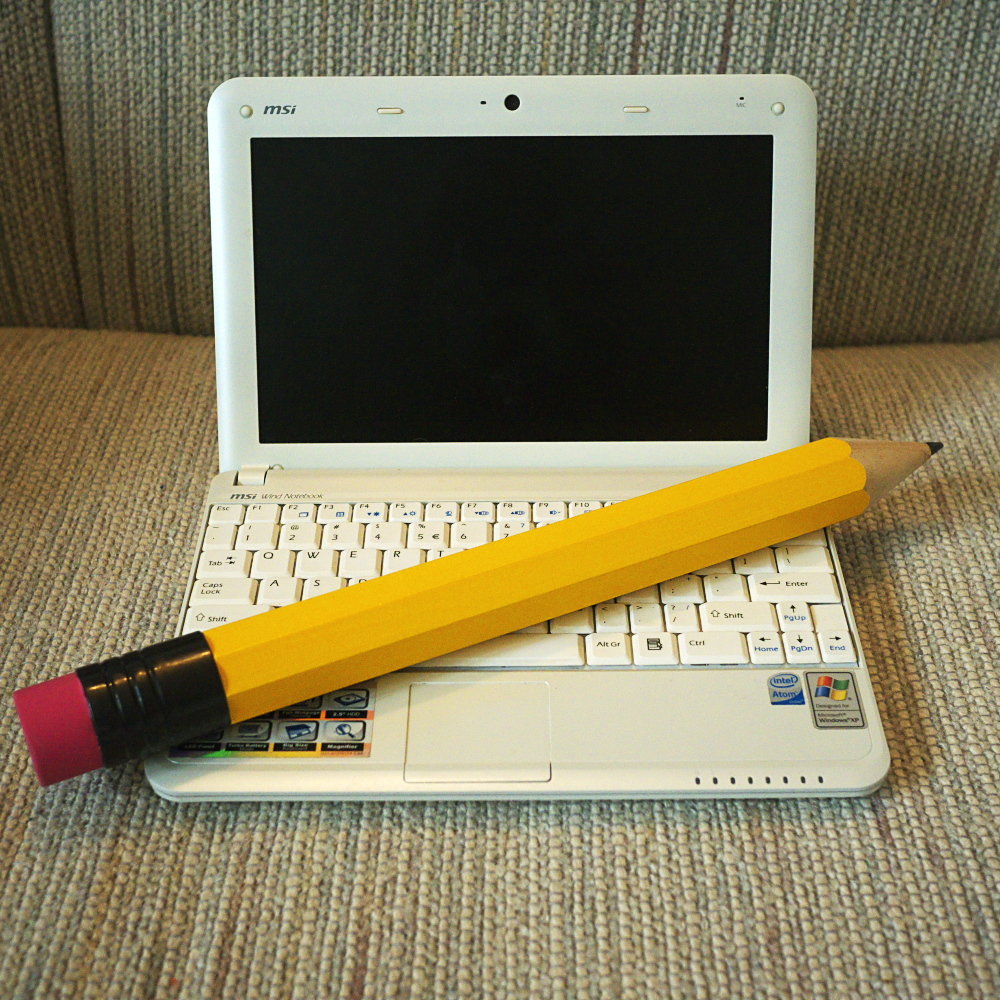
Inspired by the book on word processors, I dug out an old MSI Wind netbook computer that's been sitting in a cabinet for the last five or six years. Its WiFi is essentially nonfunctional, but it does have installed a version of Open Office, so it's essentially a non-Internet connected word processor. I did a bit of writing with it too, fleshing out some of those manually-typed pieces done on the Corona, and so I've used this as an opportunity to experiment with combining typescript into an otherwise all-digital writing process.

Labels: , , , , ,

Tuesday, July 05, 2016

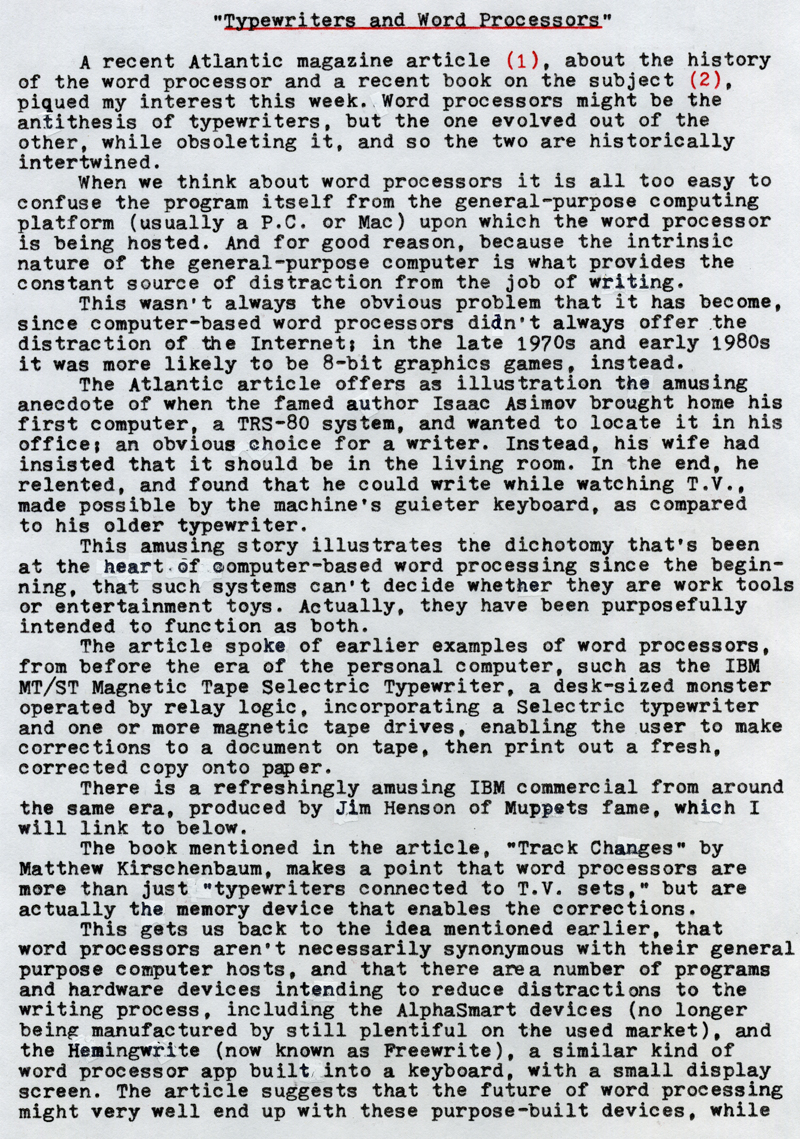
Typewriters and Word Processors


Typewriter Video Series Episode 23: Typewriters and Word Processors

Typecast179
(1)The Atlantic article
(2)Track Changes by Matthew Kirschenbaum


"Paperwork Explosion" by Jim Henson

Typecast180

Post-Script: Here are links to several past episodes of the Typewriter Video Series that I might not have mentioned herein.

Episode 20:


Episode 21:


Episode 22:


Should you be interested in photography and video, there are also newer videos on those subjects as well. Thank you for your readership.

Typecast via (appropriately enough) Smith-Corona Coronet Automatic 12.

Labels: , , , , ,