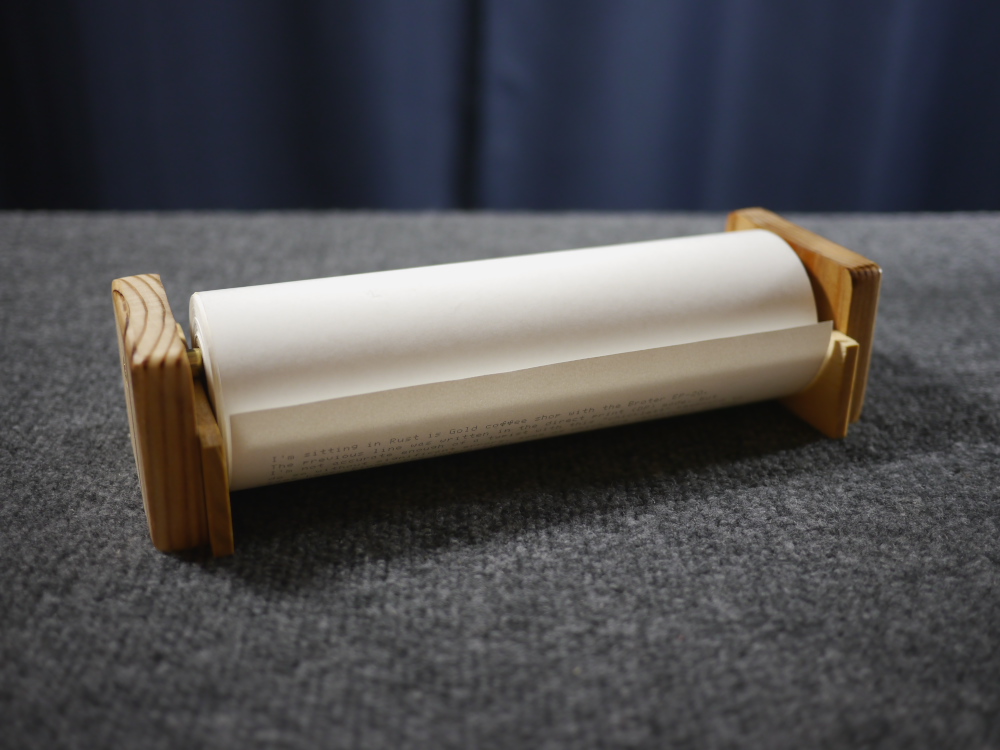
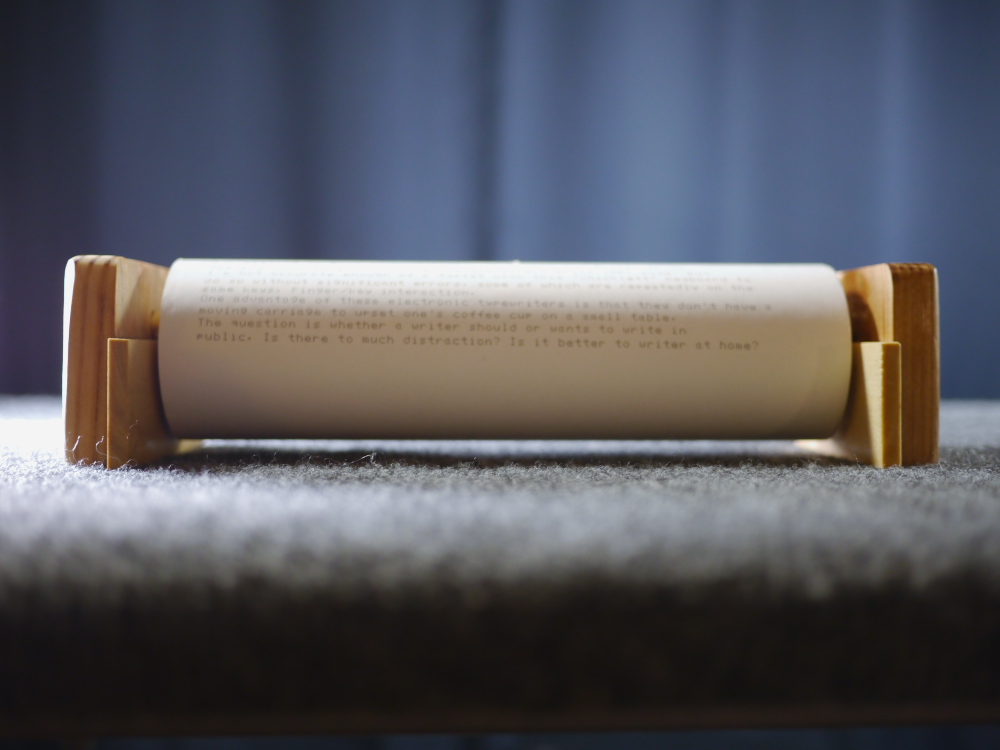
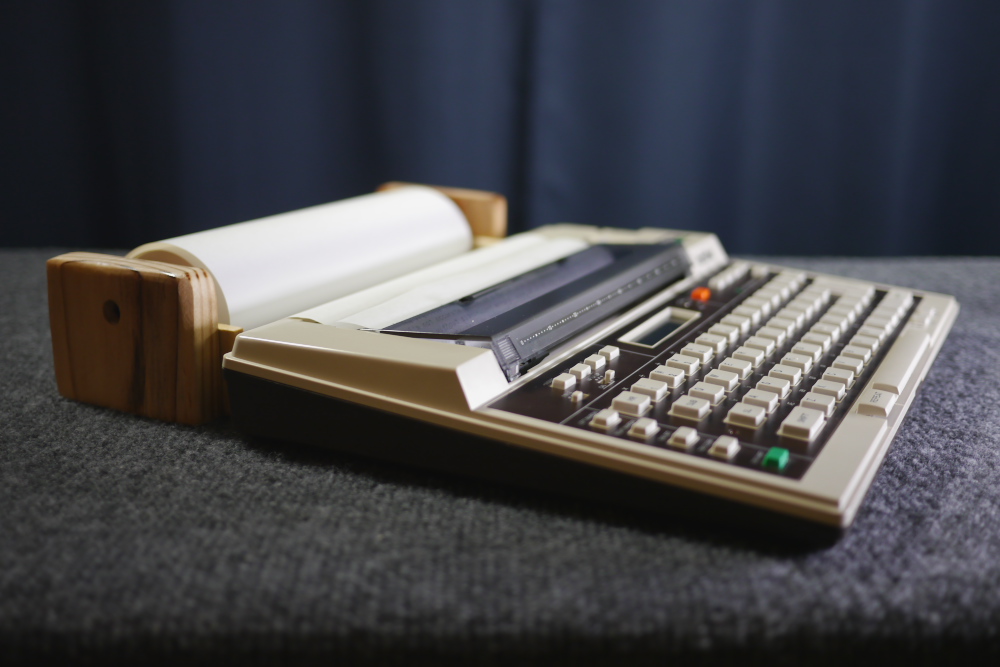
Monday, May 11, 2020

The Thing Transformed
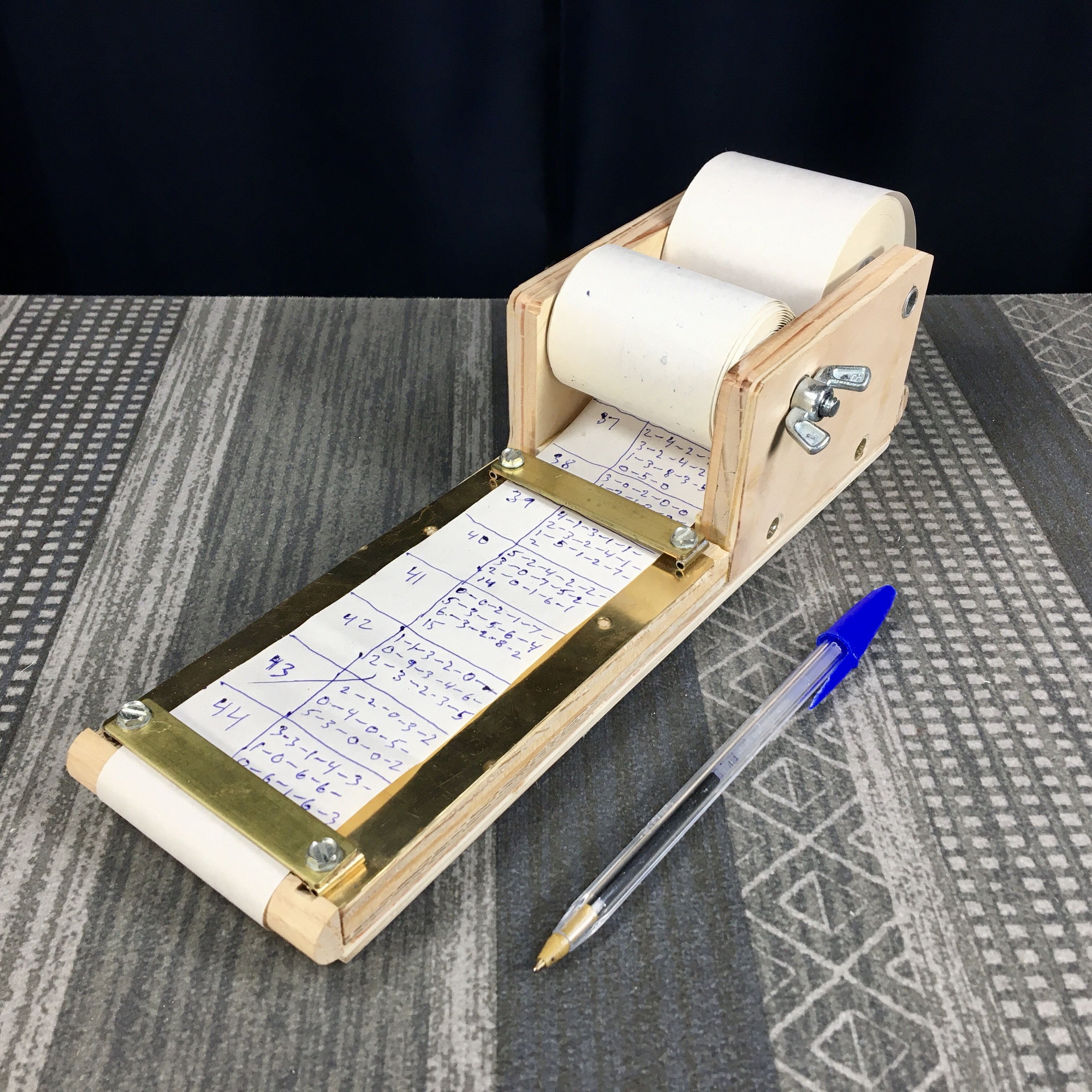
The Thing — Paper roll note-taking holder, latest version.
The Thing Transformed

No, the thermal Sharp PA-1050 typewriter prints lines just fine. I'm using the iPhone's panorama mode to scan this over-24-inch-long piece, and handholding it as I move it causes these wonky artifacts. I need to make a dolly that moves the iPhone smoothly across the tabletop. Also, maybe less coffee?
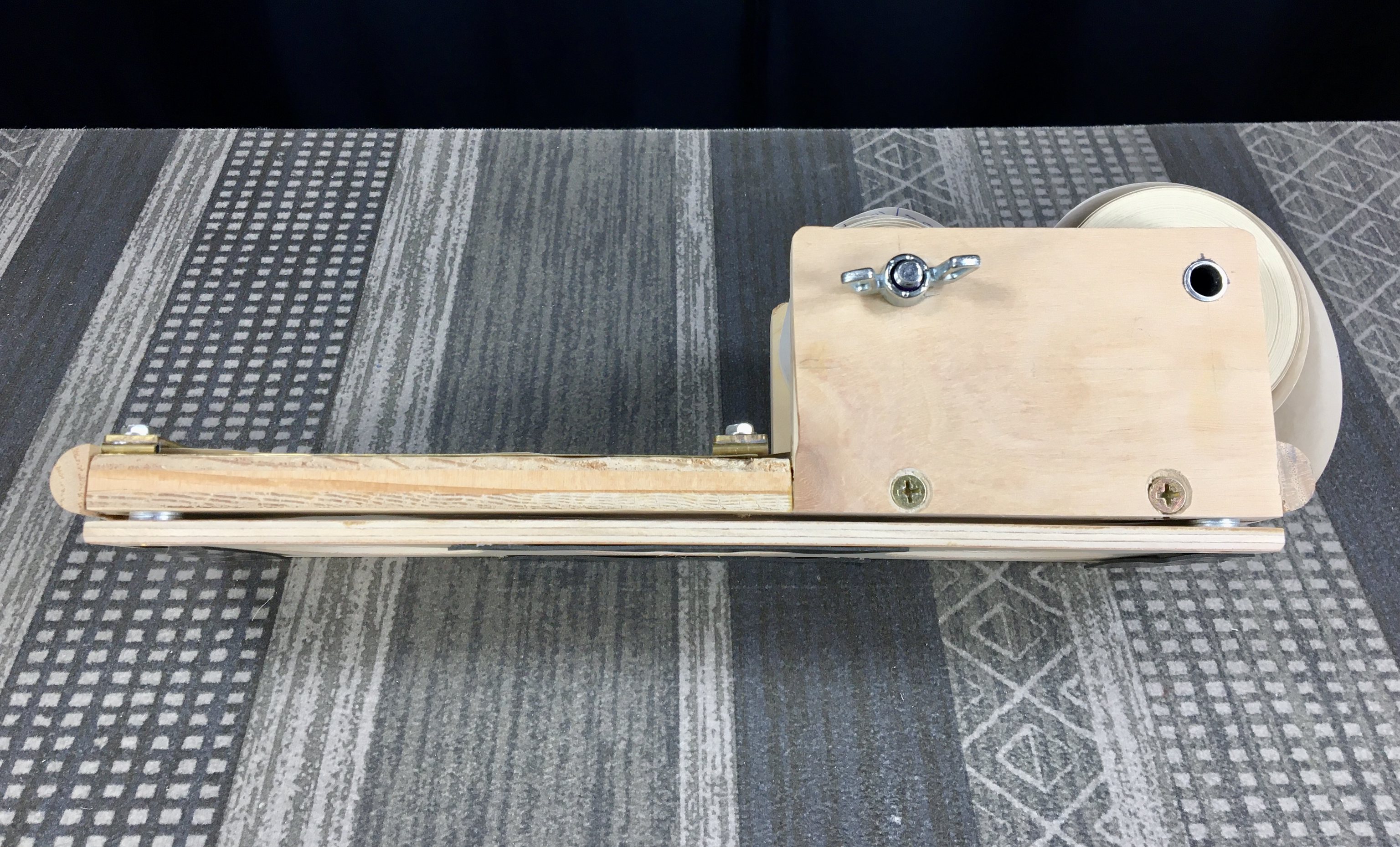
The Thing — Paper roll note-taking holder, latest version.

Side view (above). Note the narrow gap between the main plate and bottom, where the paper feeds under the unit from the supply spool in back to the writing surface and take-up spool up front. The supply spool free-wheels on the aluminum rod, whereas the take-up spool is driven by turning the wing nut. Note the half-round dowels at the front and rear edges for the paper to make a smoother bend around.

The Thing — Paper roll note-taking holder, latest version.

Underside (above). Note the access holes for feeding a fresh roll of paper. And the non-slip rubber pads.

Kitchen Paper Roll Note-Taker

For reference (above) is the note-taking roll holder I made for my wife. Simple design, the roll free-wheels on the aluminum tube. The thin brass rod is for the paper to roll underneath. Note the brass plate that serves to keep the paper flat while providing for a tear-edge. The version I made for my sister-in-law is very much the same. To replace the paper, the aluminum tube is pressed out with a pen cap, and fits snuggly into the holes drilled in the side brackets.

Let's get back my comment above, about using the iPhone's panorama mode for "scanning" this long piece, thermally-typed on a roll of fax paper. Panorama mode is intended for the user to hold the phone vertically in portrait orientation and slowly rotate around a scene; the phone's software stitches together a mega-sized image, much larger in pixel size than the native camera could achieve on its own. In fact, a standard flatbed scanner would also be of little use for these long sheets of paper.

In use as a makeshift scanner, I'm instead moving the phone in a line along the length of the scroll of paper. In order to have a distortion-free image I need to move the phone at a constant speed, without it tilting up, down or sideways. And, in order to achieve even exposure along the length of the paper, I need to lay it on my video table with lights ablaze. For this shot I clipped the paper sideways to a board and tilted it at an angle toward the phone; the phone in portrait orientation needed to be pointing down at an angle perpendicular to the paper, then be moved smoothly along its length at a constant speed without changing the angle. Not easy to do. In the future I need a fixture to help me do this better.

I'm one for the "elegant solution". Yes, I could cobble together a stepper-motor-and-Arduino system for moving a motorized dolly across the tabletop, or buy a video slider system, but I'm thinking of an elegantly simpler solution. First is a smooth surface that runs the width of the table, say made from spare hardwood flooring panels that happen to be in my storage shed. Next is a wheeled dolly to mount the phone onto via an adjustable ball-head mount. Then a thin wire (or string) that runs from the front of the dolly to a pulley at the side of the table, attached to the end of the string being a heavy weight, that pulls the dolly forward as the weight falls. To achieve constant speed another string is attached to the back of the dolly, around another pulley and onto a weathervane-style rotor. As the weight pulls the dolly, the weathervane rotor spins fast. Because of air resistance, the rotor can only spin at a constant speed, which helps to regulate the speed of the dolly's movement.

I first saw this method used in a Panasonic (Technics) cassette deck, back in the 1980s. Most cassette decks that had a slow-opening lid used a plastic dashpot (a cylinder and piston arrangement with a calibrated air hole) lubricated by synthetic grease, that made the lid, operated by a spring, open slowly - until the grease hardened or the rubber o-ring wore out, which was frequent. In the Technics deck, they use a draw spring attached to the door that wound around a shaft, like a windlass, that turned a 4-vane brass whirligig. The speed of the door was regulated automatically by the air friction of the whirligig spinning. I thought it was an elegant solution that proved to be much more reliable than the plastic cylinder and grease method used by other brands.

Or, another strategy might be to put a few extra lines every 11 or so inches, and photograph the scroll in sections; but that would involve preplanning, and I'm much better with spontaneity.

PS: What's all them numbers written on the paper roll? That's the subject of another blog article!

Labels: , , ,

Wednesday, March 25, 2020

Thermal Correcting Chads?

Concept Sketch for thermal typewriter correction chads.
(Click to embiggen)

After using a number of thermal typewriters, even the ones with convenient editing features and an LCD, eventually I make typographical errors. The first few times this happened I by habit reached for the correction tape dispenser, rolled over the error and discovered that correction tape isn't thermally sensitive. Duh!

Since then, whenever I find a typo with a thermal machine I'll cover it with correction tape and hand-write the correct character in its place at a later time. It helps to use a black pen of the appropriate line weight, so as to match closely the original thermal printing. This method has stood me in good stead, but the thought still nagged at the back of my mind, wouldn't it be nice if someone made thermally-sensitive correction tape?

Recently I watch a video by Gregory of The Poor Typist YouTube channel, where he reviewed a Brother EP-5 thermal machine. This looks like one of the later thermal machines Brother made, and lacks an LCD entirely. It also functions more like a standard typewriter, in the sense that it has a correction feature, along with the now out-of-date ribbon cartridges that print thermally onto regular paper. It got me thinking that with this machine Brother was trying hard to entirely conceal the thermal nature of the machine. Of course, all thermal typewriters originally used cartridges for transferring the printing onto regular paper, but some of them did mention in the owners manual that thermal paper could be used as an option.

Since I've lately been embracing a sketch book for documenting ideas, even before I'd finished watching Gregory's video I already had ideas in mind for how one might make thermal correction tape. The latest idea is documented in the wild sketch seen at the top. I tried it out today and it does work, though the method is more fiddly than the convenience of roll-on correction cartridges.

First, cut a piece of wax paper, the kind you may find in your kitchen drawer, several inches long. Then you'll need a roll of Scotch-brand double-sided adhesive tape. Mine comes in a yellow-colored dispenser. Tear off a few inches and tape it down to the middle of the wax paper.

Next, cut a piece of thermal printing paper the same size as the double-sided tape, and fix it to the tape, thermal printing side up. Neatness counts. You can tell which side is thermally sensitive by applying pressure from a sharp object, the thermal side will make a faint gray mark.

Now trim the wax paper down so it's the same length as the thermal strip, but twice or more as wide. You'll have a rectangle of wax paper where one half is covered by the thermal paper and the other bare wax paper.

You can either use it like this, or go ahead and cut the paper into letter-width pieces and store them in a handy container, like a 35mm film canister. Each piece (or chad) will be a little rectangle of wax paper, with roughly half of it covered in thermal paper.

To use these thermal correction chads you first need to figure out how to advance the paper in your thermal typewriter by even amounts so you can raise the errant typing up to the paper table on your machine, to gain easy access for applying the correction chad. Most thermal machines have paper up/down buttons that move the paper in 1/2 line increments. Other machines may have a ratcheting platen knob that also moves the paper 1/2 line at a time. Make sure you count how many vertical steps you've made, so you can return the line to the printing position.

Then use a thin, sharp tool like a small knife blade and carefully peel the chad off the wax paper backing and apply it over the errant character, then press into place. It'll look like the makings of a ransom note!

Then return the paper to its previous line position via the paper down buttons or ratcheting platen knob. Make sure you remembered how many half-line increments to move it. On the two machines I tested (the Canon Typestar 4 and the Brother EP-43) I had to move the paper about 7 half-lines to get the error to a convenient position.
If you've been typing in auto-carriage return or line-by-line mode, you'll want to switch the mode to the character-by-character mode, so you can move the print position back to the chad and make your correction. You may have to refer to the owners manual (if you have one) on how to do this, as it varies with models and brands.

Thermal typewriter correction chad

In the above example, I've covered a letter and overtyped it thermally. You can see I didn't place the chad exactly square, so I had to retype its neighboring letter again.

If you keep the entire strip of correction paper intact, you can cut out larger sizes to cover up entire words, but you'll need to remember to bring scissors with you. This indeed begins to look like a ransom note after all!

If you have any other ideas to improve this method, I'd love to hear them. Just leave a comment below - if Blogger permits it, that is!

Happy thermal correcting!

Labels: , ,

Wednesday, October 30, 2019

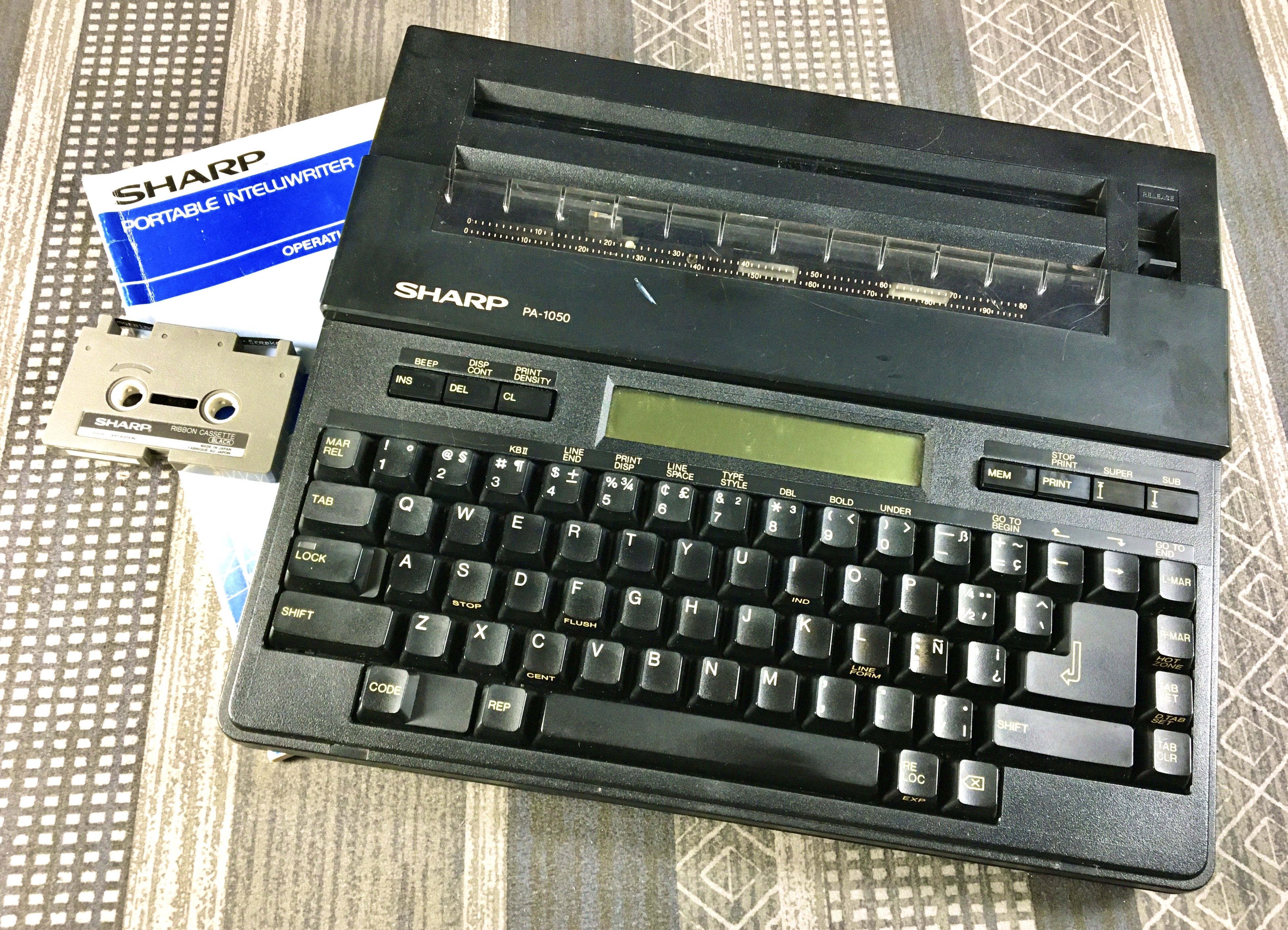
Sharp PA-1050 Thermal Typer

Sharp PA-1050 Thermal Typer

It's been fun digging into these devices, brings back lots of memories of my days, in the 1980s - about concurrent with this machine (circa 1986 according to the date stamp inside the top shell) - when I repaired consumer electronics for a living.

I'll be doing more videos about each of these machines, then eventually a comparison between all five in my collection.

There's a bit of wonkiness to the line spacing in the image of the typecast, that's not the fault of the typewriter but rather my "scanning" technique; I use an iPhone's panorama mode, and irregularities in the movement of the phone during the scan will cause these issues. I'm still thinking about building a slider rig for doing these scans. The typical thermal typewriter output is a long scroll, too big for a conventional scanner - even if I had one!

Labels: , ,

Tuesday, October 15, 2019

Manzano Musings

Hiking and Cogitating
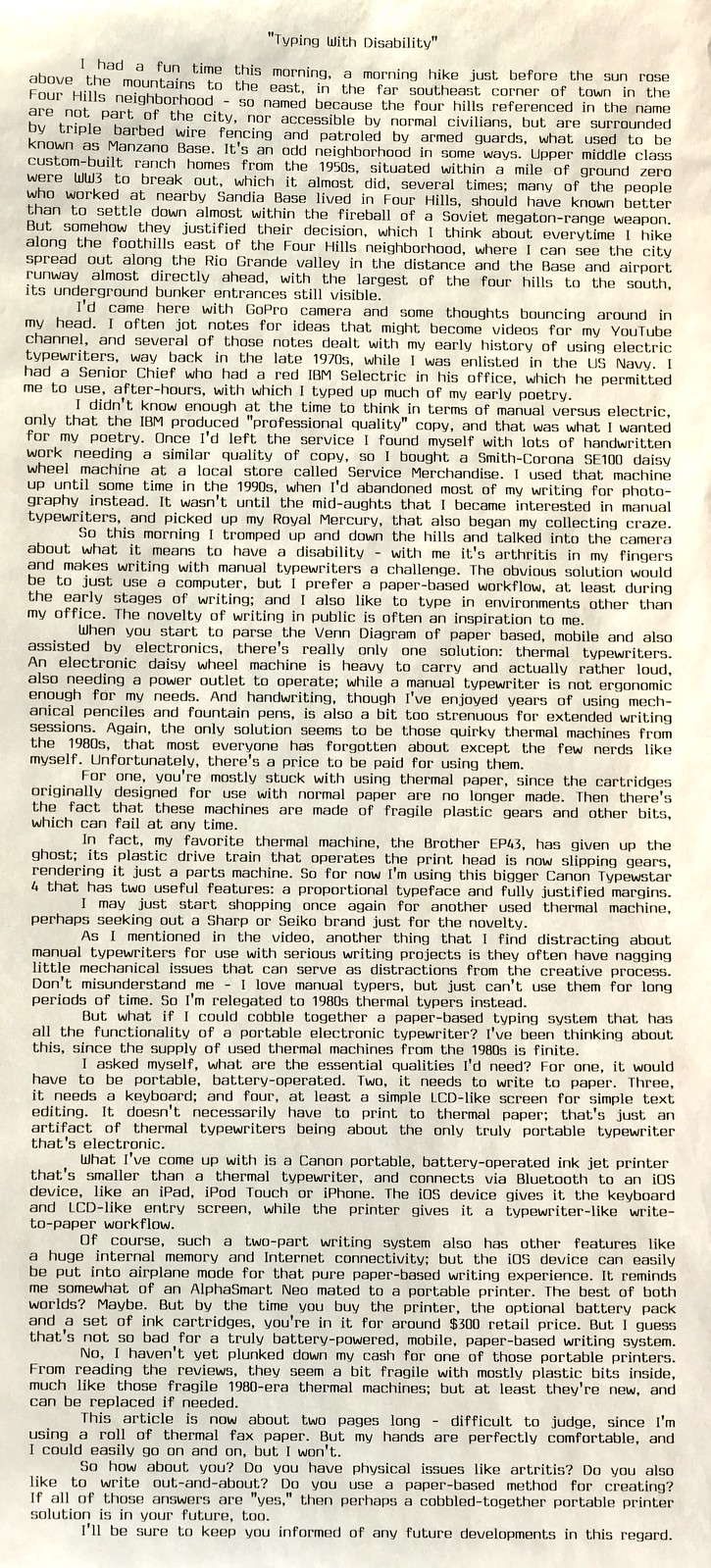
“Typing With Disability”

I "scanned" this piece using the panorama mode on the iPhone, which can result in wonky borders unless you're careful to keep the phone exactly aligned, and move it at a smooth, constant pace. But for these long scroll-like writings, it's about the only way to get a seamless image of the piece, without chopping it into separate images. This particular image is not perfectly straight, if you examine the edges there's a bit of wonkiness. I need to build a more precise fixture for this purpose, something like a manual slider that moves the phone horizontally past the typewritten piece at a precise speed and alignment.

Even my flatbed scanner is limited to pieces about 12" long. And a single still camera image would require a sensor with many more pixels than mine, to resolve the individual characters properly. Also, many such camera lenses, especially wide-angle lenses, exhibit field curvature, that make the edges of the image curved, which would then require correction in post.

Now, regarding this idea for a cobbled-together mobile electronic typewriter-like system, the Canon Pixma IP110 printer seems to be about the only small printer with a battery-power option, the battery costing another $100 or so. I've seen the whole package - printer, ink cartridges and battery - for around $300. Which sounds expensive, but considering the idea for a mobile, paper-based writing/typing/printing solution (there aren't any other options that I know of with new equipment), it's an interesting concept worth entertaining. Keep in mind that this cost assumes you already have a mobile device (i.e. smartphone) with which to link up to the printer via Bluetooth. I would also opt to use just black ink cartridges in the printer, to keep the cost down.

Certainly a person could buy a handful of used, 1980-era thermal typewriters for that $300, but those are used machines with uncertain lifespans remaining. Case in point: my beloved Brother EP43 has recently bitten the dust, the plastic gear train that drives the print head back and forth is now slipping. Yes, I'll probably replace it at some point with another (or just keep using the Canon Typestar 4), but for a battery-powered portable typewriter-like system comprise of newly manufactured components, this is probably the only option.

I recall several years ago using my 60% mechanical keyboard with my iPad2 via a USB adapter. Combining a mechanical keyboard with an iOS device and the Canon IP110 printer could be an interesting project - especially if a custom case is built to house all the components into a typewriter-looking housing.
I'll keep you updated on any progress I make with this project.

In the meanwhile, enjoy the video I made today:


Post-Script: I need to mention that the fall 2019 ABQ Type-Out is happening at Pennysmiths Papers, 4022 Rio Grande Blvd NW in Albuquerque, on Sunday, November 3, 2019, from 1pm-4pm. I hope you can make it, I'd love to meet you in person.

fall type out

Labels: , , , ,

Monday, October 07, 2019

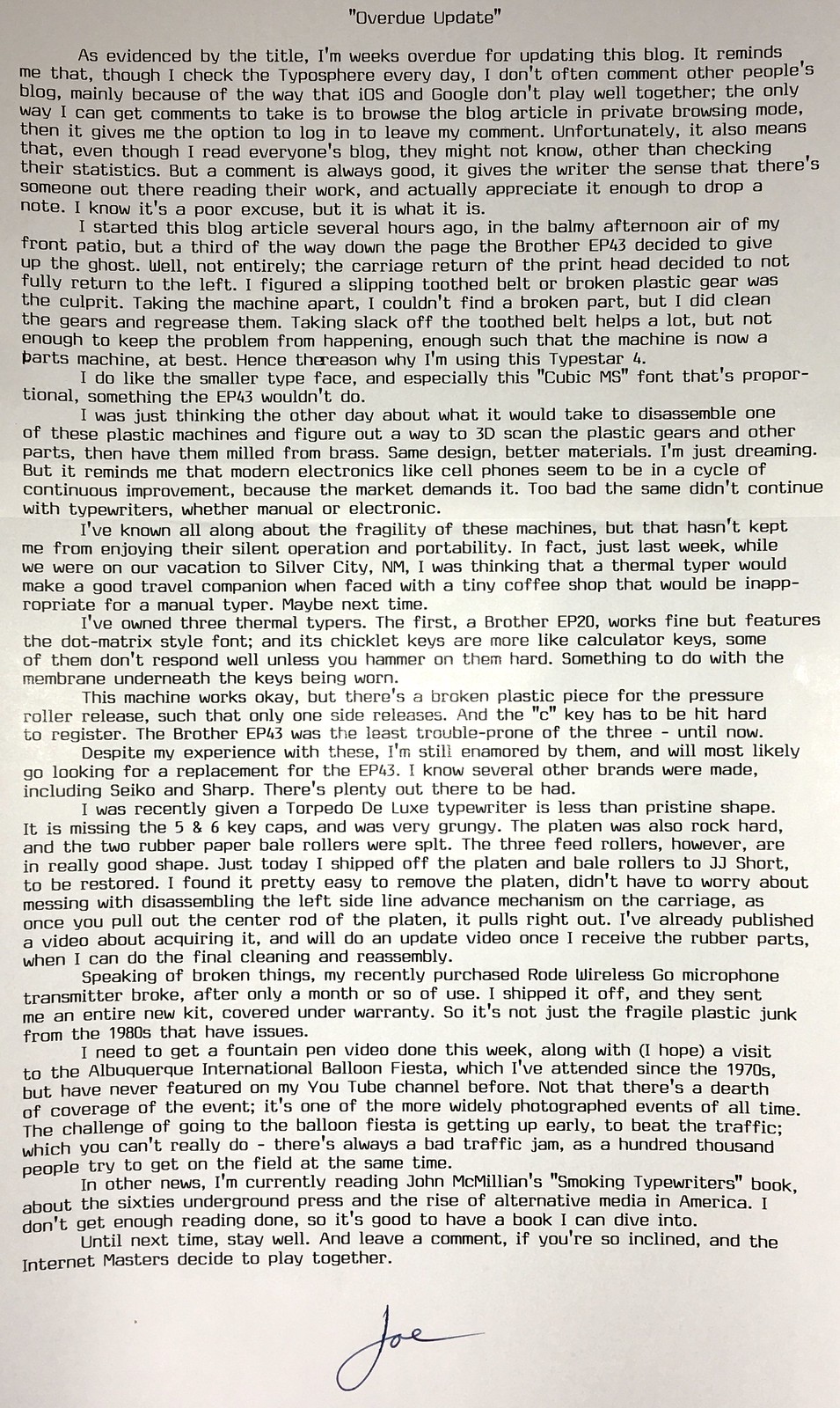
Overdue Update

1962 Torpedo De Luxe
Recently acquired 1962 Torpedo De Luxe, featuring the wonky 5 & 6 keycaps, and decades of grime.

“Overdue Update”

I've been tinkering some more with the citric acid / hydrogen peroxide reversal process for direct-positive prints from silver gelatin photo paper exposed in-camera. Here's a recent still-life.
Owl, Citric Acid + H2O2 Reversal Process, Fujinon 135mm @ F/5.6, 45 second exposure, 4x5 format Arista RC grade 2 paper

I've found better results by processing the print face-down in the citric acid and peroxide bleaching solutions, and also do two passes, before the second exposure and development.
While up till today all of my reversal tests have been under shaded daylight, the multi-seconds-long exposure times were not compatible with the possibility of seated portraits. So today I made a series of test exposures in the bright morning sun of my front patio, with Your's Truly as subject. For focus I used a test card tied to the camera with a string. I use a yard stick to stretch the target out in front of the camera until the string is taught, then focus the camera on the target. Then I approximate the composition, based on my experience, and once the exposure is determined via light meter and set on the lens, I sit down in front of the camera, long shutter release cable in one hand and focus target in the other. I assume my pose, bring the target up to my temple and adjust my fore-aft seating position to tighten the string; then slowly lower my arm and trip the shutter.

I thought the results were rather fair, given the harsh light; and the 1/2 second exposure time at F/5.6 was quite adequate for seated portraits.

Self-Portrait, grade 2 RC paper, direct reversal using citric acid + H2O2 process, 1/2 second exposure at F/5.6

I have the 8x10 sliding box camera, currently fitted with a Fujinon Xerox machine lens, 240mm at a fixed F/4.5 aperture. Fast glass, but no possibility of a variable aperture. And the box camera is fixed at a landscape orientation, whereas I'd like to use it for portraits. Perhaps I can rebuild the camera so the cross-section is square instead of rectangular, and the sliding rear portion could therefore be inserted into the front half in either orientation - dark slide facing to the right for landscape orientation, or facing up for portraits. Of course, for accurate exposures with sub-1 second times I can't rely on the accuracy of a lens cap shutter, so perhaps an ND filter can lengthen the exposure times to around 1 second in bright sun - long enough to be timed accurately by hand, while short enough to reduce the chance of motion blur. Always another project!

I'm still using the same batch of citric acid and H2O2, so I don't know how long I can go before they expire. Thus far it's proven to be a very economical process, as long as I ensure consistency in everything I do.

Labels: , , ,

Wednesday, May 22, 2019

Perfect, Or Good Enough?

P1030670a
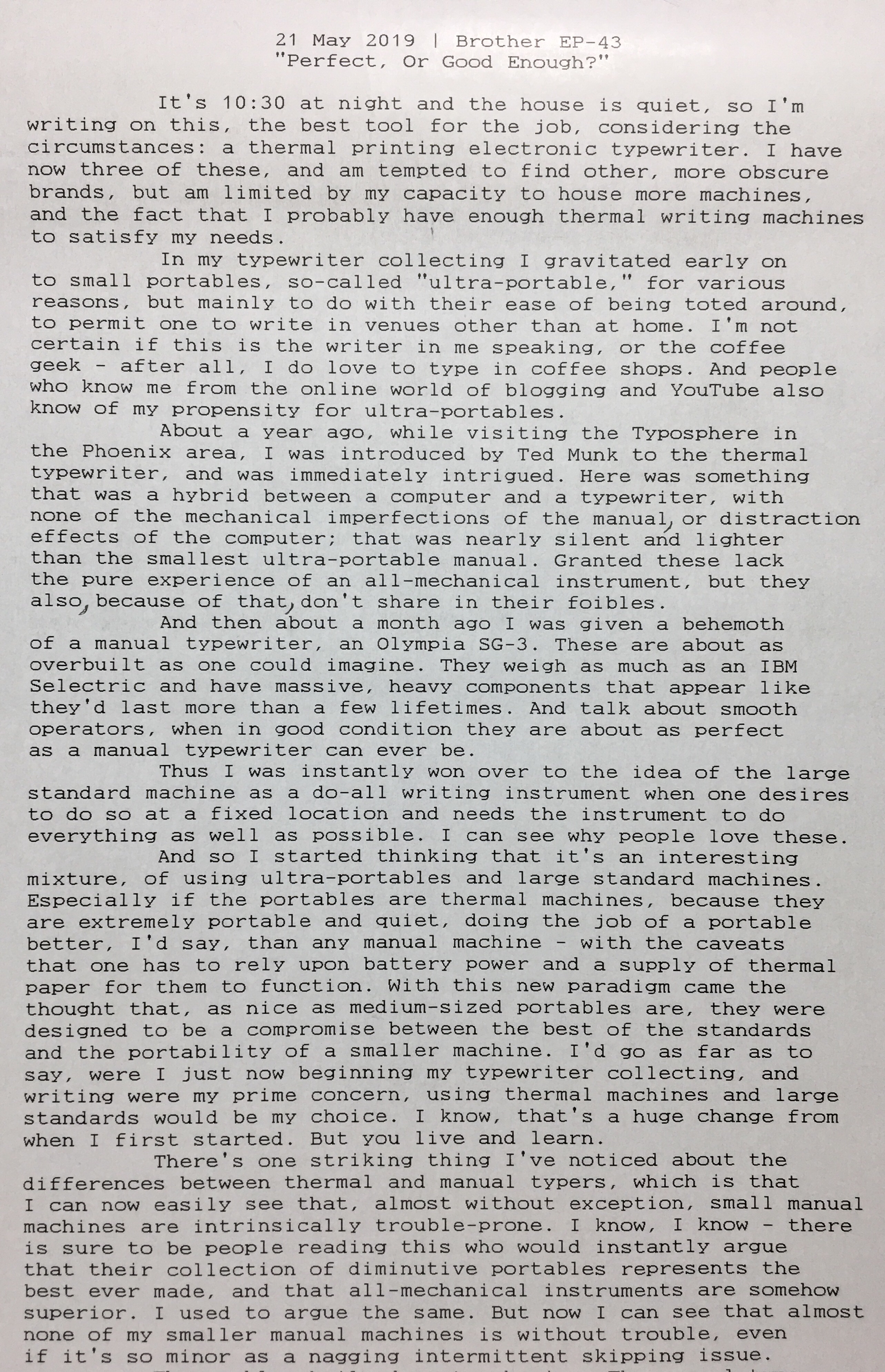
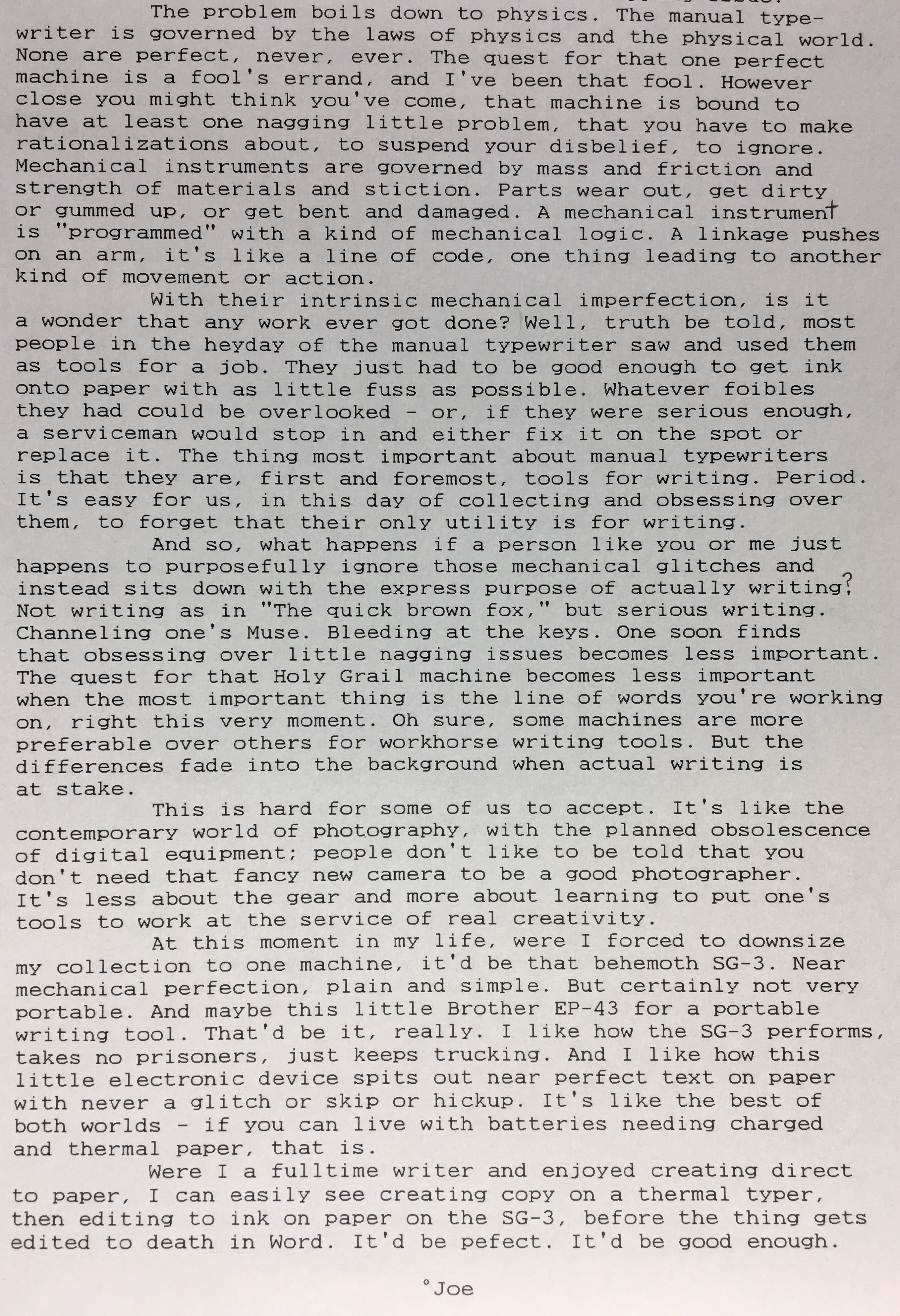
“Perfect, Or Good Enough?” Part 1
Brother EP-43 journal writing.
“Perfect, Or Good Enough?” Part 2

Post-Script: I still haven't found a great way to photograph these long strips of writings with a camera without uneven lighting, or field curvature from the lens. The iOS panorama mode comes closest, but you have to move the camera along the strip of paper with absolute precision in terms of the camera's viewing angle and speed of motion. Perhaps a slider would work. Maybe I'll rig one together.

I was inspired late last night to write this, as I was waiting for my video to upload to YouTube. These thermal machines are great for late-night missives where you want absolute quiet in the house. And it's nice to see the results measured in terms of feet and inches, rather than pages. It feels like progress. In the case of this piece (literally a piece, torn off from a roll of thermal fax paper, after it was completed), it measured nearly 21 inches in length.

Labels: , , , , ,

Monday, March 18, 2019

Canon Typestar 4 Thermal Typewriter

Canon Typestar 4
Canon Typestar 4

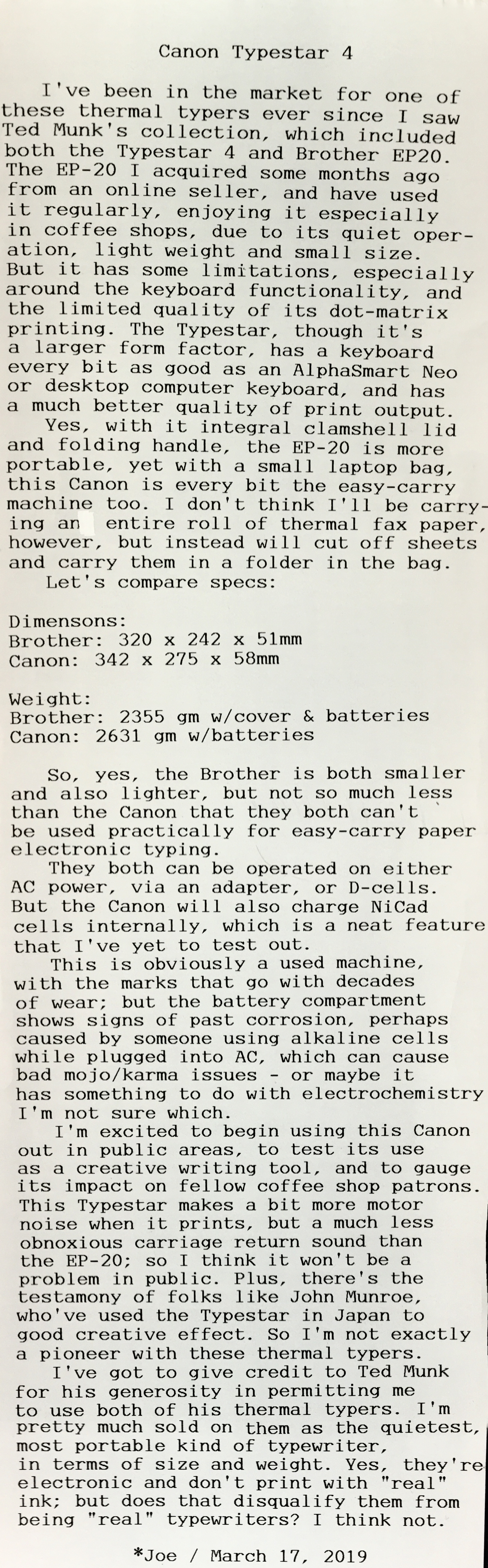
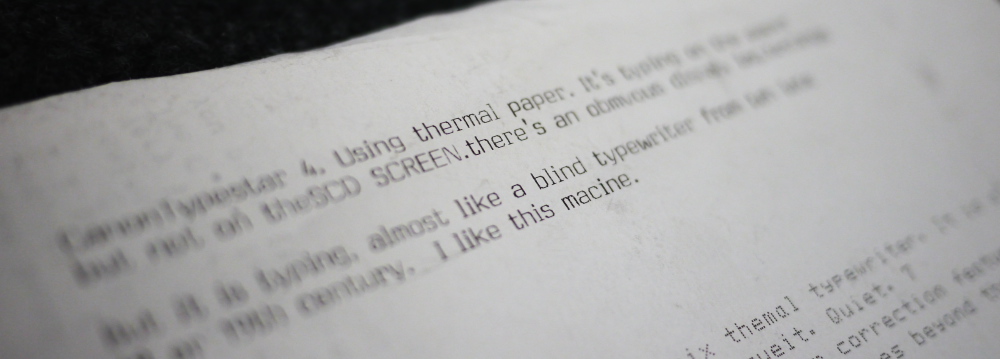
Post-Script: The Typestar prints nice and straight lines and columns of text. The wonkiness you're seeing in the above typecast is because I'm experimenting with using the panorama mode in my iPhone's camera, where you slowly scan the camera across the scene and it assembles a very large image file. But if you're handholding the camera rather unsteadily, as I was, it looks a bit weird. Still, it's better than the results of using the camera in its normal mode, because then it tends to curve the lines near the top and bottom of the image due to pincushion distortion of the lens - which the native photo edit app can't correct for.

This is all in an effort to configure a more mobile blogging workflow, independent of my flatbed scanner. Still a work in progress, however.

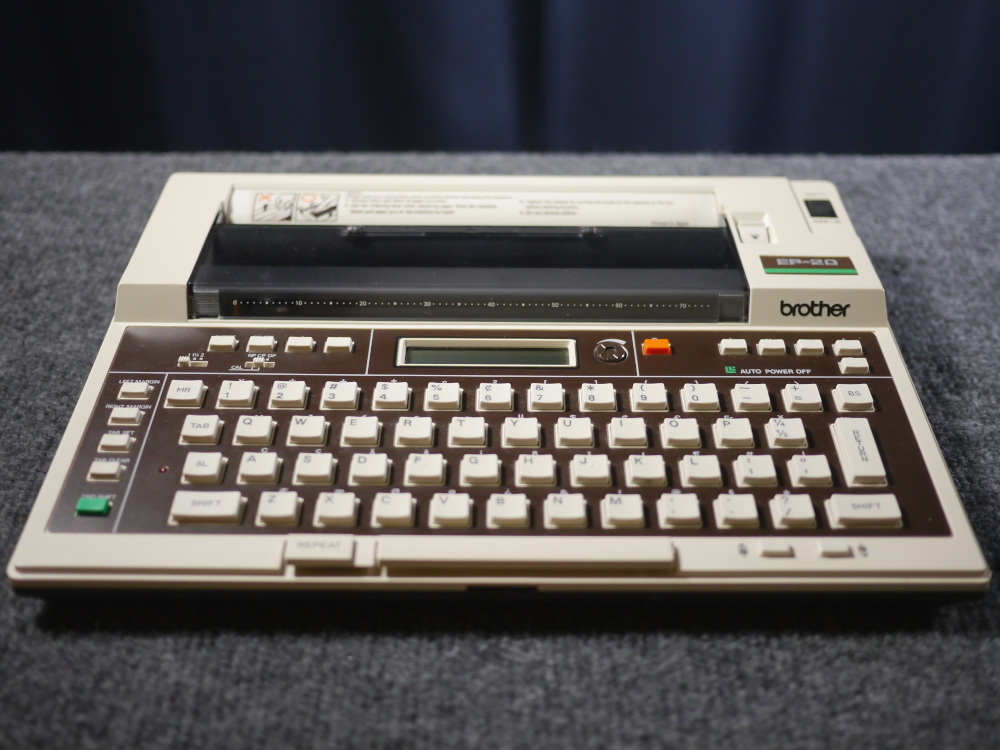
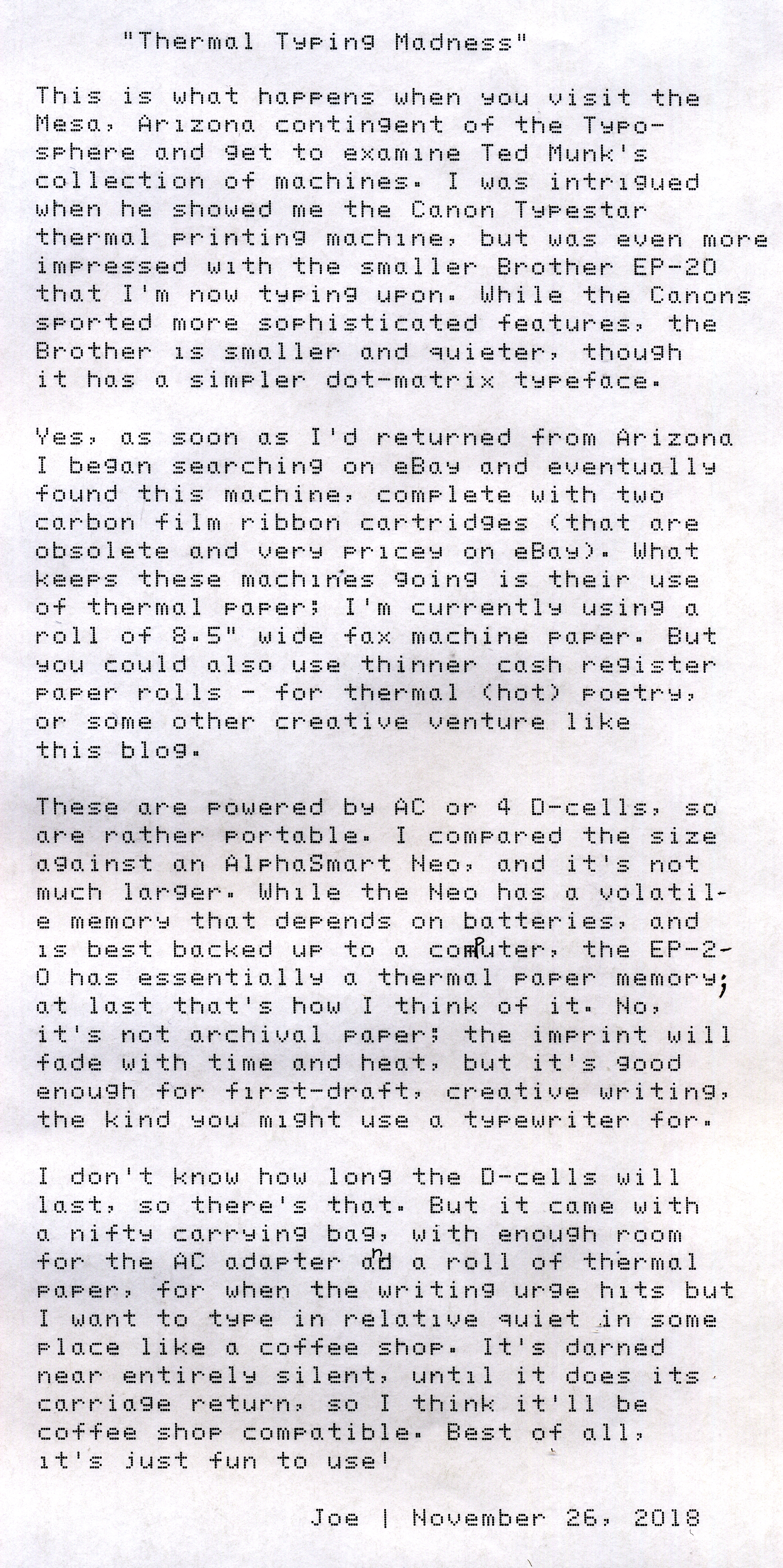
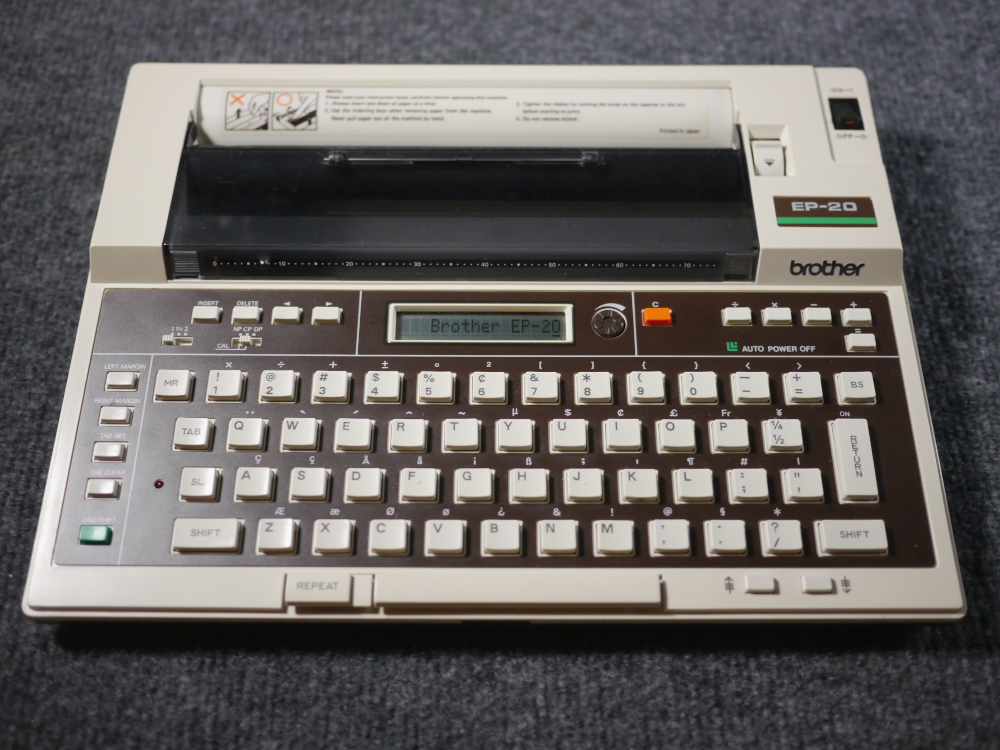
Back to the thermal typewriters. It's been educational using both this Canon and the Brother EP-20, side-by-side. You'd think, because it has a much better keyboard and printing quality, that the Typestar would "mop the floor" with the Brother. But the EP-20 is smaller & lighter, with an integral clamshell lid and carrying handle, aside from its storage bag; whereas with the Canon I have to use a dedicated laptop bag for carrying around.

Yet they're both only going to make "temporary" paper documents, despite the quality appearance of the Canon's output, because thermal paper is essentially not an archival medium. I have thermally printed bookstore receipts jammed into paperback books I've purchased decades ago and, though readable, they're mostly faded away. It reminds me of magnetic tape media - it'll last a long time, but not forever. In the case of writing onto thermal paper, the workflow is essentially one of rough drafting, getting those initial ideas down on paper, to be later sorted and edited, using a more permanent medium, like regular typewriter ink on paper, or some digital media that is, though substantial, not permanent in the sense of forever permanent. It's kind of like the idea in photography of infinity focus. It's a theoretical construct, the idea that you can visually focus a scene from infinity. Infinity is a long way aways.

I suppose you could argue that nothing's really permanent, it's all gonna burn, given enough time until the sun flares up to a red giant. It just has to be "permanent enough".

The value proposition with these small thermal typewriters is that they're much more quiet than a manual typer. Meaning you can go places, use them in public, in ways you can't easily with a manual machine. And they resemble, in form factor, an older-style laptop computer. One with a sheet of paper sticking out. Yes, the printout isn't "archival," but it'll last plenty long enough to go through the inevitable edit phase, to eventually make its way into some digital file.

I'm going to do some cogitating in the near future about the validity of these small machines as "real typewriters." I know there are some folk who'd argue that any kind of electronic typewriter really isn't a "valid" typewriter, it has to be a manual machine. I can understand their point, but would also counter-argue that, if a 1950s Smith-Corona Electric is a "valid" typewriter (it's essentially the same as a manual series 5, but with a motor, belts and some drive spindles), then you can't discount a machine just because it's electric. So then what? Is it invalid because it has a daisy wheel? Or a carbon film ribbon? What does it matter, really; as long as it prints directly to paper - even if the paper's thermal paper - it's a typewriter, right?

Both of these machines use D-cell batteries, and also have AC adapters for when close to an electrical outlet. But the Canon will also charge Ni-Cad batteries internally, using the AC adapter, which I'm going to test out soon. But I've noticed some evidence of corrosion in the battery compartment, which I suspect is because someone in the past (isn't everything in the past?) kept non-rechargeable alkaline batteries in the machine while it was plugged into the AC adapter, a no-no as per the instruction manual. With the Brother EP-20, plugging in the AC adapter disables the batteries, so there's no risk of damaging the machine.

About the thermal paper I use. You can easily get 3-1/8" wide point-of-sale thermal cash register paper, at the big-box office supply stores. And then there's 4-3/8" wide rolls, available from online sellers, more appropriate for poetry. But I really like the 8-1/2" wide thermal fax paper rolls. You can either use the roll intact, or cut it in sheets and carry the sheet around with the typewriter in its case or bag, making for a very portable medium. These typewriters were originally intended to use special thermal-compatible film ribbon cartridges, meaning the machine would transfer the text onto regular paper. Both of my machines have a few such cartridges, but they're no longer being manufactured and are expensive to buy online, as new-old-stock. Hence the reliance on the much more readily available thermal paper, which you can use directly without any kind of cartridge in the machine.

And how long do we expect thermal paper to be in supply? As long as paper receipts are a thing, I suppose. And fax machines. Maybe about as long as fabric typewriter ribbons? Maybe.

Labels: , ,

Wednesday, December 26, 2018

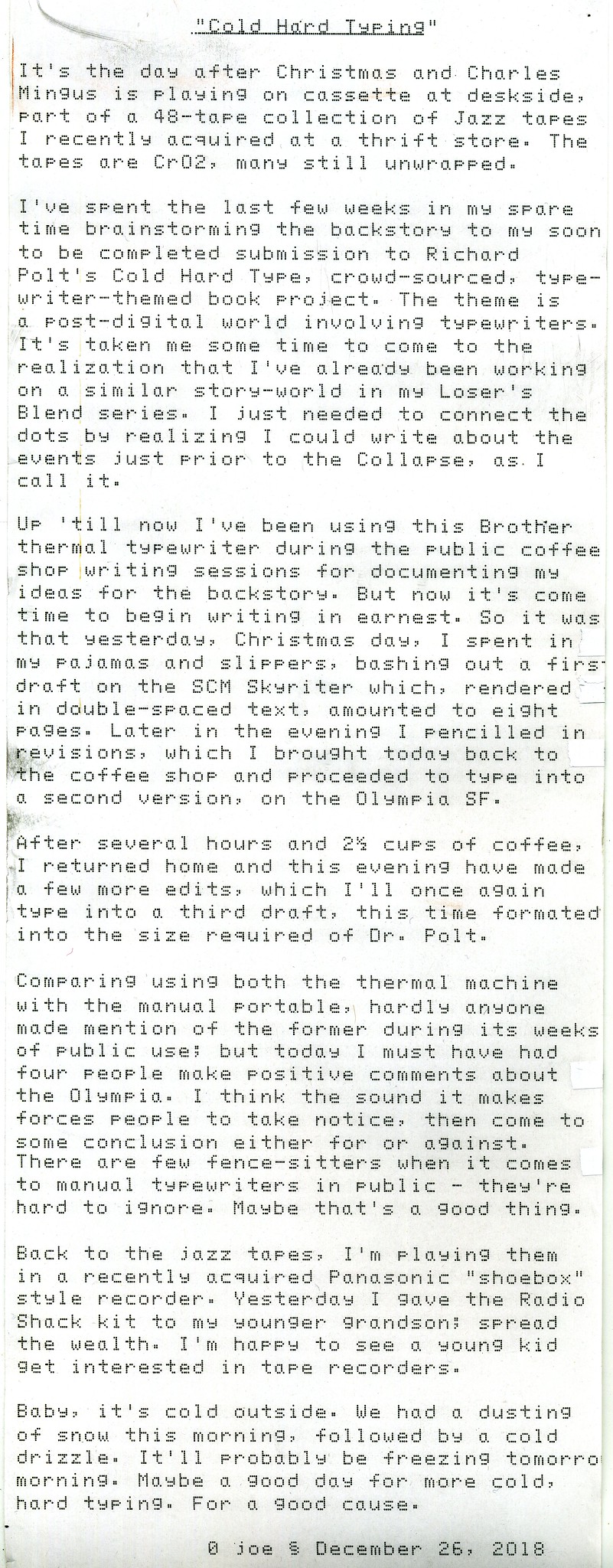
Cold Hard Typing

IMG_0007
Typecast072

Post-Script:

IMG_0008

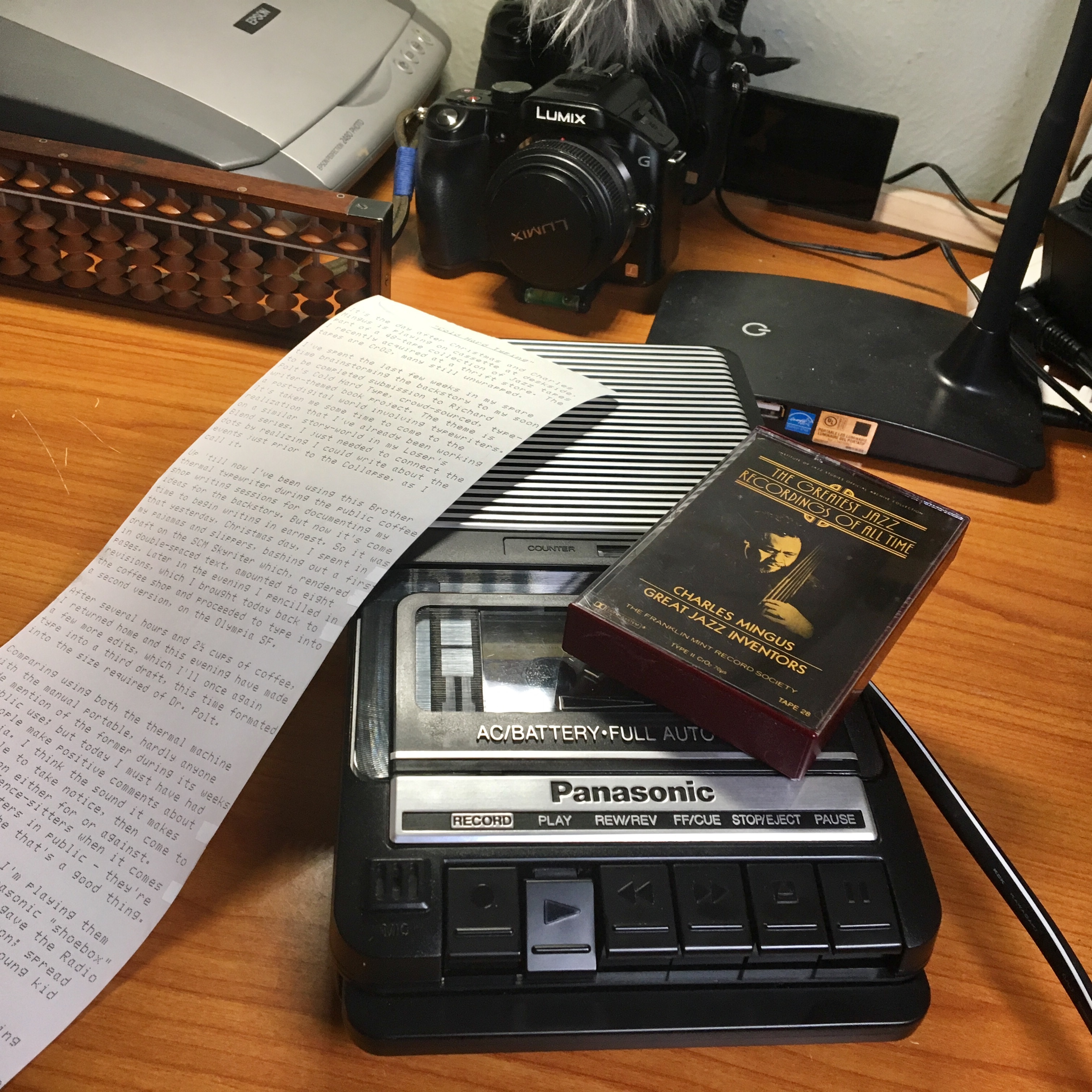
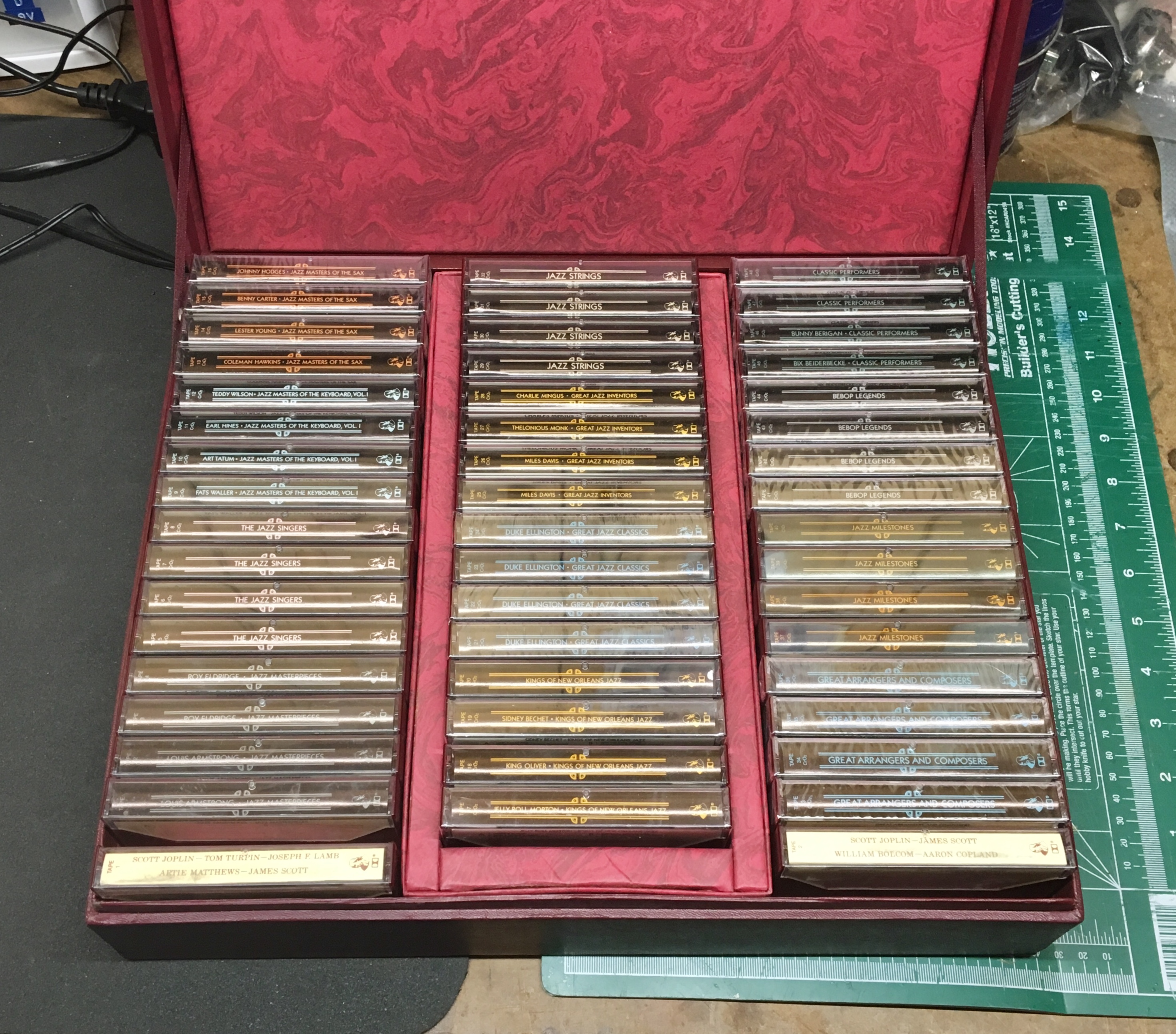
I've been enjoying this collection of jazz tapes. The Panasonic player is monaural, but has a pretty good tonal range. It's especially handy sitting table side; next to my writing area, where I can stop it easily enough before leaving the room. My Sanyo cassette deck with the Lafayette receiver and Polk speakers are in the garage, not where I want to sit while writing in the wintertime. The garage is also too cold for the Sanyo's health, which I should bring inside the warmer house during the winter months. The garage gets 45f in the winter, not too bad, but enough to cause the old deck some grief. That garage stereo system was intended to be there for the warmer months, and I don't really want a loud system in my office, since it adjoins the bedrooms and I have a tendency to be up late at nights on my off days. So the little Panasonic player is about ideal for my office cassette music needs.

About that top photo, you can see in the upper left corner a Japanese soroban abacus, another addition to my collection. I need to make a video about it soon. Maybe also review my entire collection.

Regarding Richard Polt's Cold Hard Type project, see this link.

If you're interested in my collection of Loser's Blend short stories, see this link.

Here's the website for Rust is Gold Coffee Shop, here in ABQ.

More about my coffee shop typing and the Cold Hard Type project in this video:

Labels: , , , , , , , ,

Wednesday, December 05, 2018

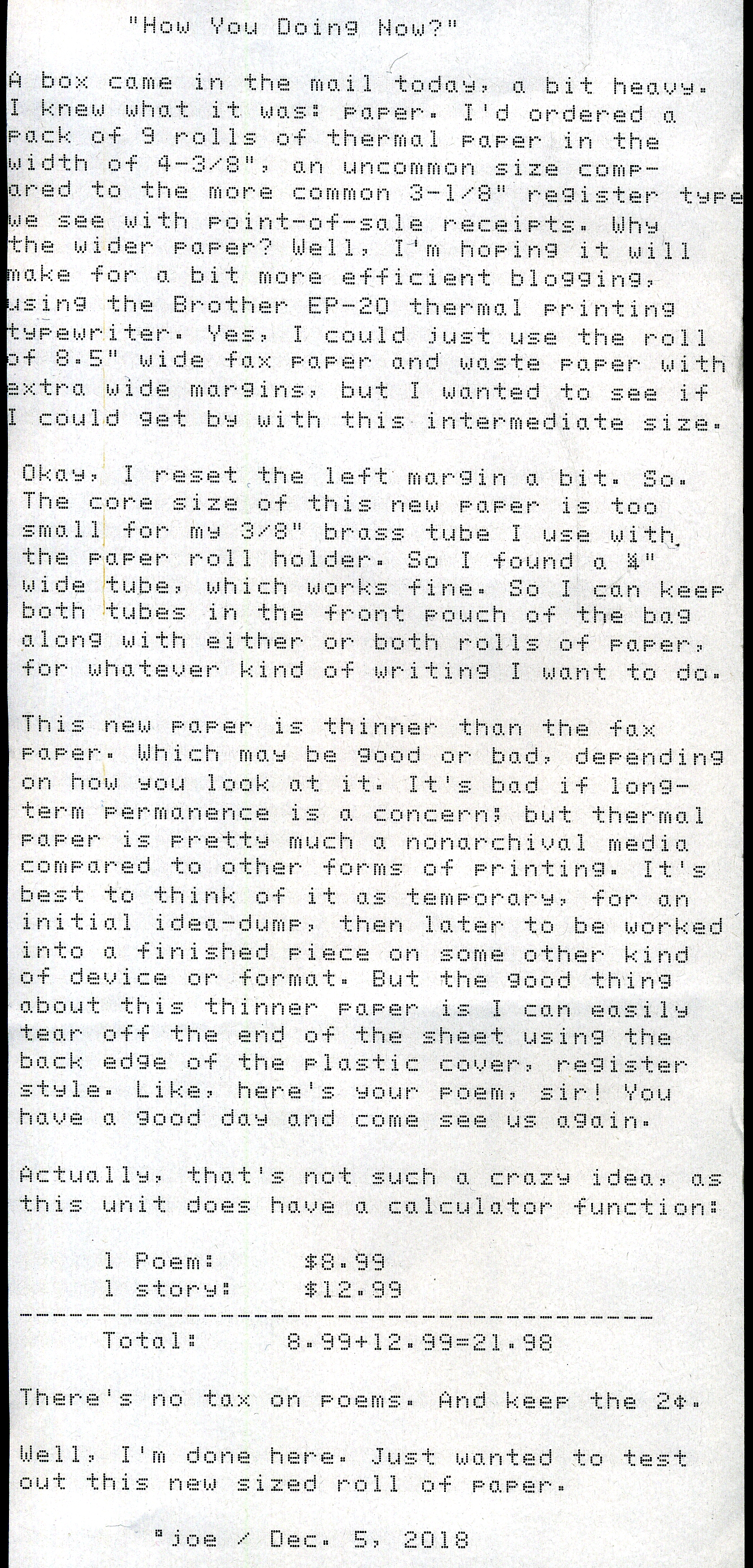
How You Doing Now?

P1010264a
Typecast070

Post-Script: I haven't thought much about how to "archive" these typings in my 3-ring binders until now. The width of the paper is too narrow to span two holes of a binder punch. I think I'll just cut some strips of thicker 11" tall paper, maybe several inches wide, then 3-hole punch that strip and tape the top of the thermal paper to the strip, sideways, and fanfold the thermal paper to fit inside the binder.

I use the term "archive" in quotes because of course thermal paper printing isn't archival. But if stored in a cool climate, it can last for years. My expected usage of this kind of printing is first-draft, to later be edited and worked into some more permanent medium; or journal entries; or just idle thoughts or notes that don't deserve permanence. The stuff that's important can of course be scanned into PDFs and archived digitally. And everything I put on this blog, image-wise, is also on Flickr - but we'll just ignore the question of how permanent online media corporations are in this era. I've a paid membership to Flickr, so all my images are, thus far, preserved from whatever upheaval is currently underway, as one company gets bought out by another. As long as I continue to pay my annual fee, that is.

I know some people have advised me to just host my own server and store my own images that way. But however you spin it, you've gotta pay somebody for some kind of service. The people who are currently complaining about the changes at Flickr mostly have been riding for free. You don't get something for nothing.

Okay, I've also got a video up today for The Tape Project series, comparing two "shoe box"-sized compact cassette recorders, a Radio Shack against a Panasonic. I expected the Panasonic to be the clear winner, but some surprises were found.


This week I also made a more permanent intro clip for my videos, that's in 4K, which in iMovie causes the rest of the video to be rendered also in 4K, even if the rest of the clips are only 1080P; which in turn improves playback quality once uploaded to You Tube. I also made an intro clip for the Tape Project.

Labels: , , ,

Tuesday, December 04, 2018

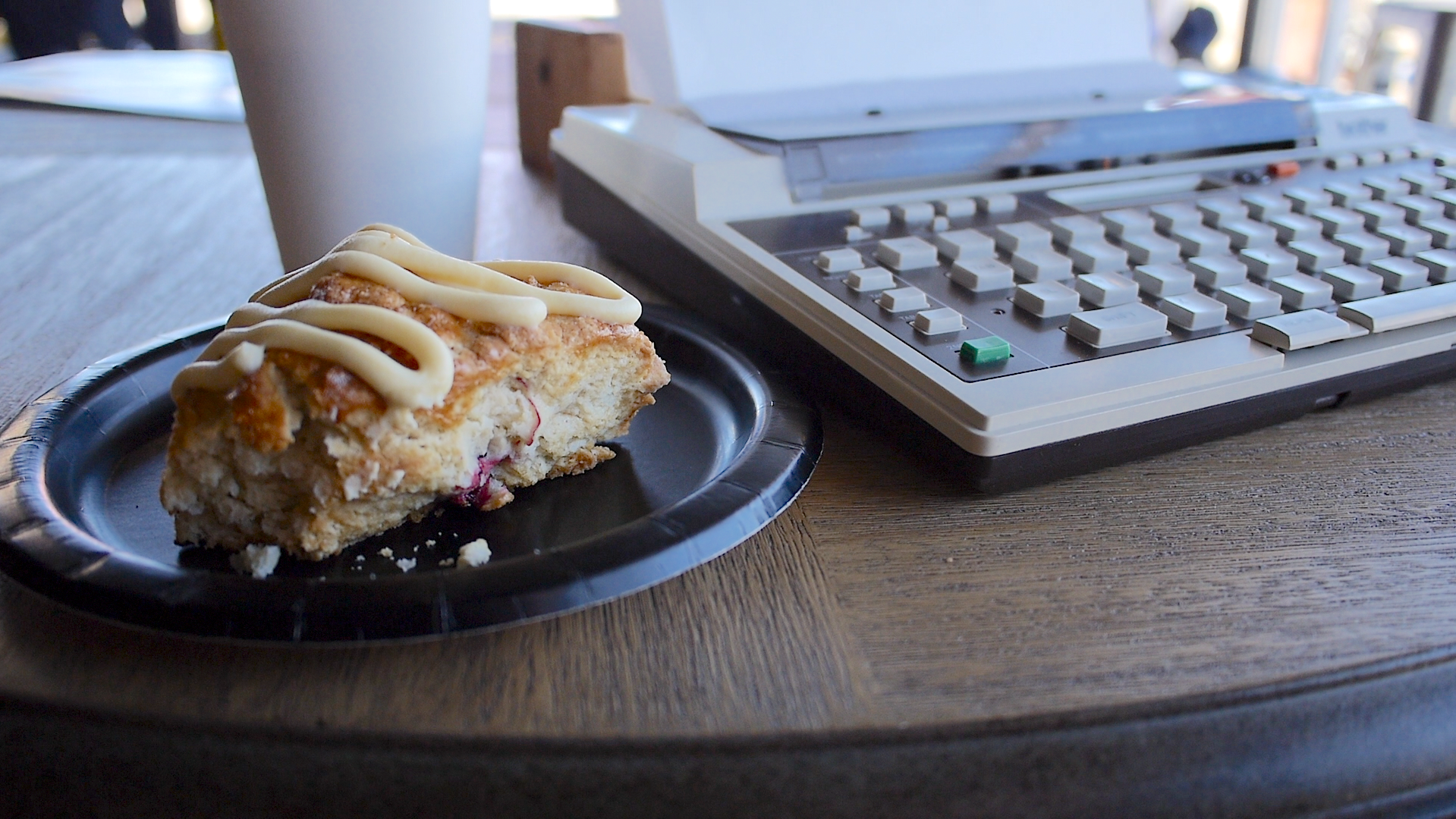
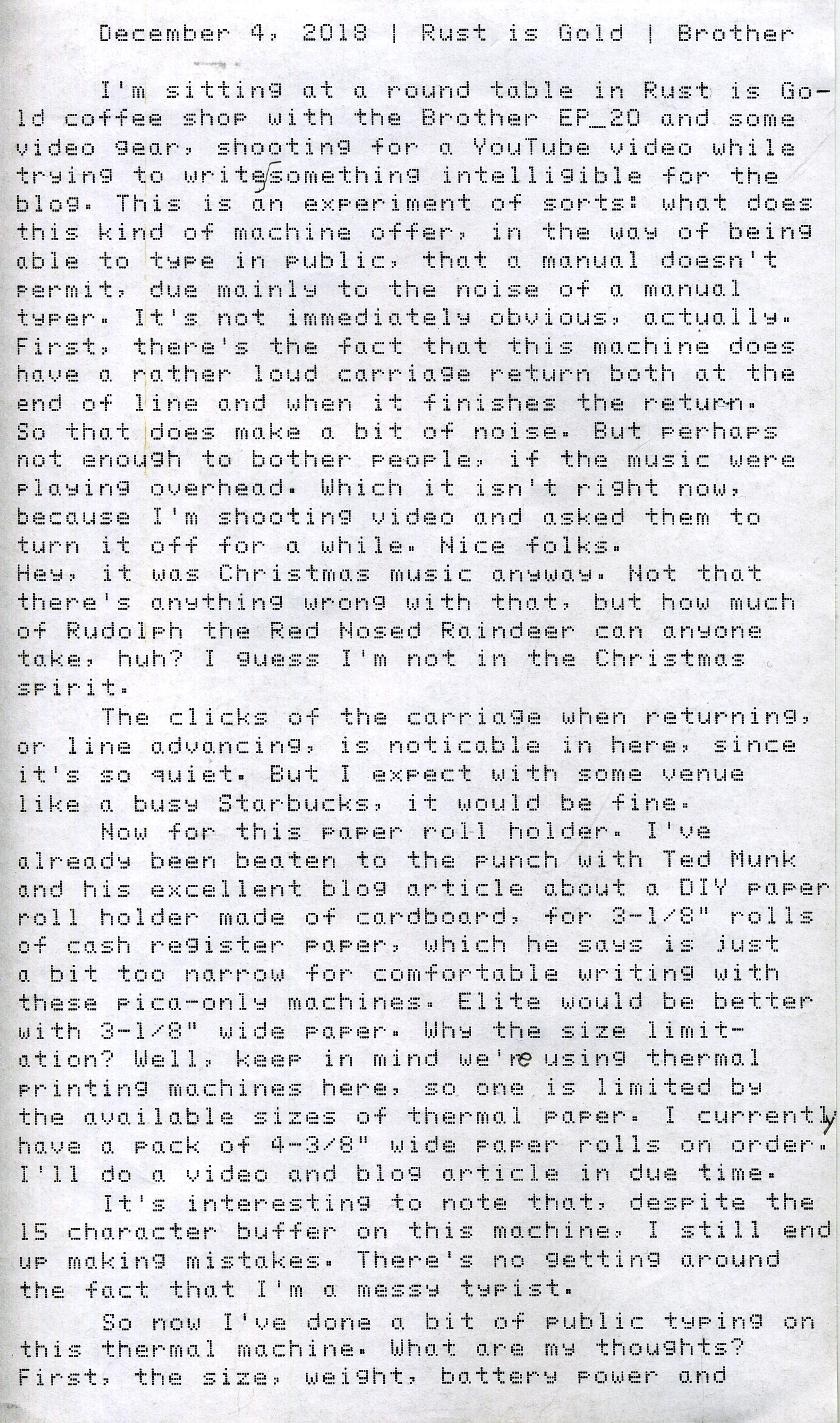
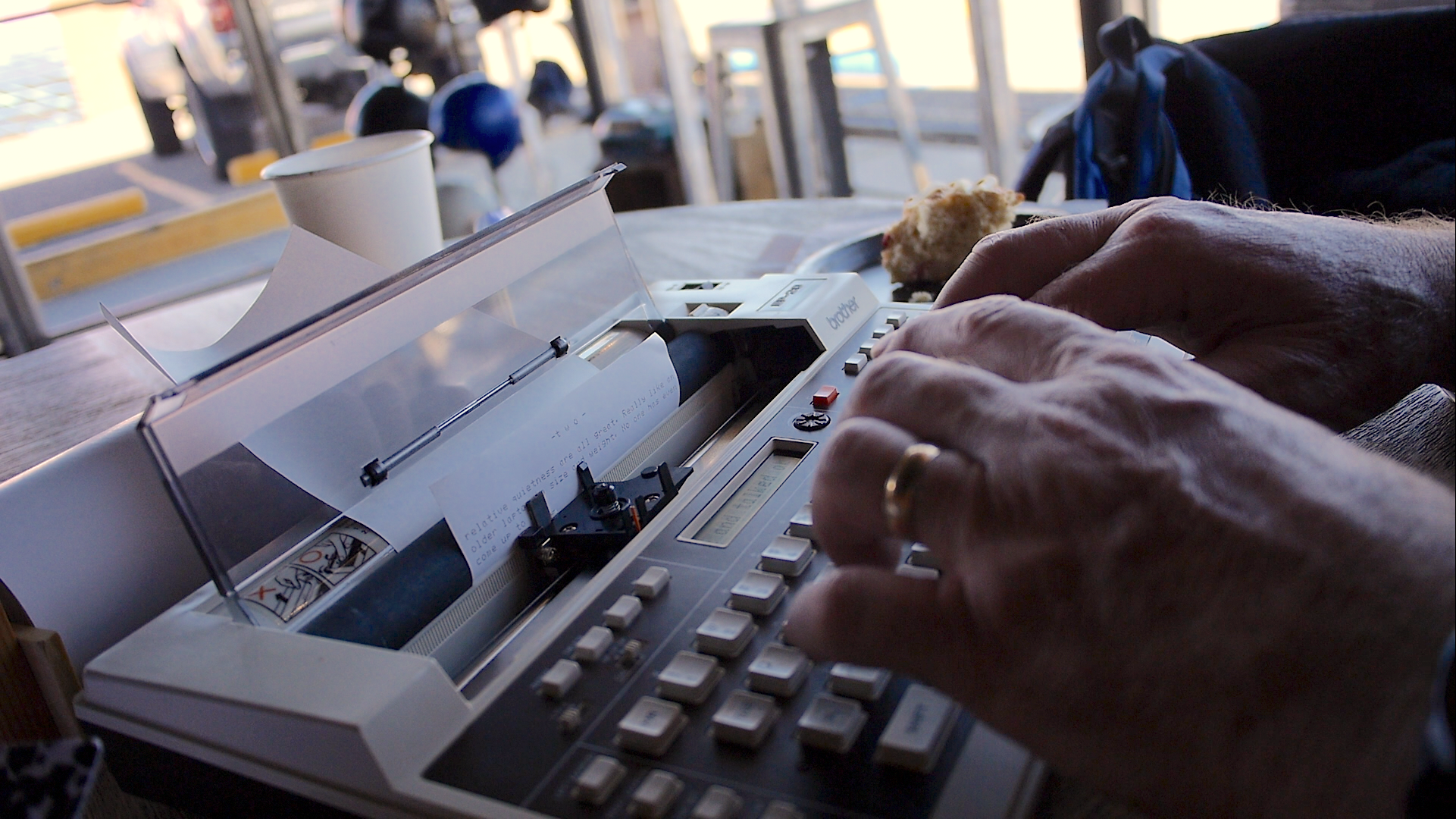
Thermal Typing at Rust is Gold

Rust is Gold
Typecast068
Thermal Typing
Typecast069

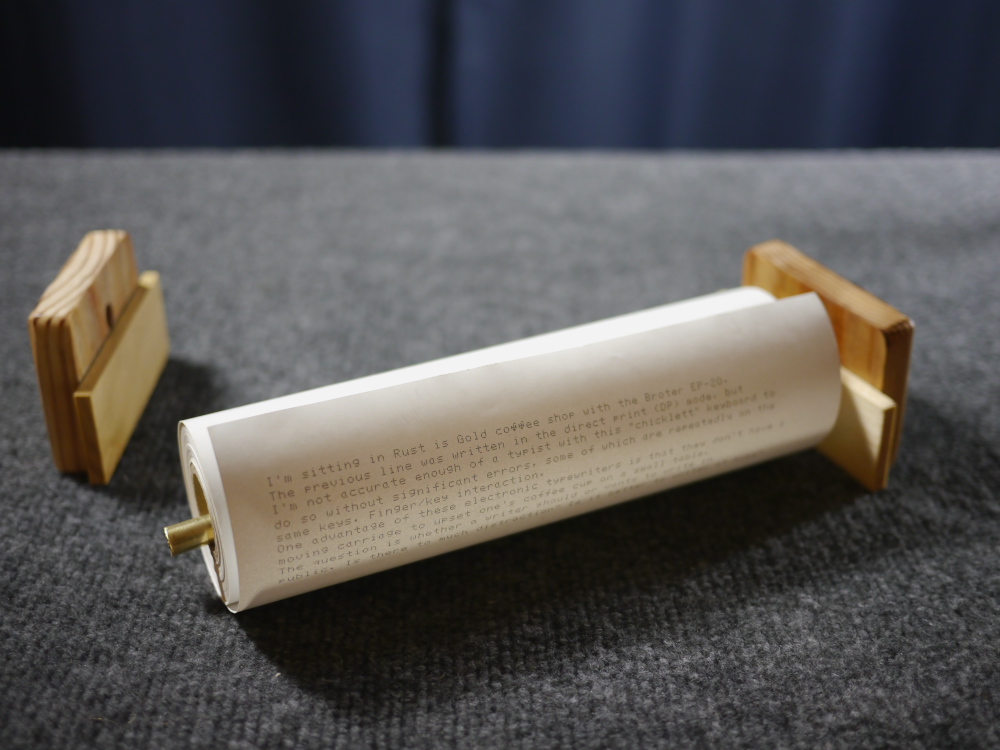
Post-Script: Ted Munk's thermal paper roll holder was much more pragmatic than mine. As is usual for these kinds of projects, I rummage through a bin in my work shop for just the right bits. Usually they aren't ideal, but I figure a way to make them work. In the case of this project, it took several iterations to get a simple, workable holder system that easily breaks down flat enough to fit inside the front pouch of the Brother EP-20 carrying case, along with a roll of thermal fax paper.

When it comes time to cut or sand wood, I like to open the garage door and air out all that sawdust. But cold weather kept me from doing so, and now I have a cleanup job to do when (or if) it does warm up sufficiently.

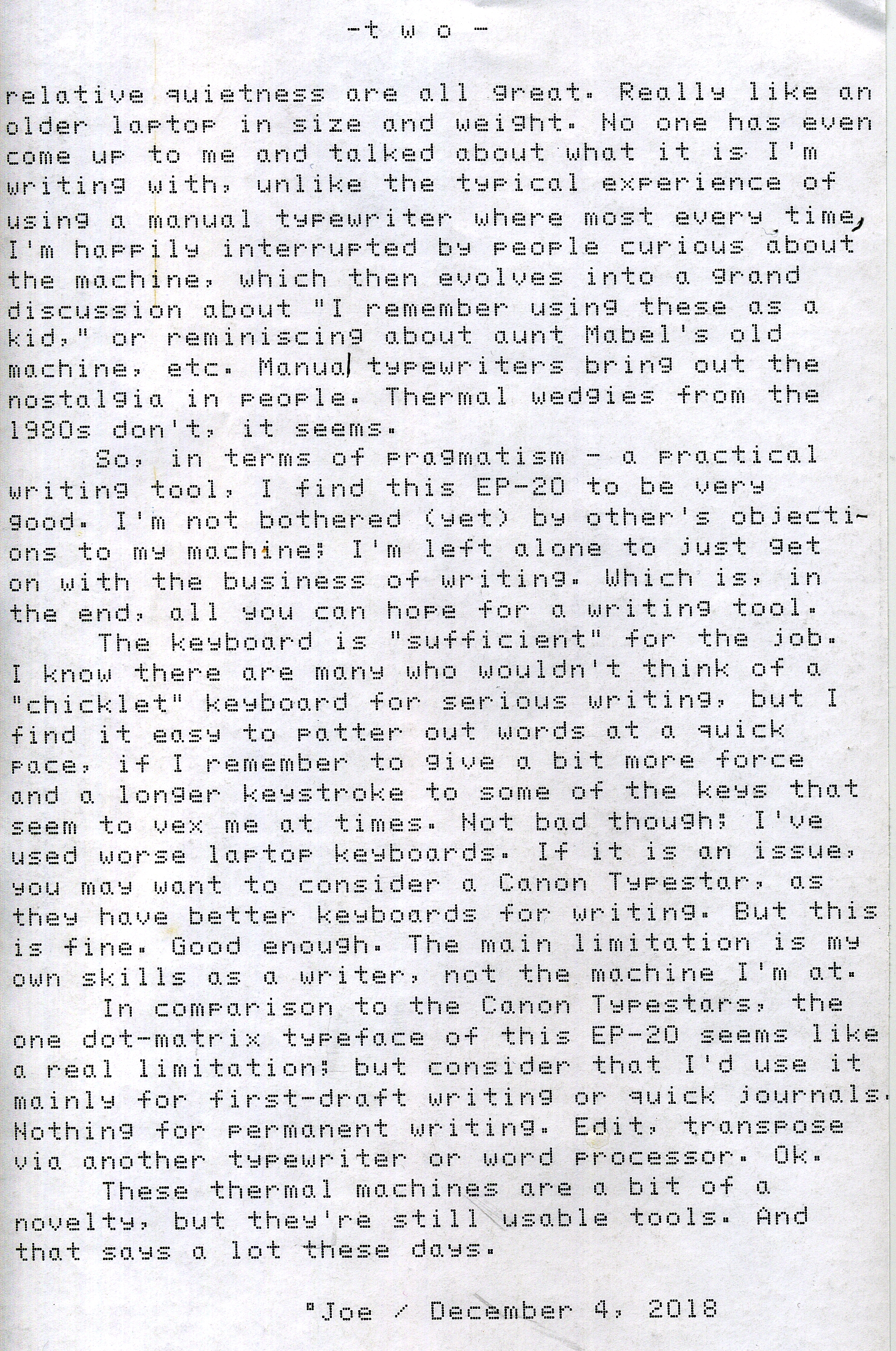
Here are the components to my paper roll holder, disassembled:

P1010255a

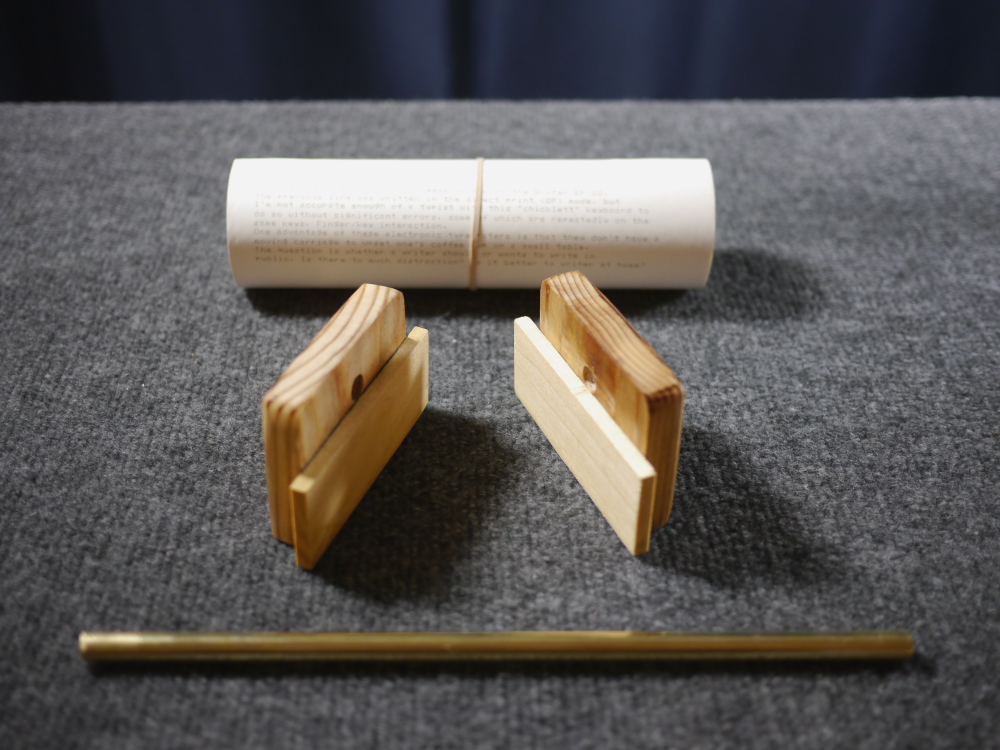
To assemble, first one end of the brass rod is inserted into one of the side brackets:

P1010256a

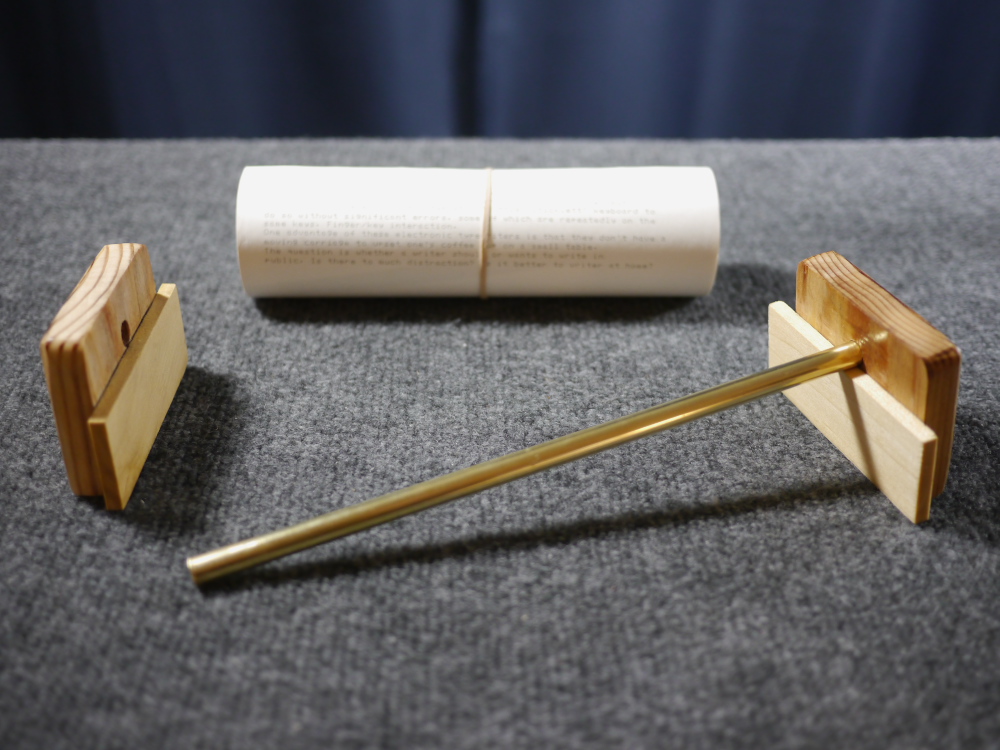
Then the paper roll is slipped onto the rod:

P1010257a

Then the other bracket is installed:

P1010258a

There's enough clearance for the bottom of a full roll not to drag on the table:

P1010260a

The bracket has a low profile and sits conveniently just behind the machine. In practice it helps to pull out a "service loop" of paper and drape it behind the bracket, so the paper has enough slack to easily feed into the machine.

P1010261a

I thought the experience of writing using this system was actually rather good; better I think than using a manual typewriter in public, which for me is fraught with constant worry about what other people think about the noise. Definitely a usable writing system, and easy to tote around.

Here's a video about today's venture:

Labels: , , , , , ,

Tuesday, November 27, 2018

Thermal Typing Madness

P1010227a
Typecast066

Post-Script: Today I took the EP-20 in its carry bag up to the cigar store ("up" in ABQ meaning uphill, easterly, closer to the Sandia mountains) and had a chance to work with it, along with the roll of 8.5" wide thermal fax paper. Nestled in my lap, the paper sat comfortably on my knees behind the machine, though it would work better with some bracket to keep the paper from falling on the floor should I move the wrong way. Yes, I do have the wooden paper roll holder, but it's too bulky to take in the little carry bag with the machine. I'll therefore have to fashion some kind of wire bracket thingie sometime soon.

I had to remember to give the paper a "service loop", so it would be free to feed through the machine during a carriage return, else the line spacing can get wonky.

In actual practice, I would keep the machine powered off (I was using D-cells) until some thought struck me, at which point I'd turn it on and start typing. The correction feature of the 16-character LCD display is pretty handy for ironing out most typos, though a few snuck through anyway.

P1010228a

I thought I was going to do some profound writing, but being seated next to the TV in the cigar lounge that was blaring some obnoxious court show, it was all I could do to remember my own name. I did end up with some journal notes, not a total waste of time.

After I got home with a bit of writing, ready to archive in my notebooks, I figured out the best way to bind these long scrolls of paper is to hole-punch the bottom edge, crosswise to the paper along the 8-1/2" width, then insert in a 3-ring binder and fan-fold the paper scroll so it fits snuggly in the binder. It can then be unfolded to be read. The width is enough to permit being punched by two of the three holes in a 3-ring binder punch, sufficient to be securely bound.

I don't think this little thermal typewriter is a real substitute for a good manual typewriter, but what it has going for it is: light weight; small size, nearly dead-quiet operation and quick response between pressing a key and seeing the characters printed - better than most daisy wheel typewriters I'd estimate. Its negatives are being electric (though the D-cell batteries work well enough) and having to use thermal paper; the original carbon film ribbon cartridges are not being manufactured, and online are exorbitantly expensive; another reason to treat it as a thermal-only machine.

Here's a printout from Ted Munk's Canon Typestar 4 thermal printing typewriter, that I tested when in Mesa, AZ last week. The Brother EP-20 predates the Typestar machines. Note the Typestar line offers more fonts and font sizes than the little Brother machine:

P1010196a

For more details about this machine, see the video:

Labels: , ,